

Circuit Design & Simulation
志义 范 Education iPhoneiPadiPod touchMac
Circuit Design & Simulation is a free Education app for iPhone and iPad by 志义 范. Rated 5.0/5 from 1 ratings. Requires iOS 17.0. Updated November 13, 2026.
- Rating
- 5.0
- 1 ratings
- Price
- Free
- on the App Store
- Size
- 3 MB
- Age 4+
- Updated
- Nov 13
- 2026 · v1.0.4
Screenshots
Save to Pinterest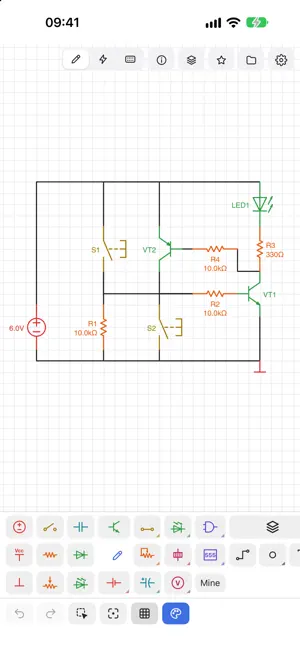

About Circuit Design & Simulation
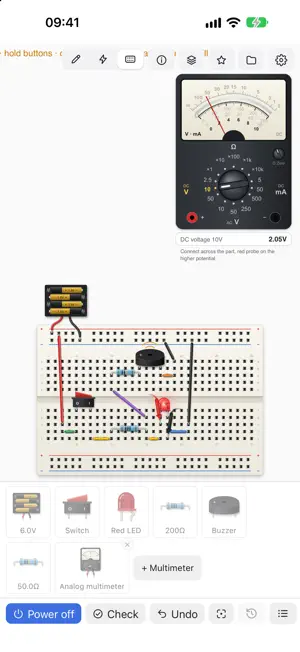
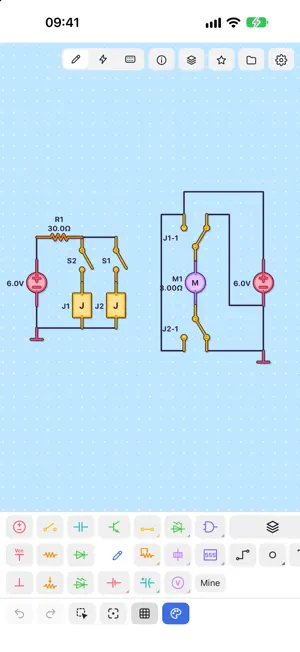
Take circuits off the page: draw them, power them up, then build them by hand. SCHEMATIC • Standard symbols: resistors, capacitors, diodes, LEDs, Zener diodes, transistors, relays, switches, motors, buzzers, sensors, logic gates, op-amps, 555 timers and more • Choose IEC or ANSI (US) symbol style • Snap-to-grid wiring; rotate, flip and swap parts in a tap; Apple Pencil support • Color themes and art styles; export crisp images of your schematic SIMULATION • Turn a schematic into a working simulation in one tap. A checklist points out missing values and wiring problems one by one • Moving green dots show current; blue numbers show the voltage at each node • Flip switches, press buttons, turn potentiometers, change light and temperature, and the circuit responds instantly • Watch capacitors charge and discharge, transistors amplify and switch, relays latch, logic gates oscillate and 555 timers count down • Oscilloscope for waveforms; record the current animation and export it as a GIF BREADBOARD • Realistic breadboard, battery box, components and chips: follow the schematic and plug them in step by step • Or build freely, picking parts from the parts list • Power it up to check your work: does the lamp light, does the motor turn? • Analog and digital multimeters measure voltage, current and resistance EXAMPLES 12 complete examples: basic circuit, capacitor charge and discharge, rectifier with filter and regulator, sensors and transistors, Darlington pair, transistor latch, three-person voting circuit, logic-gate oscillator, relay motor reversing, op-amp oscillator, 555 oscillator and 555 timer. Each comes as a schematic, a simulation and a breadboard, and you can change anything. To keep your changes, save it as your own circuit. EVERYDAY USE • Syncs between iPad and iPhone through iCloud • Share a link and anyone can open your circuit in a web browser • No sign-up, no ads, no personal data collected • English and Chinese Great for physics and technology classes, electronics hobbyists and makers, and teachers demonstrating in class. MEMBERSHIP Free forever: drawing and exporting schematics, plus everything in the 12 examples (including their simulations and breadboards). Membership unlocks: simulating circuits you draw yourself, the breadboard for your own circuits, and art styles. • Yearly membership: auto-renewing subscription, billed yearly • Lifetime membership: one-time purchase Both support Family Sharing. Payment is charged to your Apple Account at confirmation of purchase. The subscription renews automatically unless cancelled at least 24 hours before the end of the current period; your account is charged for renewal within 24 hours before the end of the period. Manage or cancel in Settings → Apple Account → Subscriptions. Terms of Use: https://www.apple.com/legal/internet-services/itunes/dev/stdeula/ Privacy Policy: https://saviteachingassistant.cn/circuit/privacy-en.html
What’s new
Version 1.0.4 · Updated November 13, 2026
• Adds a transformer plus N-channel and P-channel MOSFETs • Set the turns ratio (such as 10:1 or 220V/12V); the transformer produces an output on AC • MOSFETs have an adjustable threshold, and too much current shows a burnout warning • Part readings no longer overlap, and Fit no longer clips supply voltages at the canvas edge • The DC source is a circle with + and −, with the voltage written on the symbol • On iPhone the parts bar stays tucked away until you tap Parts, and tools such as box select and Fit sit under More • Opening an example powers the circuit and shows how to tap the switch
App privacy
The developer, 志义 范, reported these privacy practices to Apple.
Data Not Collected
The developer does not collect any data from this app.
Alternatives to Circuit Design & Simulation
Looking for apps like Circuit Design & Simulation? Here are 6 similar apps on the App Store. The highest rated is CircuitWay - Circuit Simulator (4.7/5), and all 6 are free to download.
-
 Circuit Simulator bitGateLab
-
 Perfboard Lab
-
 CircuitWay - Circuit Simulator
4.7
-
 OhmQuest: Circuit Lab
-
 DENDOU - Circuit Simulator
-
 Electro Sim
4.0
| App | Rating | Price | Last updated | Compare |
|---|---|---|---|---|
| Circuit Design & Simulation | 5.0 / 5 (1 rating) | Free | November 13, 2026 | |
| Circuit Simulator bitGateLab | – | Free | Nov 2, 2026 | Compare |
| Perfboard Lab | – | Free | Nov 23, 2026 | Compare |
| CircuitWay - Circuit Simulator | 4.7 / 5 (3) | Free | Nov 18, 2026 | Compare |
| OhmQuest: Circuit Lab | – | Free | Oct 10, 2026 | Compare |
| DENDOU - Circuit Simulator | – | Free | Nov 12, 2026 | Compare |
| Electro Sim | 4.0 / 5 (1) | Free | Oct 22, 2026 | Compare |