

Electro Sim
剑龙 刘 Education iPhoneiPadiPod touch
Electro Sim is a free Education app for iPhone and iPad by 剑龙 刘. Rated 4.0/5 from 1 ratings. Requires iOS 17.6. Updated October 5, 2026.
- Rating
- 4.0
- 1 ratings
- Price
- Free
- on the App Store
- Size
- 19 MB
- Age 4+
- Updated
- Oct 5
- 2026 · v1.1.0
Screenshots


About Electro Sim
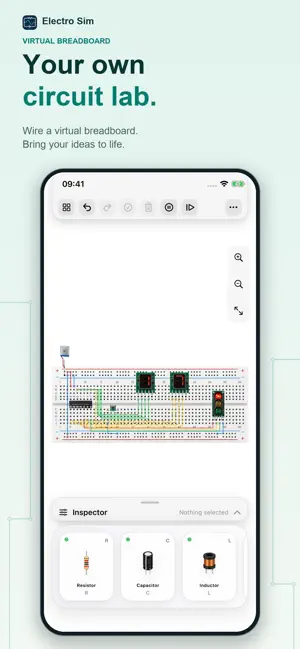
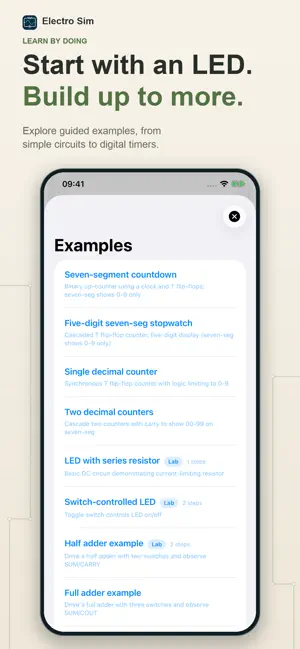
Build a circuit. See current flow. Understand how it works. Electro Sim turns electronics into something you can explore on your iPhone or iPad. Place components, connect wires, and run a simulation to see how your circuit responds. Whether you are learning the basics, preparing a classroom demonstration, or testing an idea, start with a working example or build your own. BUILD ON A CANVAS OR A BREADBOARD Create schematic circuits with drag-and-drop components and flexible wiring, or try a virtual breadboard with components and jumper wires. Zoom in to make connections, rotate parts, and use undo and redo as you experiment. SEE WHAT CHANGES WHEN YOU CHANGE THE CIRCUIT Follow animated current flow, inspect voltage and current readings, and use a virtual multimeter to explore circuit behavior. Adjust component values, toggle switches, or advance the simulation one step at a time to connect cause and effect. LEARN THROUGH WORKING EXAMPLES Explore LED circuits, capacitor charging, logic gates, adders, counters, seven-segment displays, and traffic lights. Selected examples include guided steps that help you investigate the circuit and check your understanding. FIND THE PARTS YOU NEED Browse a searchable component library with resistors, capacitors, inductors, diodes, LEDs, transistors, switches, buzzers, logic gates, and signal sources. Component descriptions and pin information help you decide what to use and how to connect it. TURN CIRCUIT BLOCKS INTO REUSABLE MODULES With Pro, create custom components from circuit blocks, define their pins, and reuse them in new projects. Build up a collection of modules as your ideas grow. Custom component creation and use require an active Pro subscription. SAVE AND SHARE YOUR WORK Save projects to revisit later, exchange circuit files in JSON format, and export circuit snapshots or PDF reports with readings and notes for learning and discussion. Designed for iPhone and iPad, with light and dark appearances and English, Simplified Chinese, and Traditional Chinese interfaces. Start with one LED, then see where your curiosity takes you.
What’s new
Version 1.1.0 · Updated October 5, 2026
Added breadboard support and more examples, introduced current-sensitive flow visualization, and fixed known issues.
App privacy
The developer, 剑龙 刘, reported these privacy practices to Apple.
Data Not Collected
The developer does not collect any data from this app.
Alternatives to Electro Sim
Looking for apps like Electro Sim? Here are 6 similar apps on the App Store. The highest rated is CircuitWay - Circuit Simulator (4.7/5), and all 6 are free to download.
-
 CircuitWay - Circuit Simulator
4.7
-
 Singular: Circuit Simulator
1.0
-
 CloudLabs Mixed Circuit
-
 LogicGate: Circuit Simulator
3.4
-
 555 Timer & Oscillators Guide
-
 CloudLabs Serie Circuit
| App | Rating | Price | Last updated | Compare |
|---|---|---|---|---|
| Electro Sim | 4.0 / 5 (1 rating) | Free | October 5, 2026 | |
| CircuitWay - Circuit Simulator | 4.7 / 5 (3) | Free | Sep 25, 2026 | Compare |
| Singular: Circuit Simulator | 1.0 / 5 (1) | Free | Apr 5, 2026 | Compare |
| CloudLabs Mixed Circuit | – | Free | Apr 1, 2024 | Compare |
| LogicGate: Circuit Simulator | 3.4 / 5 (5) | Free | Mar 22, 2026 | Compare |
| 555 Timer & Oscillators Guide | – | Free | Aug 17, 2026 | Compare |
| CloudLabs Serie Circuit | – | Free | Mar 20, 2024 | Compare |
Compare Electro Sim with the top alternatives: ratings, updates, ASO score and keyword gaps →