

Teledeck – TV Remote
Taleppo Utilities iPhoneiPadiPod touch
Teledeck – TV Remote is a free Utilities app for iPhone and iPad by Taleppo. Requires iOS 18.0. Updated November 21, 2026.
- Price
- Free
- on the App Store
- Size
- 11 MB
- Age 4+
- Updated
- Nov 21
- 2026 · v1.2
Screenshots
Save to Pinterest

About Teledeck – TV Remote
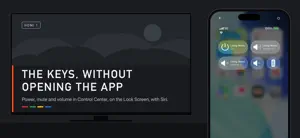
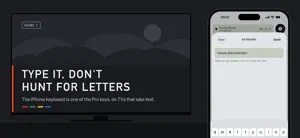
Teledeck turns your iPhone into the keypad of your TV. It finds the set on your home Wi-Fi, pairs with it the way its maker intends, and then shows the keys that TV really has – never one that does nothing. Getting started takes three steps: 1. Open the app and let it search your Wi-Fi. 2. Pick your TV and confirm once: accept the request on the screen, or type the code or PIN the TV shows. 3. Press a key. From then on the keypad is ready whenever you open the app. The direction pad and OK sit under your thumb, with back and home beside them; volume, mute, channels and playback appear where your TV has them. Tap volume ten times in a hurry and every press arrives, in order. Power switches the TV off – and on again where the set stays reachable in standby. If the TV refuses the connection, the app names the setting to switch on. The keys you press most also work without opening the app: Power, Mute, Volume Up and Volume Down are controls for Control Center, the Lock Screen and the Action button, and a small Home Screen widget carries the same four keys. Siri and the Shortcuts app know them too. A control presses the keys of the TV the app shows, or of the TV you set it to, and the line under the TV's name says what happened – muted, the volume, or that the TV did not answer. Like the app, it needs the same Wi-Fi as the TV. It works with selected LG webOS TVs (accept the connection once on the TV), selected Sony BRAVIA TVs (pair with the PIN the TV shows, or with a key you set on the TV), Google TV and Android TV sets (type the code shown on the TV once) and select Samsung Tizen TVs from 2017 and newer (allow the connection once on the TV). What works depends on the model and its software; the support page lists it per platform. Not supported: Roku TVs, Fire TV, Apple TV. No TV at hand? The Demo TV shows the whole keypad without a real set, and it takes the presses of the controls and of Siri too. What does it cost? One TV with the whole basic keypad needs no purchase, so you can see that your TV answers before you decide on Pro. Teledeck Pro adds four keys: several TVs (living room, bedroom, kitchen), the keyboard of your iPhone for the TV's text fields, and the apps and inputs your TV lists. The controls and shortcuts follow the same rule: free for one TV, Pro for more TVs, apps and inputs. Pro is a yearly subscription or a single lifetime purchase; the App Store shows the prices before you buy. If your Apple Account has not had it yet, the yearly plan starts with a free 7-day trial, and the app shows the day of the first payment before you start it. There is no weekly plan. Where does my data go? Nowhere it should not. Your iPhone talks to the TV directly over your Wi-Fi, with no cloud service in between. There is no account, no sign-in and no advertising. Pairing keys stay in your iPhone’s Keychain. Good to know Your iPhone and the TV must be on the same local network; mobile data does not work. With a soundbar or AV receiver, volume works only where the TV passes it on (HDMI-CEC/eARC). Teledeck is an independent app and is not affiliated with or endorsed by any TV maker. LG, webOS, Sony, BRAVIA, Google TV, Android TV and Samsung are trademarks of their respective owners. The yearly plan is an auto-renewing subscription: it renews automatically until you cancel it in your Apple Account settings at least 24 hours before the end of the subscription year. With the free trial of Pro, the first payment is taken when the trial ends, unless you cancel at least 24 hours before. Terms of Use: https://teledeck.taleppo.com/terms/ Privacy Policy: https://teledeck.taleppo.com/privacy/
What’s new
Version 1.2 · Updated November 21, 2026
Pro can now be tried for free: if your Apple Account has not had it yet, the yearly plan starts with a free 7-day trial. The app says how long the trial lasts, the day of the first payment and how to cancel in time. Everything else stays as it was – one TV with the whole basic keypad needs no purchase.
App privacy
The developer, Taleppo, reported these privacy practices to Apple.
Data Not Linked to You
The following data, which may be collected but is not linked to your identity, may be used for the following purposes:
- Purchases: Purchase History
- Identifiers: Device ID
Used for: Analytics, App Functionality
Alternatives to Teledeck – TV Remote
Looking for apps like Teledeck – TV Remote? Here are 6 similar apps on the App Store. The highest rated is Turkiye Fuar Takvimi (5.0/5), and all 6 are free to download.
-
 TV Remote TRC
-
 Turkiye Fuar Takvimi
5.0
-
 RemoteTv: Ad-Free TV Remote
-
 Universal TV Remote · PULT
-
 Demote: Universal TV Remote
5.0
-
 Remmo: Smart TV Remote
| App | Rating | Price | Last updated | Compare |
|---|---|---|---|---|
| Teledeck – TV Remote | – | Free | November 21, 2026 | |
| TV Remote TRC | – | Free | Aug 3, 2026 | Compare |
| Turkiye Fuar Takvimi | 5.0 / 5 (1) | Free | Nov 16, 2026 | Compare |
| RemoteTv: Ad-Free TV Remote | – | Free | Nov 23, 2026 | Compare |
| Universal TV Remote · PULT | – | Free | Nov 17, 2026 | Compare |
| Demote: Universal TV Remote | 5.0 / 5 (2) | Free | Nov 14, 2026 | Compare |
| Remmo: Smart TV Remote | – | Free | Nov 14, 2026 | Compare |