

MITO CAM - Retro Digicam
JAEBAEK LEE Photo & Video iPhoneiPadiPod touchApple Watch
MITO CAM - Retro Digicam is a free Photo & Video app for iPhone and iPad by JAEBAEK LEE. Requires iOS 17.0. Updated November 13, 2026.
- Price
- Free
- on the App Store
- Size
- 61 MB
- Age 4+
- Updated
- Nov 13
- 2026 · v2026.11.13
Screenshots
Save to Pinterest


About MITO CAM - Retro Digicam
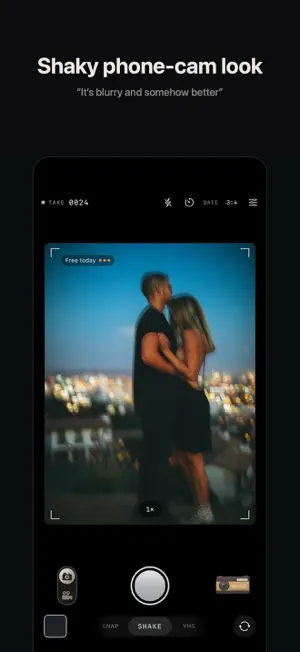
Not your everyday camera — the one you pull out for the moments worth keeping. 2000s digicam texture, movie colors. Your old photos too • Put any camera and a date stamp on photos and videos already in your library. The date is the day it was taken • Turn the photos sitting in your gallery into old digicam shots Only the cameras you need Ten cameras that are actually worth using, so you never get tired of choosing. • 2000s digicam — punchy color, blown-out highlights, that era's noise. Always free • 2015 — the phone camera from the home-button days. No edits: deep blue skies, deep shade, sunlight blown to white • SNAP — like a photographer friend took it on a big camera. Half-faded color, calm grey shadows, no yellow indoor cast • Shaky phone cam — a little shake, on purpose. Easy to post without overthinking • Camcorder — 90s home video: scan lines, bleeding color, static, even the old camcorder date • Instant camera — soft pastel colors in a white frame. Write a line in the bottom margin, like with a real pen • Hong Kong night — fluorescent green shadows, orange lights • Cinema film — blue shadows, warm lights. Best at night and indoors • Dark — only the lights stay, the shadows go deep • 2012 — an early-2010s phone front camera. Slightly mushy quality, windows blown out to white. Made for selfies and videos Switch as you shoot • Swipe the camera names under the shutter, or the screen itself, to switch • Set the strength anywhere from 0 to 100 • On iPhone 18 Pro, pick the aperture too: ƒ1.48 for a soft background, ƒ4 for everything sharp • Change the camera after you shoot, right in the photo viewer • Search 'MITO VHS' in the Photos app to see only that camera's shots, even if you forgot which one you used • Keep only the cameras you love on the row with Favorites • Flip to the front and your camera stays the same (or let each side keep its own) Saved as you see it • The colors on your screen are the colors you save • No face reshaping, no skin smoothing • Video in the same colors, at 24, 30 or 60 fps That digicam feel • An orange date stamp in the corner ('26 10 08) • 3:4, 9:16, 1:1 and 2.39 frames, plus movie-subtitle stills • Apply any camera to photos and videos already in your library — the place stays, and the date stamp shows the day it was taken • Lock Screen, Control Center, Action button, widgets and an Apple Watch shutter Free at its core • The 2000s digicam is always free and unlimited • The other cameras develop 3 photos and 1 video a day for free (the camcorder gets its own 1 photo and 1 video). Anything after that isn't lost — it waits in 'Kept for you' • Passes: a one-month pass (no auto-renewal) or lifetime at a launch price. Try everything on the pass screen before you buy No account, no ads. Your photos never leave your phone.
What’s new
Version 2026.11.13 · Updated November 13, 2026
• Photos are saved even if you leave the app right after shooting • Kept photos and videos now show in the gallery • Open the gallery right after a shot and it's already there
App privacy
The developer, JAEBAEK LEE, reported these privacy practices to Apple.
Data Not Linked to You
The following data, which may be collected but is not linked to your identity, may be used for the following purposes:
- Purchases: Purchase History
- Identifiers: Device ID
- Usage Data: Product Interaction
Used for: Analytics
Alternatives to MITO CAM - Retro Digicam
Looking for apps like MITO CAM - Retro Digicam? Here are 6 similar apps on the App Store.


| App | Rating | Price | Last updated | Compare |
|---|---|---|---|---|
| MITO CAM - Retro Digicam | – | Free | November 13, 2026 | |
| Someday We'll Miss Today | – | Free | Oct 2, 2026 | Compare |
| muro - Film Camera | – | Free | Nov 5, 2026 | Compare |
| Mayica | – | Free | Sep 12, 2026 | Compare |
| SCENE: | – | Free | Oct 6, 2026 | Compare |
| HK 1990 Film | – | Free | Nov 11, 2026 | Compare |
| 올드미 Oldmi - 빈티지 디카 | – | Free | Sep 1, 2026 | Compare |