

Mayica
Chanhee Bak Photo & Video iPhoneiPadiPod touch
Mayica is a free Photo & Video app for iPhone and iPad by Chanhee Bak. Requires iOS 18.0. Updated September 12, 2026.
- Price
- Free
- on the App Store
- Size
- 35 MB
- Age 4+
- Updated
- Sep 12
- 2026 · v1.7
Screenshots
About Mayica
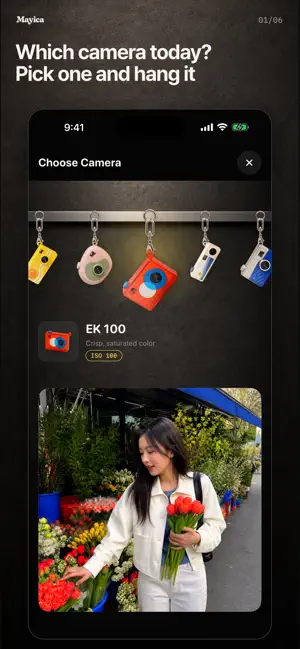
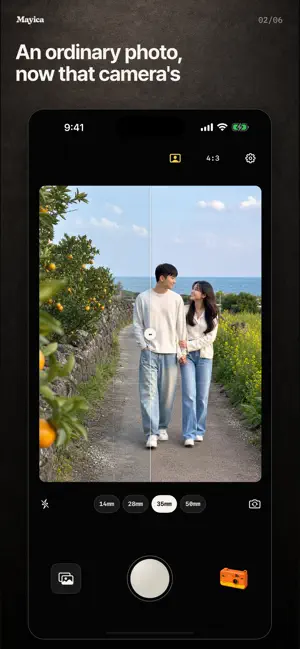
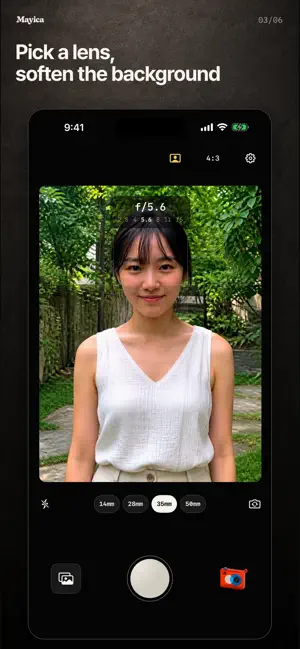
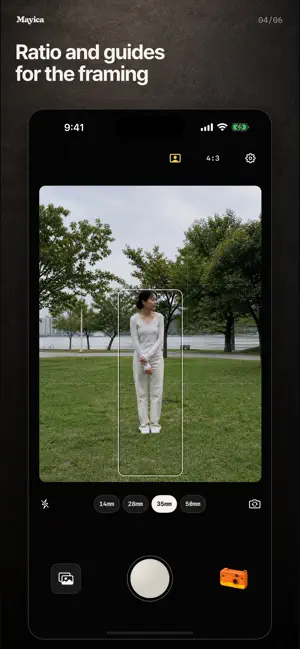
Maybe it's the camera. Maybe I just love you. Photos of the people we love always look a little better. That thought is where Mayica started. Remember the tiny camera keyring on your bag? Mayica keeps a wall of them. Pick one, hang it by the shutter, and just shoot. Tilt your phone and it swings. Press the shutter and the photo takes on that camera's color and grain. The viewfinder shows the scene exactly as it is. Every camera on the wall suits a different scene: a Sunday afternoon with nothing planned, tulips at the flower market, convenience-store light on a wet road, dense black and white, even a photo that looks like it came from the phone you had back then. Choosing which one to hang today is where the shot begins. FOR YOU IF • You love the feel of film but are tired of scrolling through twenty filters. • You want the photo finished on the spot, with no editing afterward. • You keep photos of the people you love, the light on a trip, and days when nothing happened. SHOOTING IS SIMPLE • Pick 14, 28, 35, or 50 mm, tap to focus, touch and hold to lock it. • Swipe up and down for exposure, left and right for the aperture effect: how much the background blurs and how the lens feels. • Hold the shutter for a bulb exposure and keep the trails of light. • 4:3, 16:9, 1:1, a grid, a level, and portrait composition guides. • Review right after the shot, save or retake, and keep the original too if you like. MAYICA PRO • Import photos from your library or another app's share sheet and give them the look of any camera. • Save and share every camera's photos without the watermark. • Shooting and every camera stay free. Some cameras add a small Mayica mark below the photo on free saves; the camera picker shows which ones. • PRO is an auto-renewing annual subscription you can manage or cancel anytime from Settings. Everything happens on your device. No account, no sign-in. Camera names are inspired by real films and cameras, but their colors are not copies. For ad measurement, Singular processes app launches and sessions plus limited device and network information. Photos and location never leave your device for Singular. This app follows Apple's standard EULA. https://www.apple.com/legal/internet-services/itunes/dev/stdeula/
What’s new
Version 1.7 · Updated September 12, 2026
Refined the transition when switching to the ultra-wide lens. Long exposures now use a compact timer.
App privacy
The developer, Chanhee Bak, reported these privacy practices to Apple.
Data Linked to You
The following data, which may be collected and linked to your identity, may be used for the following purposes:
- Identifiers: Device ID
- Usage Data: Product Interaction
- Other Data: Other Data Types
Used for: Developer’s Advertising or Marketing, Analytics, App Functionality
Alternatives to Mayica
Looking for apps like Mayica? Here are 6 similar apps on the App Store.



| App | Rating | Price | Last updated | Compare |
|---|---|---|---|---|
| Mayica | – | Free | September 12, 2026 | |
| SCENE: | – | Free | Oct 6, 2026 | Compare |
| MoodRoll | – | Free | Oct 6, 2026 | Compare |
| Dearstill | – | Free | Sep 28, 2026 | Compare |
| Patina Film: Photo Editor | – | Free | Sep 29, 2026 | Compare |
| Jeju Filter: Landscape Camera | – | Free | Sep 10, 2026 | Compare |
| Picory | – | Free | May 26, 2026 | Compare |
Compare Mayica with the top alternatives: ratings, updates, ASO score and keyword gaps →