

Photo Recovery - Deleted Photo
MAYUR GORDHANBHAI SAVSAVIYA Photo & Video iPhoneiPadiPod touch
Photo Recovery - Deleted Photo is a free Photo & Video app for iPhone and iPad by MAYUR GORDHANBHAI SAVSAVIYA. Requires iOS 17.0. Updated October 29, 2026.
- Price
- Free
- on the App Store
- Size
- 51 MB
- Age 4+
- Updated
- Oct 29
- 2026 · v1.2
Screenshots


About Photo Recovery - Deleted Photo
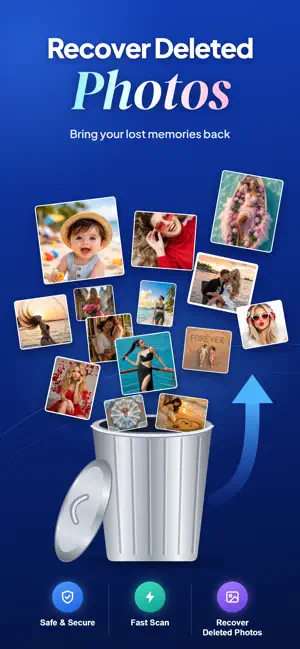
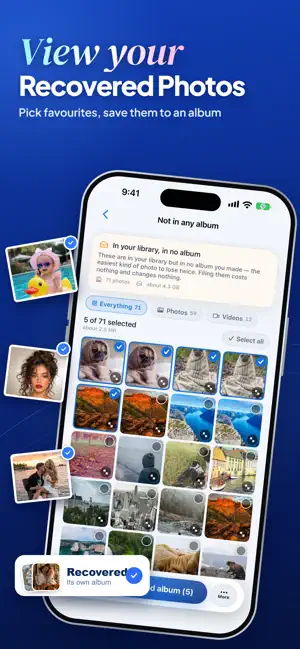
Photo Recovery Easily with Photo Recovery Video Recovery! Photo Recovery is an all-in-one photo management and file recovery tool designed for iPhone users. It helps you effortlessly recover lost photos, manage unnecessary files, free up storage space, protect your privacy, and enhance your photos with AI-powered tools. File Recovery - Photo Recovery is your ultimate solution for easily finding and restoring deleted media files. Powered by advanced scanning technology, the app makes photo and video recovery simple, fast, and secure. File & Photo Recovery helps you find and restore photos, videos, documents, and audio files available for recovery on your device. It also helps you manage your important files and keep safe backup copies, so you can protect your valuable memories and important data. ONE SCAN, SEVEN PLACES • Photo & Video Recovery – Quickly restore deleted photos and videos from gallary. • Hidden photos: everything tucked away in the Hidden album • Preview Before Recovery – View deleted photos and videos before restoring to ensure accuracy. • Burst frames: the shots Photos keeps out of view after a burst • Live Photo frames: the seconds of extra frames inside every Live Photo • Not in any album: photos you took but never filed • Screenshots: captured, then forgotten • Similar shots: near-identical photos, grouped, with the sharpest one marked • Out of focus: blurry shots worth checking for a sharper copy Restore Photos & Videos: • Easily recover accidentally deleted photos and videos from your device when they are available for recovery. • Set a password to keep your photos and videos safe and secure. • Quickly recover and retrieve your photos and videos in just a few simple steps. Recover Data: • Scan images and scan videos to find recoverable media files. • Allow video backup to keep your important videos safe. • View and manage restored data in a dedicated saved folder. BRING THEM BACK Tap the photos you want and choose what happens: unhide them, save burst frames to your library, pull a still frame out of a Live Photo, or file them into a "Recovered" album so you can find them again. KEEP THE BEST SHOT Similar photos come grouped in sets, with the sharpest one already marked to keep. Pick a different one with a tap, then clear the rest in one go. Anything you remove goes to Recently Deleted, so you can still change your mind. A PRIVATE VAULT Move private photos into a vault that opens with Face ID. Vault photos are encrypted inside the app and never appear in the Photos app, the Files app, or the app switcher. RECOVER FROM FILES Got old photos on a computer backup, an SD card or iCloud Drive? Pick them in the Files app and they go straight into your library's "Recovered" album. PRIVATE BY DESIGN • Every photo is checked on your iPhone. Nothing is uploaded. • No account, no sign-up, no ads, no tracking. • Available in 29 languages, in light and dark mode. GOOD TO KNOW Once a photo has been emptied from Recently Deleted, iOS removes it for good and no app can reach it. Photo Recovery finds the photos that are still on your phone but out of sight. Privacy Policy: https://sites.google.com/view/photo-recovery-find-vault/home Terms of Use: https://sites.google.com/view/photorecoveryfindvault/home EULA :- https://sites.google.com/view/photo-recoveryeula/home
What’s new
Version 1.2 · Updated October 29, 2026
Bug fixes and improvements.
App privacy
The developer, MAYUR GORDHANBHAI SAVSAVIYA, reported these privacy practices to Apple.
Data Used to Track You
The following data may be used to track you across apps and websites owned by other companies:
- Identifiers: Device ID
- Usage Data: Advertising Data
Data Not Linked to You
The following data, which may be collected but is not linked to your identity, may be used for the following purposes:
- Identifiers: Device ID
- Usage Data: Advertising Data
Used for: Third-Party Advertising, Developer’s Advertising or Marketing, Analytics
Alternatives to Photo Recovery - Deleted Photo
Looking for apps like Photo Recovery - Deleted Photo? Here are 6 similar apps on the App Store. The highest rated is Photo Dance Party! (5.0/5), and all 6 are free to download.
-
 Resivaro: Resize Photos
-
 FileRecover: Restore & QR
-
 Photo Dance Party!
5.0
-
 Undoly Photo & Video Recovery
-
 Photo Recovery & Organizer
2.3
-
 Dumpster: Photo/Video Recovery
3.7
| App | Rating | Price | Last updated | Compare |
|---|---|---|---|---|
| Photo Recovery - Deleted Photo | – | Free | October 29, 2026 | |
| Resivaro: Resize Photos | – | Free | Oct 2, 2026 | Compare |
| FileRecover: Restore & QR | – | Free | Sep 17, 2026 | Compare |
| Photo Dance Party! | 5.0 / 5 (2) | Free | Dec 23, 2025 | Compare |
| Undoly Photo & Video Recovery | – | Free | Nov 4, 2026 | Compare |
| Photo Recovery & Organizer | 2.3 / 5 (3) | Free | Oct 2, 2026 | Compare |
| Dumpster: Photo/Video Recovery | 3.7 / 5 (3) | Free | Oct 1, 2026 | Compare |