

Resivaro: Resize Photos
Batuhan AYDIN Photo & Video iPhoneiPadiPod touch
Resivaro: Resize Photos is a free Photo & Video app for iPhone and iPad by Batuhan AYDIN. Requires iOS 17.0. Updated October 2, 2026.
- Price
- Free
- on the App Store
- Size
- 7 MB
- Age 4+
- Updated
- Oct 2
- 2026 · v1.0
Screenshots


About Resivaro: Resize Photos
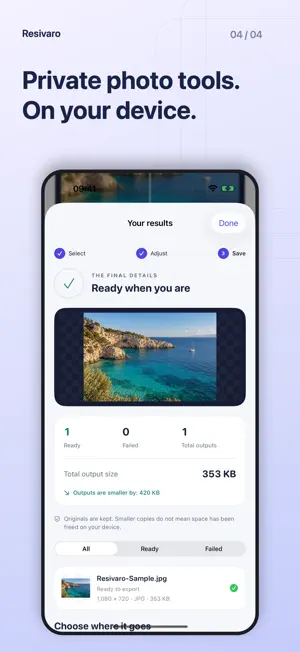
Resize photos to the dimensions, format and file-size limit you need. Prepare a photo or a small batch on your iPhone or iPad, preview the real result, and keep your originals. THE RIGHT SIZE FOR THE JOB Set the longest edge, shortest edge, width and height, or a percentage. Fit the full photo, fill and crop a frame, stretch, or add a canvas. Rotate, flip and adjust the crop position before saving. WORK WITH FILE-SIZE LIMITS Choose 200 KB, 500 KB or 1 MB. Resivaro measures the actual encoded file after writing its metadata. When compression alone is not enough, you can allow smaller pixel dimensions. If the chosen settings cannot meet the limit, the app tells you. CONVERT AND PREVIEW Export JPG, PNG or HEIC on supported devices. Preserve transparency with PNG, compare the imported image with the verified output, and inspect the final dimensions and file size. Outputs use SDR with an sRGB color profile. PREPARE FOR PRINT Use physical dimensions and PPI, arrange your photo on a measured page, and export a PDF. Changing PPI metadata alone does not add detail to a photo. YOUR PHOTOS STAY ON YOUR DEVICE Image processing runs locally. No account, advertising or analytics SDK. Personal metadata is removed by default. Originals are never overwritten or automatically deleted. Save new copies to Photos, Files or a destination you choose. iCloud and third-party file providers may download selected source files. FREE FEATURES Process up to three photos per job with one output profile, use the standard file-size limits, and save up to two personal presets. Repeat single-photo processing as often as you need. Free and Pro use the same image engine and privacy defaults. RESIVARO PRO — ONE-TIME PURCHASE Process larger batches with no commercial photo-count quota. Use custom file-size limits, additional output profiles, advanced filenames, ZIP export, more personal presets and multi-photo print layouts. Technical file, memory, format and storage limits still apply. Pro is a non-consumable purchase, not a subscription. The current price is shown by the App Store before purchase. Restore purchases with the same Apple Account. Live Photos are imported as still images. Format acceptance and print results depend on the receiving app, service or printer. Keep backups of important originals. Support: [email protected]
App privacy
The developer, Batuhan AYDIN, reported these privacy practices to Apple.
Data Not Collected
The developer does not collect any data from this app.
Alternatives to Resivaro: Resize Photos
Looking for apps like Resivaro: Resize Photos? Here are 6 similar apps on the App Store. The highest rated is Photo to PixelArt (5.0/5), and all 6 are free to download.
-
 Photo Recovery - Deleted Photo
-
 Photo Compressor - Shrink Pic
-
 Photo to PixelArt
5.0
-
 Compress Photos - PixFit
5.0
-
 Compress Photos: Resize Images
-
 UpscaleAI - AI Image Upscaler
3.7
| App | Rating | Price | Last updated | Compare |
|---|---|---|---|---|
| Resivaro: Resize Photos | – | Free | October 2, 2026 | |
| Photo Recovery - Deleted Photo | – | Free | Oct 29, 2026 | Compare |
| Photo Compressor - Shrink Pic | – | Free | Jul 3, 2026 | Compare |
| Photo to PixelArt | 5.0 / 5 (1) | Free | Aug 3, 2025 | Compare |
| Compress Photos - PixFit | 5.0 / 5 (1) | Free | Sep 5, 2026 | Compare |
| Compress Photos: Resize Images | – | Free | Oct 29, 2025 | Compare |
| UpscaleAI - AI Image Upscaler | 3.7 / 5 (6) | Free | Oct 12, 2026 | Compare |