

CapBox: Screenshot Cleaner
SungHyuk Yoon Productivity iPhoneiPadiPod touch
CapBox: Screenshot Cleaner is a free Productivity app for iPhone and iPad by SungHyuk Yoon. Requires iOS 17.0. Updated October 5, 2026.
- Price
- Free
- on the App Store
- Size
- 2 MB
- Age 4+
- Updated
- Oct 5
- 2026 · v1.0.1
Screenshots
Save to Pinterest
About CapBox: Screenshot Cleaner
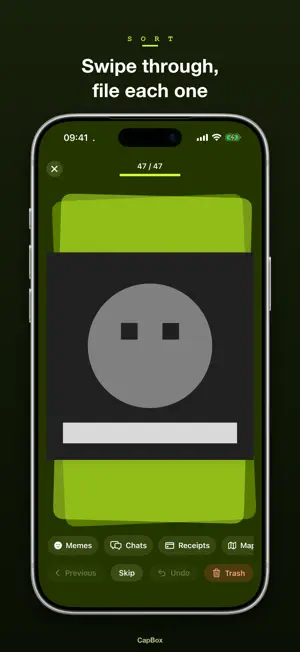
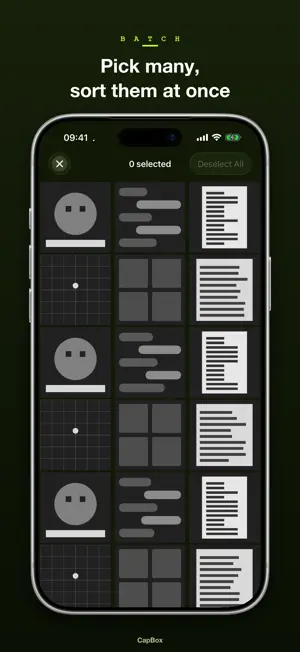
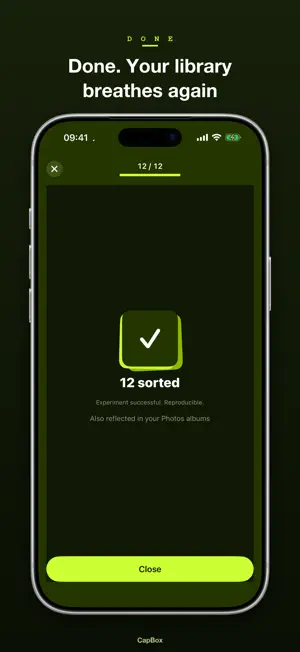
Your camera roll keeps filling up with screenshots you'll never find again. CapBox helps you file them into folders fast, so everything stays easy to find. What CapBox does - File screenshots and photos into folders one at a time or in batches. Folders are real albums in the Photos app, and you can import the albums you already have - Toss the ones you don't need into the trash, then delete them all at once - Search the text inside your photos to find the folder or shot you're looking for Everything happens on your device — nothing is ever uploaded anywhere. CapBox is free, with no in-app purchases. Privacy Policy: https://www.kkirukstudio.com/legal/privacy/
What’s new
Version 1.0.1 · Updated October 5, 2026
Added Simplified Chinese. Searching text in photos now also recognizes Simplified Chinese.
App privacy
The developer, SungHyuk Yoon, reported these privacy practices to Apple.
Data Not Collected
The developer does not collect any data from this app.
Alternatives to CapBox: Screenshot Cleaner
Looking for apps like CapBox: Screenshot Cleaner? Here are 6 similar apps on the App Store. The highest rated is Moki AI日历:日程管理与待办清单 (5.0/5), and all 6 are free to download.
-
 OffNote AI
-
 WorkplaceLog
-
 Sift: Screenshot Sorter
-
 Moki AI日历:日程管理与待办清单
5.0
-
 Authenticator-二次验证动态令牌&安全令牌
-
 MYWAU+
| App | Rating | Price | Last updated | Compare |
|---|---|---|---|---|
| CapBox: Screenshot Cleaner | – | Free | October 5, 2026 | |
| OffNote AI | – | Free | Nov 24, 2026 | Compare |
| WorkplaceLog | – | Free | Oct 13, 2026 | Compare |
| Sift: Screenshot Sorter | – | Free | Nov 9, 2026 | Compare |
| Moki AI日历:日程管理与待办清单 | 5.0 / 5 (1) | Free | Nov 9, 2026 | Compare |
| Authenticator-二次验证动态令牌&安全令牌 | – | Free | Jul 3, 2026 | Compare |
| MYWAU+ | – | Free | May 2, 2025 | Compare |