

PocketTok - Save Videos
TRILLIWON, Co. Photo & Video iPhoneiPadiPod touch
PocketTok - Save Videos is a free Photo & Video app for iPhone and iPad by TRILLIWON, Co. Rated 5.0/5 from 5 ratings. Requires iOS 18.0.
- Rating
- 5.0
- 5 ratings
- Price
- Free
- on the App Store
- Size
- 19 MB
- Age 12+
- Updated
- Oct 5
- 2026 · v1.8
Screenshots



About PocketTok - Save Videos
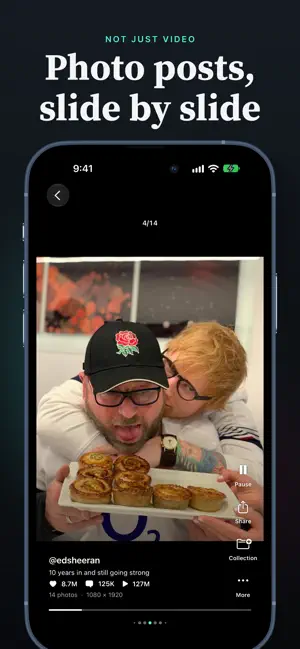
Keep the videos you want to come back to. Paste a supported public link, or share it to PocketTok, and the video or photo post is saved to your library to watch later in the app. Group your saves into collections, find them by creator or caption, and swipe through them in a full-screen feed. YOUR LIBRARY, YOUR WAY • Save supported public videos and photo posts from a link. • Send a link to PocketTok from the share sheet. • Browse a full-screen feed, search your library, and filter or sort saved items. • Organize collections for recipes, ideas, trips, and anything worth keeping. • Show a video's own subtitles when the source provides them. • Share a saved video or photos, or copy the post's link or caption. START FREE Without Pro, new saves are limited, and PocketTok shows your current limit. A failed save never counts against it. Your library, collections, playback, and sharing stay available without Pro. MORE WITH POCKETTOK PRO Pro unlocks unlimited new saves, auto replay, automatic Picture in Picture, and background audio. Create subtitles on your device with on-device speech recognition on supported devices running iOS 26 or later. Choose a weekly or annual subscription, or a one-time lifetime purchase. Eligible new annual subscribers can receive a one-week free trial. Prices and eligibility appear before purchase. Subscriptions renew automatically unless cancelled at least 24 hours before the current period ends. Manage or cancel in your Apple account settings. SUPPORTED PUBLIC LINKS ONLY PocketTok saves public posts from supported links. It can't save private or removed posts, and whether a post can be saved also depends on the source. No ads. Your library stays on this device. PocketTok uses Firebase for analytics and crash reports, and RevenueCat to manage purchases; see the Privacy Policy for details. Respect creators' rights when you share what you save. PocketTok is independent and is not affiliated with or endorsed by any source platform. Privacy Policy: https://trilliwon.com/apps/pockettok/privacy-policy Terms: https://trilliwon.com/apps/pockettok/terms-and-conditions Apple Standard EULA: https://www.apple.com/legal/internet-services/itunes/dev/stdeula/
Ratings & reviews
5.0
5 ratings
What’s new
Version 1.8 · Updated October 5, 2026
Small fixes and improvements.
App privacy
The developer, TRILLIWON, Co., reported these privacy practices to Apple.
Data Not Linked to You
The following data, which may be collected but is not linked to your identity, may be used for the following purposes:
- Purchases: Purchase History
- Location: Coarse Location
- Identifiers: Device ID
- Usage Data: Product Interaction
- Diagnostics: Other Diagnostic Data, Crash Data
Used for: Analytics, App Functionality
Alternatives to PocketTok - Save Videos
Looking for apps like PocketTok - Save Videos? Here are 6 similar apps on the App Store. The highest rated is Mute Video & Extract Audio (5.0/5), and all 6 are free to download.
-
 Mute Video & Extract Audio
5.0
Mute Video & Extract Audio
5.0
-
 WinkU - Dual Phone Cam Remote
-
 UnSee - Photo Privacy
5.0
UnSee - Photo Privacy
5.0
-
 Halcyon Camera
1.0
Halcyon Camera
1.0
-
 ACamViewfinder
-
 CamTag: Timestamp & GPS Camera
| App | Rating | Price | Last updated | Compare |
|---|---|---|---|---|
| PocketTok - Save Videos | 5.0 / 5 (5 ratings) | Free | October 5, 2026 | |
| Mute Video & Extract Audio | 5.0 / 5 (1) | Free | Oct 1, 2026 | Compare |
| WinkU - Dual Phone Cam Remote | – | Free | Sep 28, 2026 | Compare |
| UnSee - Photo Privacy | 5.0 / 5 (3) | Free | Sep 22, 2026 | Compare |
| Halcyon Camera | 1.0 / 5 (3) | Free | Sep 26, 2026 | Compare |
| ACamViewfinder | – | Free | Oct 1, 2026 | Compare |
| CamTag: Timestamp & GPS Camera | – | Free | Oct 5, 2026 | Compare |