

Piksel Cep: Pixel Art
fevzi emre karahan Graphics & Design iPhoneiPadiPod touch
Piksel Cep: Pixel Art is a free Graphics & Design app for iPhone and iPad by fevzi emre karahan. Requires iOS 15.0. Updated September 24, 2026.
- Price
- Free
- on the App Store
- Size
- 18 MB
- Age 4+
- Updated
- Sep 24
- 2026 · v1.2.0
Screenshots


About Piksel Cep: Pixel Art
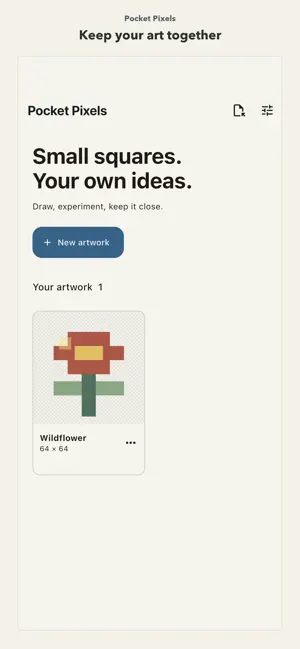
Create layered pixel art and small frame animations with Pocket Pixels. Draw on canvases from 8×8 up to 128×128, fill or pick colors, zoom, and cut, copy, paste, or move a rectangular selection. Name, reorder, hide, fade, lock, duplicate, or merge layers. Copy or delete frames, set their duration, turn on onion skin, and preview a loop. Preview an editable project backup before importing it; share PNG, a PNG frame sequence, a sprite sheet, and coordinate JSON. Everything stays on your device: no account, server, ads, or subscription. Available in English and Turkish. The canvas stays in place while drawing, supports pinch zoom, and can export a transparent 512 × 512 sticker image for WhatsApp sticker creation.
What’s new
Version 1.2.0 · Updated September 24, 2026
Drawing no longer scrolls the editor. Pinch to zoom while the pencil is selected. Export a transparent 512 × 512 PNG you can use to create a WhatsApp sticker.
App privacy
The developer, fevzi emre karahan, reported these privacy practices to Apple.
Data Not Collected
The developer does not collect any data from this app.
Alternatives to Piksel Cep: Pixel Art
Looking for apps like Piksel Cep: Pixel Art? Here are 6 similar apps on the App Store.
-
 Pixel Art Studio Sprite Editor
-
 PixelCreater
-
 SimplePixels
-
 Pixel Forge: Pixel Art Maker
-
 PIXIO Pixel Studio
-
 Pixmaker
| App | Rating | Price | Last updated | Compare |
|---|---|---|---|---|
| Piksel Cep: Pixel Art | – | Free | September 24, 2026 | |
| Pixel Art Studio Sprite Editor | – | Free | Sep 21, 2026 | Compare |
| PixelCreater | – | Free | Aug 28, 2026 | Compare |
| SimplePixels | – | Free | May 25, 2026 | Compare |
| Pixel Forge: Pixel Art Maker | – | Free | Sep 29, 2026 | Compare |
| PIXIO Pixel Studio | – | Free | Sep 9, 2026 | Compare |
| Pixmaker | – | Free | Oct 21, 2026 | Compare |