

Clean Sheet PDF
John Doan Productivity iPhoneiPadiPod touchMac
Clean Sheet PDF is a free Productivity app for iPhone and iPad by John Doan. Requires iOS 18.0. Updated November 8, 2026.
- Price
- Free
- on the App Store
- Size
- 1 MB
- Age 4+
- Updated
- Nov 8
- 2026 · v1.0.1
Screenshots
Save to Pinterest


About Clean Sheet PDF
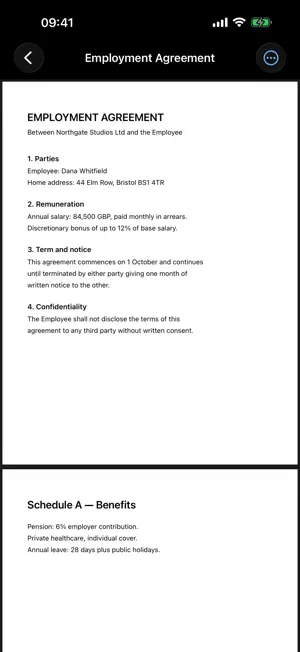
Most PDF apps redact by drawing a black rectangle over the words. The rectangle is a separate layer. The words are still in the file — select the area, copy, paste, and there they are. That mistake has exposed salaries, home addresses and sealed court filings for twenty years. Clean Sheet PDF does not do that. When you mark an area, the page is rebuilt as an image with that area painted out, and the new page is written without the original text. There is nothing underneath to recover, because the words are never written into the new file at all. Before it saves, the app re-reads its own output and refuses to hand you a document it cannot prove came out clean. NOTHING LEAVES YOUR DEVICE There is no networking code in this app. Not "we promise not to upload" — there is no code that could. No account, no sign-in, no analytics, no advertising, no cloud conversion. Your documents never travel anywhere you did not send them yourself. WHAT IT DOES • Read PDFs, with smooth scrolling, pinch zoom and text selection • Redact — mark anything and it is removed, not covered • Merge several PDFs into one, in the order you choose • Reorder and delete pages • Export pages as images, or pull out the plain text HONEST ABOUT THE TRADE A redacted page becomes an image, so its text is no longer searchable or selectable. Pages you did not redact are left exactly as they were and stay fully searchable. The app tells you this before you save, rather than after you notice. WHAT IT DOES NOT DO No conversion to Word, Excel or PowerPoint. Doing that accurately needs either a very large layout engine or a server, and sending your contract to someone's server is the one thing this app will not do. Better to leave the feature out than to quietly upload your documents for it. Free. No advertising, no tracking, no subscription, no account.
What’s new
Version 1.0.1 · Updated November 8, 2026
Clean Sheet PDF is ready for iPhone Duo, and works at the largest text sizes: • Redact and Sign scroll when the text is large, so none of their instructions are cut off. • In the library and in Merge, the icon sits above each document's name, so the name gets the whole width of the row. • Settings shows the signature you saved on this device, and lets you remove it. As before: no account, no uploads, no tracking. Nothing leaves your device.
App privacy
The developer, John Doan, reported these privacy practices to Apple.
Data Not Collected
The developer does not collect any data from this app.
Alternatives to Clean Sheet PDF
Looking for apps like Clean Sheet PDF? Here are 6 similar apps on the App Store. The highest rated is Redacted: Blur PDF & Photo (5.0/5), and 5 of the 6 are free to download.
-
 Redacted: Blur PDF & Photo
5.0
-
 SchoolBusNet Guardian
5.0
-
 Zettel - Quick Notes
4.8
-
 Comelit View Smart
4.2
-
 CLINQ
-
 WA Planner - Schedule WA Text
1.4
| App | Rating | Price | Last updated | Compare |
|---|---|---|---|---|
| Clean Sheet PDF | – | Free | November 8, 2026 | |
| Redacted: Blur PDF & Photo | 5.0 / 5 (3) | Free | Nov 11, 2026 | Compare |
| SchoolBusNet Guardian | 5.0 / 5 (1) | Free | Nov 11, 2026 | Compare |
| Zettel - Quick Notes | 4.8 / 5 (6) | 2.99 USD | Jun 16, 2026 | Compare |
| Comelit View Smart | 4.2 / 5 (6) | Free | Nov 27, 2024 | Compare |
| CLINQ | – | Free | Oct 29, 2025 | Compare |
| WA Planner - Schedule WA Text | 1.4 / 5 (14) | Free | Jun 26, 2026 | Compare |
Compare Clean Sheet PDF with the top alternatives: ratings, updates, ASO score and keyword gaps →