

PlayPc - Pocket Computer
Dylan Mathurin Utilities iPhoneiPadiPod touch
PlayPc - Pocket Computer is a free Utilities app for iPhone and iPad by Dylan Mathurin. Rated 4.2/5 from 6 ratings. Requires iOS 17.0.
- Rating
- 4.2
- 6 ratings
- Price
- Free
- on the App Store
- Size
- 778 MB
- Age 9+
- Updated
- Nov 10
- 2026 · v1.0.1
Screenshots



About PlayPc - Pocket Computer
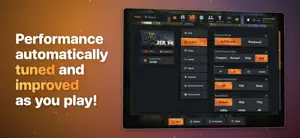
PlayPc runs 64-bit and 32-bit Windows PC games on iPhone and iPad. Sign in to Steam, Epic Games or GOG, download the games you own and play them on your device. No computer and no streaming. Every game runs on the device. Features • Game stores. Sign in to Steam, Epic Games and GOG, see your library and download your games. • Containers. Make your own Windows setup and run programs and installers in it. • Controllers. Xbox, PlayStation and MFi controllers, plus keyboard and mouse. • Touch controls. On-screen buttons and sticks, with a layout you can edit for each game. • Graphics. Support for Direct3D 9, 10, 11 and 12, Vulkan and OpenGL, with upscaling and frame generation. • TV. Play on an external display or with AirPlay. • Compatibility. See how each game runs on devices like yours before you play. • Performance profiles. Games pick up tuned settings from shared performance data without an app update. Requirements • iOS 17.0 or later on iPhone or iPad. • 64-bit or 32-bit Windows PC games you own on Steam, Epic Games or GOG, or a game's own Windows installer. • Free storage for the games you download. A game takes about as much space as it does on a PC. • An internet connection to sign in, download games and check your account. • Online modes that need BattlEye or other kernel anti-cheat are not supported. • How well a game runs depends on the game and the device. Newer devices with more memory run more games. Check a game's compatibility in the library before you play. PlayPc Full Access Signing in to stores and downloading games is free. A free SharkPond account plays for 3 days. PlayPc Full Access unlocks games and containers. Buy it once to keep it, or subscribe to PlayPc Full Access Weekly. PlayPc Full Access Weekly is an auto-renewing subscription. Payment is charged to your Apple Account at confirmation. It renews every week unless auto-renew is turned off at least 24 hours before the end of the week, and your account is charged for renewal within 24 hours before the week ends. Manage or cancel it in your Apple Account settings. Terms of Service: https://sharkspond.com/terms/playpc Privacy Policy: https://sharkspond.com/privacy/playpc PlayPc does not include any games. You play games you own from your own store accounts. How a game runs depends on the game and the device. PlayPc is not affiliated with Valve, Epic Games, GOG or Microsoft.
Ratings & reviews
4.2
6 ratings
What’s new
Version 1.0.1 · Updated November 10, 2026
• Fixed a crash when the on-screen keyboard closed while a key was held. • Fixed a crash when the in-game bar closed. • The on-screen keyboard keeps working after it moves. • Fixed games that closed at start with an invalid image format error. • Downloading Steam Workshop items no longer closes the game. • Steam games no longer fail with "The chosen launcher could not be found" right after Steam starts. • Steam games that keep the Steam library in a subfolder now launch. • Steam accounts with very large libraries now sign in and load. • DirectX 9 games no longer show missing or broken textures on iPhone 13 and older models. • Fixed crashes on iPhone XS, iPhone XR and other A12 devices. • Fixed a crash when the device ran low on memory while a game was starting. • Fixed DirectX 11 games that crashed or drew nothing on iOS 17. • Fixed Steam's browser closing at start on iPhone. • Steam no longer unpacks its client again at every launch. • .NET games that use performance counters now start. • Games use less memory while they start. • The Games folder no longer lists an app's support folders as separate games. • Fixed Blender closing right after it opens and when it copies textures. Its shaders and textures now load. • Fixed 64-bit games that showed a black screen after a 32-bit launcher or installer ran. • Fixed Steam Setup and other 32-bit installers closing at start. • Fixed Steam games that crashed right after starting. • Fixed games that would not start without the Windows error reporting library. • Fixed games that closed at launch after checking the graphics card. • Fixed 64-bit games that failed to start after reserving memory. • Steam games that need the Steam app now install it in their container instead of failing to start. • Games that skip EasyAntiCheat now start when their settings name the game file in different letter case. • Direct3D 12 games with mixed-case file names now start. • Some DirectX 12 games that draw through DirectComposition now show their picture. • DirectX 11 games that time the GPU now get real timings, so dynamic resolution and frame pacing work. • Some DirectX 11 games no longer draw with the wrong texture filtering. • Windows Media videos in games now play. • Games that read controllers through Windows.Gaming.Input now see your controller. • Keys reach games that open without coming to the front, and the desktop no longer takes keyboard input from the game. • HoneyComb performance patches now carry over app updates and apply to Steam games while you play. • HoneyComb Patches shows which patch is on, its version and when it was made, and a card in game says when one turns on. • Old copies of the Windows runtime are now deleted after an update, freeing 630 MB of storage each. • New Skip EasyAntiCheat option on a game's Launch page. • Cancelled downloads no longer restart on their own. • Added player reporting in SharkPond conversations and parties. • Library and Store scroll one row at a time. • Search can be tapped while the keyboard is open. • Settings categories and Library and Store filters now sit beside their pages, with improved layout on compact screens. • Improved account and purchase controls. • Deleting Logs in Storage no longer fails with a permission error. • Store and sign-in links open inside PlayPc when the browser cannot open them.
App privacy
The developer, Dylan Mathurin, reported these privacy practices to Apple.
Data Linked to You
The following data, which may be collected and linked to your identity, may be used for the following purposes:
- Diagnostics: Crash Data, Other Diagnostic Data
- Purchases: Purchase History
- Contacts: Contacts
- User Content: Emails or Text Messages, Photos or Videos, Gameplay Content, Customer Support, Other User Content
- Identifiers: User ID, Device ID
- Other Data: Other Data Types
Used for: Analytics, App Functionality
Data Not Linked to You
The following data, which may be collected but is not linked to your identity, may be used for the following purposes:
- Usage Data: Product Interaction
- Diagnostics: Performance Data
Used for: Analytics, App Functionality
Alternatives to PlayPc - Pocket Computer
Looking for apps like PlayPc - Pocket Computer? Here are 6 similar apps on the App Store. The highest rated is Tinbox: Game Emulator (5.0/5), and all 6 are free to download.
-
 Cheese: Private Connection
-
 OneFlix
-
 emu: Retro Game Emulator
4.8
-
 AirTransfer: Files & Clipboard
-
 Supaste
-
 Tinbox: Game Emulator
5.0
| App | Rating | Price | Last updated | Compare |
|---|---|---|---|---|
| PlayPc - Pocket Computer | 4.2 / 5 (6 ratings) | Free | November 10, 2026 | |
| Cheese: Private Connection | – | Free | Nov 5, 2026 | Compare |
| OneFlix | – | Free | Nov 3, 2026 | Compare |
| emu: Retro Game Emulator | 4.8 / 5 (4) | Free | Nov 4, 2026 | Compare |
| AirTransfer: Files & Clipboard | – | Free | Nov 10, 2026 | Compare |
| Supaste | – | Free | Nov 2, 2026 | Compare |
| Tinbox: Game Emulator | 5.0 / 5 (2) | Free | Nov 5, 2026 | Compare |