

AirTransfer: Files & Clipboard
SoftenAI Utilities iPhoneiPadiPod touch
AirTransfer: Files & Clipboard is a free Utilities app for iPhone and iPad by SoftenAI. Requires iOS 15.1. Updated November 10, 2026.
- Price
- Free
- on the App Store
- Size
- 47 MB
- Age 4+
- Updated
- Nov 10
- 2026 · v1.1.1
Screenshots



About AirTransfer: Files & Clipboard
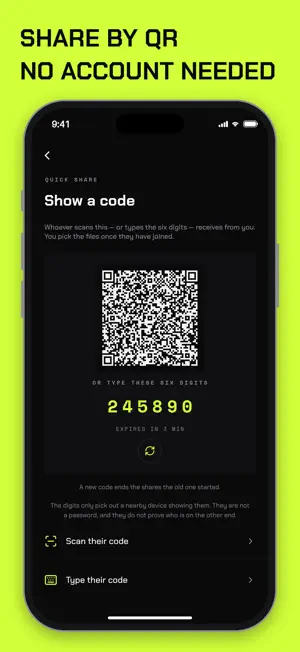
AirTransfer moves files and clipboard between all your devices: iPhone, iPad, Mac, Android, Windows and Linux. No cables, no uploads to a cloud drive, no size games. FASTEST PATH, AUTOMATICALLY AirTransfer finds the quickest route between two devices and uses it: • Same Wi-Fi network: direct local transfer at full network speed • Nearby with no shared network: devices find each other over Bluetooth and connect directly • Different networks: peer-to-peer over the internet, with a secure relay only as a last resort If a connection drops, the transfer resumes where it left off instead of starting over. PRIVATE BY DESIGN Every transfer is end-to-end encrypted. Your files go device to device. Our servers help devices find each other but cannot read what you send. CLIPBOARD THAT FOLLOWS YOU Copy on one device and paste on another. Text and files sync across the devices signed in to your account. ALL YOUR DEVICES, ONE ACCOUNT Sign in once and your devices recognize each other. Send to your own phone or laptop with one tap, with no pairing each time. SHARE WITH ANYONE Send to friends by scanning a QR code, or share with people who don't have AirTransfer yet. BUILT FOR IPHONE • Share from any app using the Share sheet • Save received photos and videos straight to Photos • Works alongside your Mac, Android phone and Windows PC Free to download. Simple to use. Ready in seconds.
What’s new
Version 1.1.1 · Updated November 10, 2026
What's New in 1.1.1 • Failed sends no longer disappear. A send that doesn't go through stays in your list marked "Not sent", with a Retry button. • Every new incoming transfer asks you first. Once you accept a transfer, it won't ask again if the connection drops and reconnects or switches networks. • Ending a Quick Share now reaches the other device whether you're connected over Bluetooth, Wi-Fi or the internet. • Transfers over the internet start faster. • Nearby devices running an older version are now marked as needing an update. • More reliable Bluetooth reconnects and direct Wi-Fi transfers. • Stability and bug fixes.
App privacy
The developer, SoftenAI, reported these privacy practices to Apple.
Data Linked to You
The following data, which may be collected and linked to your identity, may be used for the following purposes:
- Contact Info: Email Address
- Identifiers: User ID, Device ID
Used for: App Functionality
Alternatives to AirTransfer: Files & Clipboard
Looking for apps like AirTransfer: Files & Clipboard? Here are 6 similar apps on the App Store.
-
 Kilpi: Ad & Tracker Blocker
-
 Couchpad: Smart TV Remote
-
 ScamShield: Scam & Phishing
-
 TV Remote for All Smart TV
-
 Cheese: Private Connection
-
 AIO Reverser
| App | Rating | Price | Last updated | Compare |
|---|---|---|---|---|
| AirTransfer: Files & Clipboard | – | Free | November 10, 2026 | |
| Kilpi: Ad & Tracker Blocker | – | Free | Nov 12, 2026 | Compare |
| Couchpad: Smart TV Remote | – | Free | Nov 2, 2026 | Compare |
| ScamShield: Scam & Phishing | – | Free | Nov 13, 2026 | Compare |
| TV Remote for All Smart TV | – | Free | Nov 5, 2026 | Compare |
| Cheese: Private Connection | – | Free | Nov 5, 2026 | Compare |
| AIO Reverser | – | Free | Nov 5, 2026 | Compare |