

Lens Search: Identify Anything
Luriven Reference iPhoneiPadiPod touch
Lens Search: Identify Anything is a free Reference app for iPhone and iPad by Luriven. Rated 4.9/5 from 19 ratings. Requires iOS 15.0.
- Rating
- 4.9
- 19 ratings
- Price
- Free
- on the App Store
- Size
- 67 MB
- Age 4+
- Updated
- Oct 4
- 2026 · v1.0.3
Screenshots


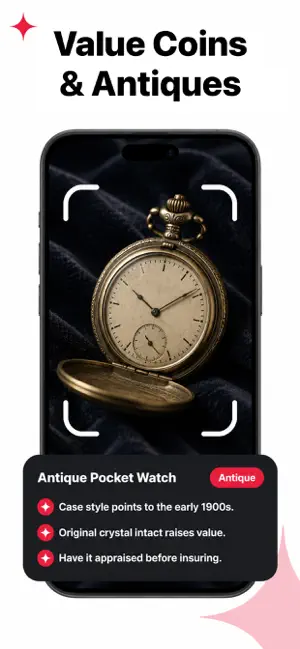

About Lens Search: Identify Anything
See something you don’t recognize? Scan it and learn more. Lens Search turns your camera into a visual discovery tool. Take a photo of an object, animal, plant, collectible, meal, insect, or something you’re simply curious about, and Lens Search helps you understand what you’re looking at. Instead of trying to describe something with the right search terms, just show it to Lens Search. IDENTIFY WHAT’S AROUND YOU Capture a photo or choose one from your library. Lens Search analyzes the visual details and provides useful information based on what it finds. Explore things like: • Everyday objects and unfamiliar items • Animals, pets, breeds, birds, and wildlife • Plants, flowers, trees, leaves, and garden discoveries • Coins, cards, collectibles, and interesting finds • Food, meals, and nutritional information • Products and items you come across • Rocks, natural objects, and more Whether you’re outside exploring, shopping, collecting, gardening, traveling, or simply wondering “What is this?”, Lens Search gives you a simple way to investigate. MORE THAN JUST A NAME Identification is only the beginning. Depending on what you scan, Lens Search can provide relevant details such as: • Common and scientific names • Categories, types, or species • Distinguishing characteristics • Typical size and appearance • Habitat and distribution • Interesting facts The information shown adapts to the subject, so a plant scan can provide different insights from a coin, insect, animal, or meal. GET A QUICK SUMMARY Don’t want to read through everything? Lens Search highlights the most useful information in a clear summary so you can understand your result at a glance, then explore details whenever you want. DISCOVER INTERESTING FACTS Learn more about the things you encounter. A simple scan can lead to information about an animal’s behavior, a plant’s characteristics, an insect’s life cycle, the background of a collectible, or other details you may not have known to search for. EXPLORE COMMON QUESTIONS Lens Search can surface questions related to your result, helping you continue exploring without starting another search from scratch. For example: • What is this? • What does it eat? • Where is it commonly found? • How can I tell it apart from similar species? • How do I care for this plant? ASK THE AI ASSISTANT Continue the conversation with the built-in AI assistant. Ask follow-up questions about your result and explore specific details that matter to you. Go from: “What is this?” to: “How can I recognize another one?” “Where is it usually found?” “What are its main characteristics?” “What should I know about it?” All without leaving your result. BUILT FOR EVERYDAY CURIOSITY Lens Search can be useful when you’re: • Exploring outdoors • Discovering plants in your garden • Identifying an unfamiliar insect • Checking a coin or collectible • Looking at an unfamiliar product You don’t need to know what something is called before you search for it. Take a picture. Discover what it could be. Explore the details. Make the world around you easier to understand with Lens Search. Please note that AI-generated identification and informational results may not always be complete or accurate. Information provided by Lens Search should not be relied upon as professional medical, safety, nutritional, financial, valuation, or other expert advice. Information about the auto-renewable nature of the subscriptions Subscriptions will automatically renew unless cancelled at least one day before the renewal date within 24 hours before the end of the current period. Payment will be charged to your Apple ID account at the confirmation of purchase. If you subscribe before a free trial ends, the remainder of the trial period will be forfeited. You can manage and cancel your subscription by going to your account settings in the App Store. Privacy Policy: https://luriven.com/privacy.html Terms of Use: https://luriven.com/terms.html
Ratings & reviews
4.9
19 ratings
What’s new
Version 1.0.3 · Updated October 4, 2026
Your identifying experience just got better. We’ve refined Lens Search with smoother interactions and performance improvements to help you scan, identify, and explore with ease.
App privacy
The developer, Luriven, reported these privacy practices to Apple.
Data Used to Track You
The following data may be used to track you across apps and websites owned by other companies:
- Purchases: Purchase History
- Identifiers: User ID, Device ID
- Usage Data: Other Usage Data
Data Linked to You
The following data, which may be collected and linked to your identity, may be used for the following purposes:
- Purchases: Purchase History
- Identifiers: Device ID, User ID
- Usage Data: Other Usage Data, Product Interaction
- Diagnostics: Crash Data, Other Diagnostic Data
- User Content: Photos or Videos, Other User Content
Used for: Third-Party Advertising, Developer’s Advertising or Marketing, Analytics, Product Personalization, App Functionality
Alternatives to Lens Search: Identify Anything
Looking for apps like Lens Search: Identify Anything? Here are 6 similar apps on the App Store. The highest rated is Lens AI. Scan Anything (4.7/5), and all 6 are free to download.
-
 Lens AI. Scan Anything
4.7
Lens AI. Scan Anything
4.7
-
 Lens AI & Reverse Image Search
4.0
Lens AI & Reverse Image Search
4.0
-
 iRock: Stone & Rock Identifier
4.5
iRock: Stone & Rock Identifier
4.5
-
 Lens AI: Scan & Image Search
4.5
Lens AI: Scan & Image Search
4.5
-
 Antique Snap 84: Vintage Scan
4.6
Antique Snap 84: Vintage Scan
4.6
-
 AntiqueValue: Antique Identify
4.7
AntiqueValue: Antique Identify
4.7
| App | Rating | Price | Last updated | Compare |
|---|---|---|---|---|
| Lens Search: Identify Anything | 4.9 / 5 (19 ratings) | Free | October 4, 2026 | |
| Lens AI. Scan Anything | 4.7 / 5 (152) | Free | Oct 4, 2026 | Compare |
| Lens AI & Reverse Image Search | 4.0 / 5 (525) | Free | Sep 30, 2026 | Compare |
| iRock: Stone & Rock Identifier | 4.5 / 5 (472) | Free | Sep 10, 2026 | Compare |
| Lens AI: Scan & Image Search | 4.5 / 5 (1,541) | Free | Oct 5, 2026 | Compare |
| Antique Snap 84: Vintage Scan | 4.6 / 5 (203) | Free | Aug 28, 2026 | Compare |
| AntiqueValue: Antique Identify | 4.7 / 5 (674) | Free | Aug 30, 2026 | Compare |