

CroGIF: Live Photo to GIF
健 陆 Photo & Video iPhoneiPadiPod touch
CroGIF: Live Photo to GIF is a free Photo & Video app for iPhone and iPad by 健 陆. Requires iOS 17.0. Updated September 25, 2026.
- Price
- Free
- on the App Store
- Size
- 5 MB
- Age 4+
- Updated
- Sep 25
- 2026 · v1.5
Screenshots


About CroGIF: Live Photo to GIF
Live Photos are little movies. CroGIF turns them into GIFs you can actually send. Pick a Live Photo, trim it to the moment you want, frame the part that matters, and watch the real GIF — not an estimate — loop as you adjust it. The file size updates with every change, so you know exactly what you are about to share before you share it. Say something on it, too. A caption in any font your iPhone has, or an emoji sticker — dragged where you want it, pinched to size, twisted to the angle you like. What you place is baked into the GIF you export, exactly as you see it in the preview. Or pick four, or nine, and CroGIF tiles them into one square GIF that loops all at once — then work on it tile by tile: rearrange them, give each its own time range, or replace one with a different Live Photo. WHAT YOU CAN DO • Add text and emoji stickers to a single Live Photo — drag one to place it, pinch to resize, twist to turn, and set the size, colour and angle by hand. Text can use any font installed on your iPhone • Zoom and reframe: pinch to zoom up to 4×, drag to place the frame, and keep the original shape or crop to 1:1, 5:4, 4:3, 3:2 or 16:9 — or the portrait version of each, down to 9:16 • Tile four Live Photos into a 2×2 grid or nine into a 3×3 grid — drag any tile to reposition it, hold one to rearrange, and trim, remove or replace tiles one by one • Trim the time range on a filmstrip scrubber, with draggable handles • Choose the frame rate: 10, 12.5, 20 or 25 fps • Choose the size: 240, 360, 480, 640, 720 or 960 pixels on the long edge • Watch the preview re-encode instantly after every change • See the exact file size at all times, not a guess • Save straight to Photos, or share to Messages, WeChat, Facebook and anywhere else that takes a GIF • Set the appearance and the app's language in Settings BUILT THE RIGHT WAY • Everything is processed on your device. Nothing is ever uploaded. • No account, no subscription, no watermark. • The frame rates on offer divide evenly into GIF's timing unit, so the exported file plays at exactly the speed shown. No silent drift, no clip that quietly runs short. • Standards-clean GIF89a output that animates and loops correctly everywhere. PRIVACY CroGIF reads only the Live Photos you pick, using the system photo picker — the app never gets access to the rest of your library. It asks for permission to add to your library only when you tap Save to Photos.
What’s new
Version 1.5 · Updated September 25, 2026
The new version adds support for video files.
App privacy
The developer, 健 陆, reported these privacy practices to Apple.
Data Not Collected
The developer does not collect any data from this app.
Alternatives to CroGIF: Live Photo to GIF
Looking for apps like CroGIF: Live Photo to GIF? Here are 6 similar apps on the App Store. The highest rated is 3D Gif Maker App (5.0/5), and 5 of the 6 are free to download.
-
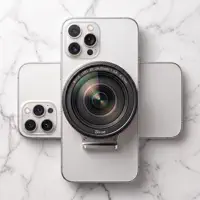 BiVue - Dual Camera, V+H, F+B
-
 Pic Tools: Image Toolbox
-
 VIXA Dual Camera
-
 Yolo Photos: Manager & Sandbox
-
 ID Photo Craft
-
 3D Gif Maker App
5.0
| App | Rating | Price | Last updated | Compare |
|---|---|---|---|---|
| CroGIF: Live Photo to GIF | – | Free | September 25, 2026 | |
| BiVue - Dual Camera, V+H, F+B | – | Free | Sep 15, 2026 | Compare |
| Pic Tools: Image Toolbox | – | Free | Sep 23, 2026 | Compare |
| VIXA Dual Camera | – | Free | Oct 25, 2026 | Compare |
| Yolo Photos: Manager & Sandbox | – | Free | Oct 22, 2026 | Compare |
| ID Photo Craft | – | 0.99 USD | Sep 1, 2026 | Compare |
| 3D Gif Maker App | 5.0 / 5 (1) | Free | Jun 25, 2026 | Compare |