

Photo1M: Lightweight Camera
深锐 郑 Photo & Video iPhoneiPadiPod touch
Photo1M: Lightweight Camera is a free Photo & Video app for iPhone and iPad by 深锐 郑. Requires iOS 17.0. Updated October 4, 2026.
- Price
- Free
- on the App Store
- Size
- 2 MB
- Age 4+
- Updated
- Oct 4
- 2026 · v1.1.1
Screenshots
Save to Pinterest


About Photo1M: Lightweight Camera
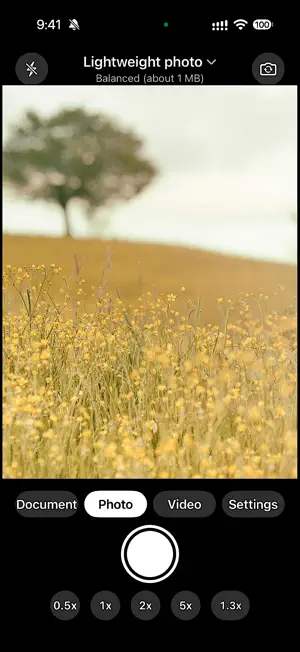
Shoot first. Worry about storage later. Photo1M keeps files small without giving up quality: photos land around 1 MB, and paper turns into a clean scan in one shot. PHOTOS • Three quality levels with a live size readout: Save space (about 0.5–0.8 MB), Balanced (about 1 MB) and High quality (about 1.5–2 MB) • Tap 0.5x / 1x / 2x / 5x, or pinch to zoom — up to 25x • HEIC for the smallest files, JPEG when you need a format that opens anywhere • Optional date watermark, location tag, exposure compensation and brightness — all off by default • Preview before saving, or turn on auto-save for a camera-like flow with a thumbnail strip DOCUMENT SCAN • Point at a page and shoot — Photo1M finds the paper, straightens it and cleans up the background • Already have a photo? Import it from your library instead of shooting again • Three levels: Original (straightened only), Enhanced (removes shadows, whitens the background, keeps colors) and B&W (pure white with black text) • Drag the four corners when the detected border needs a nudge, or re-detect and use the full frame • Rotate 90° left or right, or 180°, then save one page at a time • Color scans go up to 3264 px and save as JPEG; B&W scans are normalized to 3000 px before thresholding and save as PNG, so thin strokes stay clean LIGHT VIDEO • 720p or 1080p, saved without re-encoding bloat PRIVATE BY DESIGN Photo1M runs entirely on your device. No account, no sign-in, no ads, no analytics, no tracking, no server of ours. Your photos, scans and location stay in your library. The only time the app touches the network is when Apple processes an in-app purchase. PRICING Free: 10 scans, photos and videos a day, combined. The free tier covers Balanced photos (HEIC), 720p video and all three scan levels. Photo1M Unlock: a one-time purchase that opens every quality mode, every setting, and unlimited captures. Buy once, keep it. No subscription. Feedback and support: [email protected]
What’s new
Version 1.1.1 · Updated October 4, 2026
New: you can import a photo into Document mode instead of shooting a new one — pick an image from your library and Photo1M finds the edges, straightens the page and cleans up the background, just like a fresh shot. Also fixed a layout issue on some devices where the scan editor's header overlapped the status bar.
App privacy
The developer, 深锐 郑, reported these privacy practices to Apple.
Data Not Collected
The developer does not collect any data from this app.
Alternatives to Photo1M: Lightweight Camera
Looking for apps like Photo1M: Lightweight Camera? Here are 6 similar apps on the App Store. The highest rated is Knurl Camera (5.0/5), and all 6 are free to download.
-
 TacetCam|Simple Camera
-
 MadiCam: Underwater Camera
-
 ManualCam – Pro Camera
-
 UsCam -Couple Photo no arguing
-
 Knurl Camera
5.0
-
 NoCam Film
| App | Rating | Price | Last updated | Compare |
|---|---|---|---|---|
| Photo1M: Lightweight Camera | – | Free | October 4, 2026 | |
| TacetCam|Simple Camera | – | Free | Nov 11, 2026 | Compare |
| MadiCam: Underwater Camera | – | Free | Nov 3, 2026 | Compare |
| ManualCam – Pro Camera | – | Free | Nov 17, 2026 | Compare |
| UsCam -Couple Photo no arguing | – | Free | May 5, 2026 | Compare |
| Knurl Camera | 5.0 / 5 (1) | Free | Sep 1, 2026 | Compare |
| NoCam Film | – | Free | Nov 21, 2026 | Compare |