

Folio — Offline HTML Viewer
Brian Renshaw Productivity iPhoneiPadiPod touch
Folio — Offline HTML Viewer is a free Productivity app for iPhone and iPad by Brian Renshaw. Requires iOS 17.0. Updated August 30, 2026.
- Price
- Free
- on the App Store
- Size
- 4 MB
- Age 4+
- Updated
- Aug 30
- 2026 · v1.1.2
Screenshots


About Folio — Offline HTML Viewer
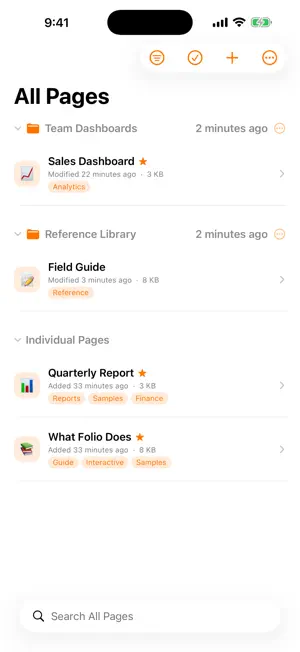
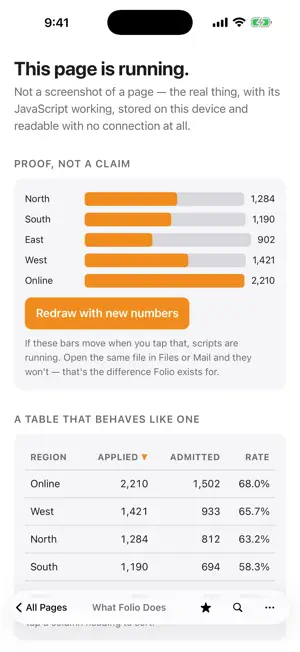
Folio keeps HTML files readable, interactive, and available offline—exactly the way they were made. No developer-operated server. No Folio account. No conversion that breaks the layout. Bring in a single HTML file or a folder-based page with its referenced CSS, JavaScript, images, and data. Folio gives each page its own local origin so modern pages—including ES modules, fetch requests, and local storage—can work the way they should. BUILD YOUR LIBRARY • Import files from Files or another app's Share sheet • Import a folder-based page with its referenced supporting files • Watch a folder for new and updated pages • Optionally add and refresh selected files from Google Drive • Organize with favorites, tags, searchable icons, sorting, grouping, and library search • Update many pages at once with bulk actions READ AND USE YOUR PAGES • Stay offline by default, with network access controlled separately for each page • Navigate page history, find text, reload, inspect source, and see useful diagnostics • Choose a top or bottom toolbar that gets out of the way as you read • Download files generated by a page, print, or save and share a PDF • Use a full three-column workspace on iPad or focus on the page full screen • Open chosen pages from widgets, and favorites or recent pages from Home Screen quick actions PRIVATE BY DESIGN • No Folio account, advertising, analytics, or tracking • Optional iCloud sync uses your private iCloud database • Optional Google Drive access is limited to files you choose for Folio • Lock individual pages with Face ID or your device passcode • Locked pages are shielded in the app switcher and badged in widgets and quick actions Two included interactive samples make it easy to explore Folio immediately. Keep reports, dashboards, exported notes, archived documentation, and other web files useful wherever you go—even when the network doesn't.
What’s new
Version 1.1.2 · Updated August 30, 2026
Fixes a Google Drive refresh issue that could leave an already-open file showing an older version after the Drive file changed. Folio now verifies downloaded file contents, repairs stale saved copies in place, and preserves the last working copy if an update is interrupted.
App privacy
The developer, Brian Renshaw, reported these privacy practices to Apple.
Data Not Collected
The developer does not collect any data from this app.
Alternatives to Folio — Offline HTML Viewer
Looking for apps like Folio — Offline HTML Viewer? Here are 6 similar apps on the App Store. The highest rated is HTML Reader Offline (5.0/5), and all 6 are free to download.
-
 HTML Reader Offline
5.0
HTML Reader Offline
5.0
-
 Pagira
4.0
Pagira
4.0
-
 .html — HTML Viewer
-
 HTML Editor - Local Files
-
 Dot: Simple Habit Tracker
-
 MyLLMChat
| App | Rating | Price | Last updated | Compare |
|---|---|---|---|---|
| Folio — Offline HTML Viewer | – | Free | August 30, 2026 | |
| HTML Reader Offline | 5.0 / 5 (1) | Free | Sep 27, 2026 | Compare |
| Pagira | 4.0 / 5 (2) | Free | Oct 12, 2026 | Compare |
| .html — HTML Viewer | – | Free | Sep 28, 2026 | Compare |
| HTML Editor - Local Files | – | Free | Jul 2, 2026 | Compare |
| Dot: Simple Habit Tracker | – | Free | Oct 8, 2026 | Compare |
| MyLLMChat | – | Free | May 18, 2026 | Compare |