

Anchor: Screen Time Blocker
Niklas Buehler Productivity iPhoneiPadiPod touch
Anchor: Screen Time Blocker is a free Productivity app for iPhone and iPad by Niklas Buehler. Requires iOS 18.0. Updated August 20, 2026.
- Price
- Free
- on the App Store
- Size
- 2 MB
- Age 4+
- Updated
- Aug 20
- 2026 · v1.0
Screenshots


About Anchor: Screen Time Blocker
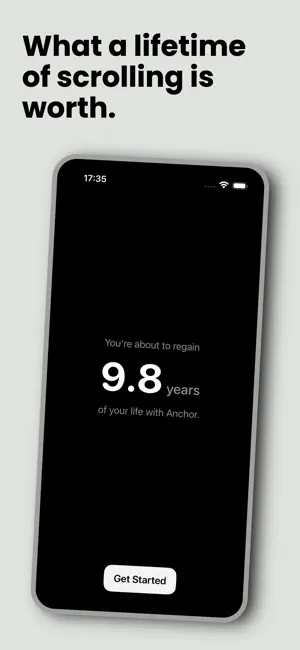
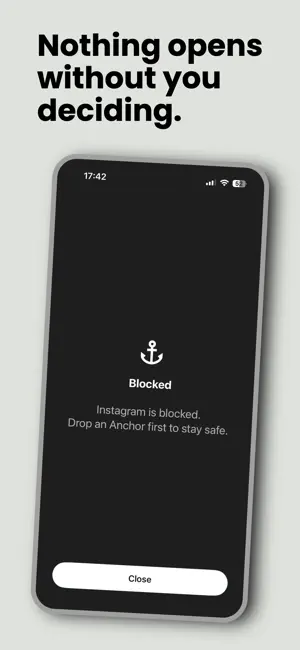
Some apps were designed to trap you. The feed doesn't end, and "five more minutes" always seems to turn into forty. That's not a willpower problem, it's the design working as intended. Anchor blocks the apps that do this by default, so opening one is always something you decided, never a doomscroll you fell into. THE IDEA Screen Time is built to be turned on. Anchor is built to already be on. There's no timer to start and no "focus mode" to remember. The apps you choose are blocked from the moment setup finishes, permanently, as the baseline state of your phone. The difference isn't less time in these apps. It's who decides when you get it. Want in? You ask for it. Open Anchor, set how long you actually need — five minutes, twenty, whatever the moment calls for — and access is granted for exactly that long. When it runs out, blocking resumes. This is the anchor that prevents you from losing your days to doomscrolling. RECLAIMED TIME, NOT WILLPOWER Anchor isn't a fast to survive. It doesn't track streaks or shame a slip. It tracks one thing: how much of the time you used to lose is coming back to you, every day, measured against the baseline you set for yourself in onboarding. Give it your age, and it shows you how much of your life you get back without these apps quietly eating it. HOW IT WORKS • Pick the apps and websites you drift into without deciding to. • From then on, every one of them is blocked, all the time. • Reach for one anyway, and the block screen meets you instead. • Want it? Open Anchor, set a duration, and go. One deliberate ask, no lecture. • When the time's up, the block returns on its own. Set a new intent whenever you want back in. BUILT TO GET OUT OF YOUR WAY • A Home Screen widget and Control Center button to drop anchor without hunting for the app. • Ask Siri to start or check a session. • A Live Activity keeps the countdown visible in your Dynamic Island while a session runs. YOUR DATA STAYS YOURS Anchor runs on Apple's Screen Time framework entirely on-device. The apps you block, the time you spend, and the breaks you take never leave your phone. There's no account, no server, and nothing to opt out of, because nothing is collected in the first place. Anchor doesn't ask you to want less. It makes sure that whenever you reach for one of these apps, it's because you decided to — not because your thumb got there first.
App privacy
The developer, Niklas Buehler, reported these privacy practices to Apple.
Data Not Collected
The developer does not collect any data from this app.
Alternatives to Anchor: Screen Time Blocker
Looking for apps like Anchor: Screen Time Blocker? Here are 6 similar apps on the App Store. The highest rated is Strict App Blocker:Block Apps (5.0/5), and all 6 are free to download.
-
 Clamp: Screen Time Control
-
 TimeBlock: Focus Timer & Tasks
-
 Strict App Blocker:Block Apps
5.0
Strict App Blocker:Block Apps
5.0
-
 BreakOff: Block Apps Together
4.8
BreakOff: Block Apps Together
4.8
-
 Focus App Blocker: StrictBlock
4.0
Focus App Blocker: StrictBlock
4.0
-
 Gobble: Cold Turkey Detox
4.5
Gobble: Cold Turkey Detox
4.5
| App | Rating | Price | Last updated | Compare |
|---|---|---|---|---|
| Anchor: Screen Time Blocker | – | Free | August 20, 2026 | |
| Clamp: Screen Time Control | – | Free | Nov 22, 2025 | Compare |
| TimeBlock: Focus Timer & Tasks | – | Free | Dec 18, 2024 | Compare |
| Strict App Blocker:Block Apps | 5.0 / 5 (1) | Free | Sep 24, 2026 | Compare |
| BreakOff: Block Apps Together | 4.8 / 5 (14) | Free | Oct 24, 2026 | Compare |
| Focus App Blocker: StrictBlock | 4.0 / 5 (1) | Free | Oct 21, 2026 | Compare |
| Gobble: Cold Turkey Detox | 4.5 / 5 (49) | Free | Oct 21, 2025 | Compare |