

Easy Air Screen Lite
JEONG HYEON CHOI Productivity iPhoneiPadiPod touch
Easy Air Screen Lite is a free Productivity app for iPhone and iPad by JEONG HYEON CHOI. Requires iOS 16.4. Updated August 27, 2026.
- Price
- Free
- on the App Store
- Size
- 43 MB
- Age 4+
- Updated
- Aug 27
- 2026 · v1.0.13
Screenshots

About Easy Air Screen Lite
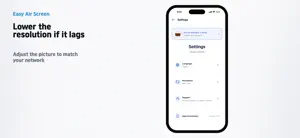
Extend your Mac screen to an iPhone or iPad and use it as a second monitor. This is the Lite version — free to use with ads. Easy Air Screen Lite finds your Mac and your iPhone or iPad on the same Wi-Fi and streams the screen wirelessly. Put one more window where you need it, even away from your desk. ■ Wireless over the same Wi-Fi Run Easy Air Screen for Mac, then find and connect your device in the app. No cable and no sign-up required. ■ Extended display and mirroring Use macOS Display settings to extend or mirror your screen. ■ Adjustable resolution If the network feels slow or laggy, lower the resolution in the app's display settings. For a stable connection we recommend 5GHz Wi-Fi on both devices. ■ When your Mac doesn't appear If automatic discovery can't find your Mac, enter its IP address directly in the app. ■ About ads This app is free and supported by ads. A banner is shown at the bottom of the home screen, and one full-screen ad appears when a connection starts. Ads are served by Google AdMob; the app does not request tracking permission and requests non-personalized ads only. To use the app without ads, the paid version Easy Air Screen is available. ■ Getting started 1. Install Easy Air Screen Lite on your iPhone or iPad. 2. Download and run the Mac app. 3. Connect both devices to the same Wi-Fi. 4. Select your Mac in the app to connect. ■ Privacy Your screen is streamed directly between devices on your local network and never passes through our servers. The app works without an account. Only crash diagnostics and the data needed to serve ads are processed — see the privacy policy for details. Contact: [email protected]
What’s new
Version 1.0.13 · Updated August 27, 2026
Stability and usability improvements.
App privacy
The developer, JEONG HYEON CHOI, reported these privacy practices to Apple.
Data Not Linked to You
The following data, which may be collected but is not linked to your identity, may be used for the following purposes:
- Location: Coarse Location
- Identifiers: Device ID
- Usage Data: Product Interaction, Advertising Data
- User Content: Customer Support
- Diagnostics: Crash Data, Performance Data, Other Diagnostic Data
Used for: Third-Party Advertising, Analytics, App Functionality
Alternatives to Easy Air Screen Lite
Looking for apps like Easy Air Screen Lite? Here are 6 similar apps on the App Store.
-
 Second Monitor: ScreenDeck
-
 Dual Monitor For Mac
-
 Slate: Second Monitor
-
 ShareLAN — Screen to PC
-
 Hardwares
-
 콘보
콘보
| App | Rating | Price | Last updated | Compare |
|---|---|---|---|---|
| Easy Air Screen Lite | – | Free | August 27, 2026 | |
| Second Monitor: ScreenDeck | – | Free | Sep 30, 2026 | Compare |
| Dual Monitor For Mac | – | Free | Aug 16, 2026 | Compare |
| Slate: Second Monitor | – | Free | Oct 23, 2026 | Compare |
| ShareLAN — Screen to PC | – | Free | Jul 1, 2026 | Compare |
| Hardwares | – | Free | Sep 5, 2026 | Compare |
| 콘보 | – | Free | Oct 23, 2026 | Compare |