

Wakeling: No Snooze Alarm
Neelakanteswara Rao Patnaik Baggam Lifestyle iPhoneiPadiPod touch
Wakeling: No Snooze Alarm is a free Lifestyle app for iPhone and iPad by Neelakanteswara Rao Patnaik Baggam. Rated 5.0/5 from 1 ratings. Requires iOS 26.0.
- Rating
- 5.0
- 1 ratings
- Price
- Free
- on the App Store
- Size
- 116 MB
- Age 4+
- Updated
- Sep 25
- 2026 · v1.3.0
Screenshots



About Wakeling: No Snooze Alarm
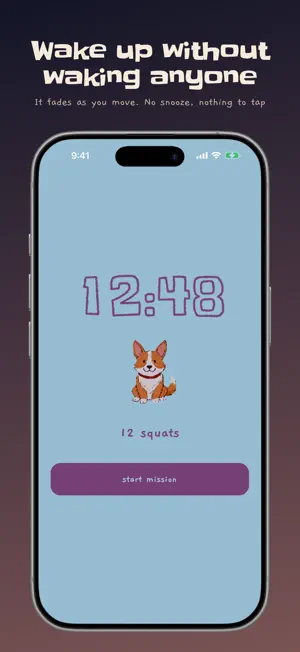
Wakeling goes quiet when you stand up. There is no snooze button, and no way to turn it off from the lock screen. To stop it you finish a short physical task: a walk of one to three minutes, twelve squats, or showing your phone something you scanned the night before — the kettle, the fridge, the shower head. The volume follows your movement rather than your taps. It is at full blast while you are lying still and fades to nothing once you are genuinely up, so it stops without waking the whole house. That part is free, for everyone. A chalk-drawn pet lives in the room behind the clock. Every morning you get up, it brings you something, and the love you earn buys rooms, mats, bowls and clocks to keep it in. WHAT IS FREE • The alarm itself, always. It is never held hostage. • It goes quiet when you stand up — the thing the app is for is not the thing it sells. • The walk, counted by real steps. You set it from one to three minutes, and it can tell walking from shaking your phone. • A pet of your own, and a room to keep it in. WAKELING PRO • Squats, counted by the front camera • Target Scan — show it a fixture you scanned earlier • Dog and cat alarm sounds • Twice the love each morning • The reserved pets, rooms and things HOW IT WAKES YOU Wakeling uses the system alarm where the OS provides one, with a notification chain behind it, so it rings from a cold start and through the silent switch. If the alarm cannot be trusted to ring, nothing else about it matters. PRIVACY Camera frames are processed on your device and discarded. Nothing is uploaded, because there is no server to upload it to. Target Scan stores an opaque feature vector, never a picture. The app works with no signal at all. Wakeling is not a medical or safety device. Do not rely on it where a missed alarm would be dangerous.
What’s new
Version 1.3.0 · Updated September 25, 2026
Wakeling now speaks Japanese. 日本語に対応しました。 The whole app, your pet's lines, the alarm and the widgets. The walk mission can now tell walking from shaking your phone, so it counts real steps. And the wall says "No alarm set" whenever nothing is set, instead of guessing.
App privacy
The developer, Neelakanteswara Rao Patnaik Baggam, reported these privacy practices to Apple.
Data Not Linked to You
The following data, which may be collected but is not linked to your identity, may be used for the following purposes:
- Identifiers: User ID
- Usage Data: Product Interaction
- Purchases: Purchase History
- Diagnostics: Crash Data
Used for: Analytics, App Functionality
Alternatives to Wakeling: No Snooze Alarm
Looking for apps like Wakeling: No Snooze Alarm? Here are 6 similar apps on the App Store. The highest rated is Loud Alarm Clock - CluckClock (5.0/5), and all 6 are free to download.
-
 WakePal - Loud Alarm Clock
2.0
-
 Loud Alarm Clock - CluckClock
5.0
-
 Outbed: Mission Alarm Clock
-
 WAKEFORCE: Alarm Clock & Sleep
4.0
-
 AlarmK: Mission Alarm Clock
4.1
-
 Full Moon Hotel
| App | Rating | Price | Last updated | Compare |
|---|---|---|---|---|
| Wakeling: No Snooze Alarm | 5.0 / 5 (1 rating) | Free | September 25, 2026 | |
| WakePal - Loud Alarm Clock | 2.0 / 5 (1) | Free | Aug 4, 2026 | Compare |
| Loud Alarm Clock - CluckClock | 5.0 / 5 (9) | Free | Aug 6, 2026 | Compare |
| Outbed: Mission Alarm Clock | – | Free | Oct 12, 2026 | Compare |
| WAKEFORCE: Alarm Clock & Sleep | 4.0 / 5 (2) | Free | Oct 3, 2026 | Compare |
| AlarmK: Mission Alarm Clock | 4.1 / 5 (16) | Free | Oct 20, 2026 | Compare |
| Full Moon Hotel | – | Free | Aug 26, 2026 | Compare |