

VaultPony: Encrypted Vaults
Kevin Stewart Utilities iPhoneiPadiPod touch
VaultPony: Encrypted Vaults is a free Utilities app for iPhone and iPad by Kevin Stewart. Requires iOS 17.0. Updated September 26, 2026.
- Price
- Free
- on the App Store
- Size
- 3 MB
- Age 4+
- Updated
- Sep 26
- 2026 · v1.1.0
Screenshots


About VaultPony: Encrypted Vaults
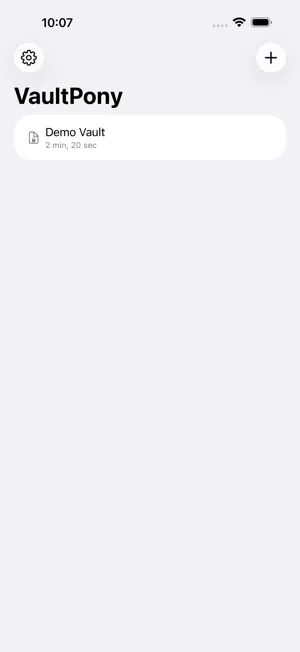
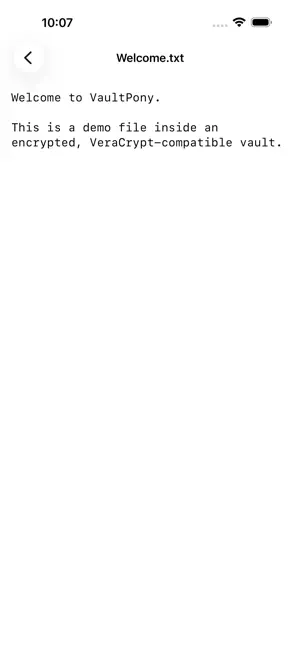
VaultPony creates and opens encrypted containers on iPhone and iPad. A vault is a single encrypted file that holds a private filesystem, and only your password opens it. The containers are compatible with VeraCrypt, so you can open the same vaults on the desktop and back. There is no account, no cloud, and no network access. Your vaults are just files, kept wherever you choose, On My iPhone, iCloud Drive, or a third-party storage provider. Features: Create and open VeraCrypt-compatible containers, with a choice of cipher, hash, and filesystem (FAT or exFAT). Hidden volumes: conceal a second vault inside the first. Two passwords, and the outer one gives no sign the hidden one exists. The outer volume can be write-protected so normal use will not overwrite the hidden data. Header backup and recovery, in-place password change, and keyfiles. Face ID unlock, auto-lock when the app leaves the foreground, a privacy screen that hides vault content in the app switcher, and a no-trace mode that never writes decrypted content outside the vault. A full split-view layout on iPad; browse and preview side by side. Localized in English, German, Spanish, French, Russian, and Brazilian Portuguese. VaultPony is free and open source, built on a shared Rust core you can inspect. It is not affiliated with or endorsed by IDRIX; VeraCrypt is a registered trademark of IDRIX.
What’s new
Version 1.1.0 · Updated September 26, 2026
Argon2id support. Vaults created with Argon2id in VeraCrypt 1.26.29 or later now open, new vaults can use Argon2id, and a password change can move a vault to Argon2id or back. Unlocking has a key derivation choice (Auto, PBKDF2, Argon2id), a Cancel button, and a memory check before running Argon2id. Face ID unlock remembers which one a vault uses. A PIM below the default now needs a password of at least 20 characters, as in VeraCrypt. Every password field has a show/hide button.
App privacy
The developer, Kevin Stewart, reported these privacy practices to Apple.
Data Not Collected
The developer does not collect any data from this app.
Alternatives to VaultPony: Encrypted Vaults
Looking for apps like VaultPony: Encrypted Vaults? Here are 6 similar apps on the App Store.
-
 PassVault Pro
-
 Vcode Rx
-
 PassVault - Password Safe
-
 PassNote: Password Vault
-
 Mdocx - MD Word Excel Docs
-
 Photo Privacy: EXIF Eraser
| App | Rating | Price | Last updated | Compare |
|---|---|---|---|---|
| VaultPony: Encrypted Vaults | – | Free | September 26, 2026 | |
| PassVault Pro | – | Free | Jul 4, 2026 | Compare |
| Vcode Rx | – | Free | May 23, 2026 | Compare |
| PassVault - Password Safe | – | Free | Jun 19, 2026 | Compare |
| PassNote: Password Vault | – | Free | Oct 1, 2026 | Compare |
| Mdocx - MD Word Excel Docs | – | Free | Sep 18, 2026 | Compare |
| Photo Privacy: EXIF Eraser | – | Free | Apr 23, 2026 | Compare |