

Teleprompter: Video & Script
耀坤 李 Photo & Video iPhoneiPadiPod touch
Teleprompter: Video & Script is a free Photo & Video app for iPhone and iPad by 耀坤 李. Requires iOS 16.4. Updated August 17, 2026.
- Price
- Free
- on the App Store
- Size
- 55 MB
- Age 4+
- Updated
- Aug 17
- 2026 · v1.0
Screenshots



About Teleprompter: Video & Script
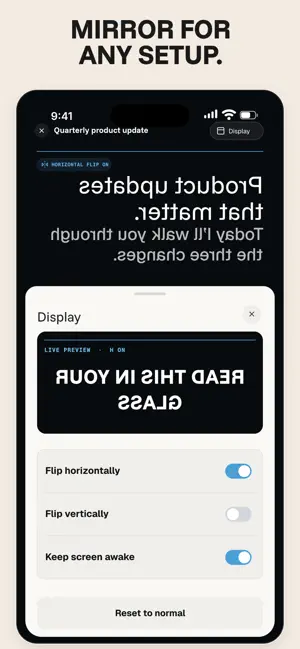
Record confident, natural-looking videos with a video teleprompter app that keeps your script close to the camera. Write or import your words, set the pace, frame yourself, and start recording—all in one focused workflow. READ WHILE YOU RECORD Keep your eyes near the lens while the teleprompter scrolls your script. Adjust reading speed and text size until every line feels comfortable. The clean teleprompter view helps you stay on message without memorizing every word or repeatedly looking away from the camera. CREATE, EDIT, AND IMPORT SCRIPTS Write, edit, or paste a script in the app, or import a plain TXT file. Keep your words organized before you record, then reuse the teleprompter for another take or a new video. Every script stays ready whenever an idea becomes a recording. RECORD VIDEO IN THE SAME APP Frame yourself with the camera preview, read from the teleprompter, and handle script reading and video recording without switching between separate tools. Give yourself a moment with the countdown, then deliver each line at a pace that feels natural. Videos can be saved automatically to Photos. On supported devices, Pro may unlock recording up to 4K. CONTROL YOUR READING EXPERIENCE • Adjust teleprompter reading speed • Change text size for comfortable reading • Use smooth script scrolling • Record video with microphone audio • Position the words close to the camera • Choose the right script for every video • Automatically save completed videos to Photos FOR CONTENT CREATORS AND PRESENTERS Use this video recording tool to make a vlog, tutorial, social video, product demo, training video, online lesson, presentation, speech, sales pitch, interview, or business update. Whether you are a content creator, teacher, trainer, presenter, or public speaker, you can prepare a script and record alone without memorizing every line. VOICE FOLLOW · BETA With Voice Follow, the teleprompter can follow your selected on-device language and pause when it is unsure. Fixed-speed scrolling remains available whenever you prefer consistent manual control. Voice Follow requires iOS 26 or later. PRIVATE AND READY OFFLINE Your scripts stay on this iPhone, and the teleprompter works offline. Nothing is uploaded when you paste text or import a TXT file. This version does not use app accounts, advertising trackers, or cloud video storage, so you can prepare and record without creating another login. FREE AND PRO Try the teleprompter free with up to 300 words per script and three minutes per video. Pro removes these limits and may unlock higher recording quality on supported devices. MADE FOR THE MOMENT YOU PRESS RECORD From the first draft to the final take, this teleprompter helps you read clearly, look closer to the camera, and finish your video with fewer retakes. Terms of Use: https://teleprompter-legal.vercel.app/terms
App privacy
The developer, 耀坤 李, reported these privacy practices to Apple.
Data Not Collected
The developer does not collect any data from this app.
Alternatives to Teleprompter: Video & Script
Looking for apps like Teleprompter: Video & Script? Here are 6 similar apps on the App Store. The highest rated is Teleprompter: Video Maker (5.0/5), and all 6 are free to download.
-
 Teleprompter: Autocue Script
-
 Teleprompter Kit
-
 Promptly: AI Teleprompter
-
 Offcue: Teleprompter for Video
4.6
-
 Teleprompter: Video & Speech
-
 Teleprompter: Video Maker
5.0
| App | Rating | Price | Last updated | Compare |
|---|---|---|---|---|
| Teleprompter: Video & Script | – | Free | August 17, 2026 | |
| Teleprompter: Autocue Script | – | Free | Aug 17, 2026 | Compare |
| Teleprompter Kit | – | Free | Oct 23, 2026 | Compare |
| Promptly: AI Teleprompter | – | Free | Jun 13, 2026 | Compare |
| Offcue: Teleprompter for Video | 4.6 / 5 (5) | Free | Oct 8, 2026 | Compare |
| Teleprompter: Video & Speech | – | Free | Oct 22, 2026 | Compare |
| Teleprompter: Video Maker | 5.0 / 5 (1) | Free | Aug 27, 2026 | Compare |