

Tact: Control Deck
Abhinav Ranjan Jha Productivity iPhoneiPadiPod touch
Tact: Control Deck is a free Productivity app for iPhone and iPad by Abhinav Ranjan Jha. Requires iOS 15.0. Updated September 28, 2026.
- Price
- Free
- on the App Store
- Size
- 20 MB
- Age 4+
- Updated
- Sep 28
- 2026 · v1.2
Screenshots
About Tact: Control Deck
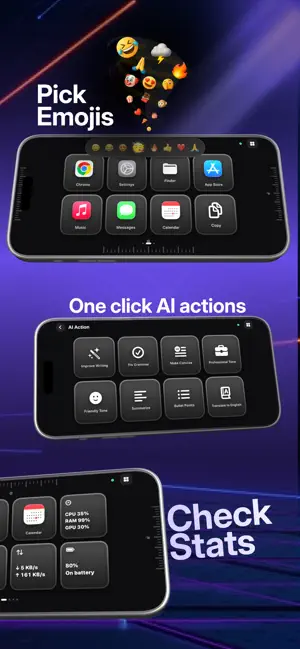
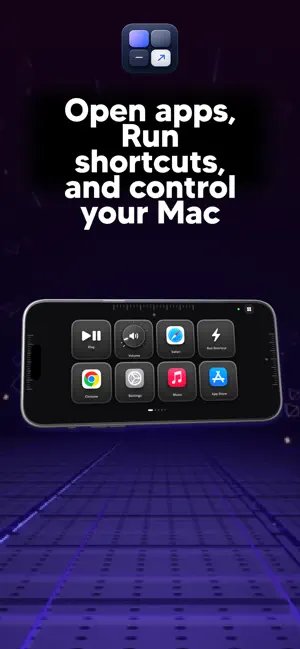
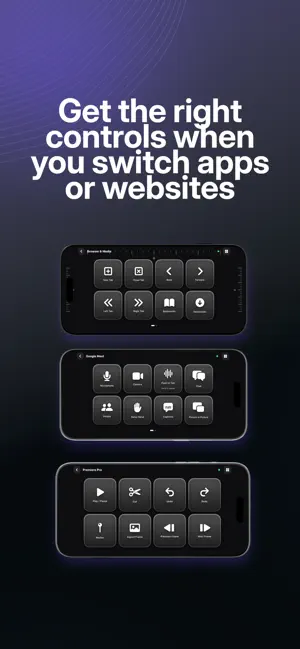
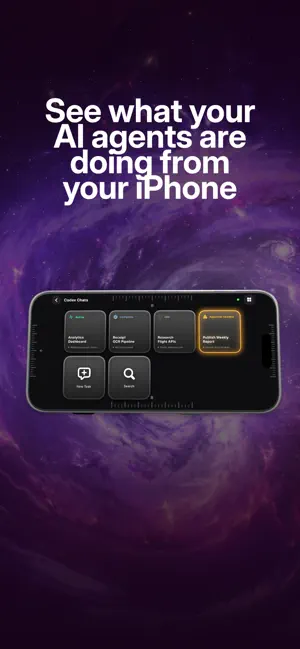
Your PC controls, alive on your iPhone. Tact turns your iPhone into a flexible, tactile control deck for your PC. Launch apps, run shortcuts, open websites, control media, switch profiles, and build workflows that match the way you work. A CONTROL DECK THAT ADAPTS Tact can switch decks as you move between supported PC apps and browser experiences. Keep a universal Home deck, use app-specific decks, or customize every page yourself. MORE THAN BUTTONS • Tactile buttons with multiple gestures • Smooth dials and infinite scroll controls • Edge and corner controls with live feedback • Trackpad controls for cursor, clicks, and dragging • Clipboard history and quick paste • Live PC system stats • AI Actions for selected text using your own provider key • App, website, shortcut, file, media, and automation controls MADE FOR YOUR WORKFLOW Use ready-made controls or customize pages, grids, labels, icons, actions, and profiles from the PC companion. Create multiple pages, organize app decks, and export or import your setup. SMART APP PROFILES Build focused decks for creative apps, browsers, meetings, media, Finder, Notion, and everyday PC tasks. Automatic profile switching can be turned off whenever you prefer manual control. DIRECT DEVICE CONNECTION Pair your iPhone with your own PC using a QR code or four-digit code. Tact is designed to communicate directly between your devices on your local network, with remembered devices and reconnect support. MAC COMPANION REQUIRED Tact requires the free Tact companion for PC. The companion provides deck setup and performs actions on your PC. Some controls require PC Accessibility permission. Tact does not require a Tact account, does not sell your personal information, and does not track you across apps or websites.
What’s new
Version 1.2 · Updated September 28, 2026
Tact 1.2 improves reliability and control customisation. • Faster, more reliable device pairing and reconnects • Improved AI Action editing and custom prompt saving • More compact desktop editor and better live control feedback • Login, activation, and cross-platform stability fixes
App privacy
The developer, Abhinav Ranjan Jha, reported these privacy practices to Apple.
Data Not Collected
The developer does not collect any data from this app.
Alternatives to Tact: Control Deck
Looking for apps like Tact: Control Deck? Here are 6 similar apps on the App Store. The highest rated is PhoneDeck (5.0/5), and all 6 are free to download.
-
 Vibepad
-
 Overdeck
-
 PhoneDeck
5.0
PhoneDeck
5.0
-
 CAMP
CAMP
-
 IQ121: Legacy Planner, Storage
4.2
IQ121: Legacy Planner, Storage
4.2
-
 Deckboard: Macropad for PC
2.8
Deckboard: Macropad for PC
2.8
| App | Rating | Price | Last updated | Compare |
|---|---|---|---|---|
| Tact: Control Deck | – | Free | September 28, 2026 | |
| Vibepad | – | Free | Sep 18, 2026 | Compare |
| Overdeck | – | Free | Sep 4, 2024 | Compare |
| PhoneDeck | 5.0 / 5 (2) | Free | Aug 14, 2026 | Compare |
| CAMP | – | Free | Sep 6, 2026 | Compare |
| IQ121: Legacy Planner, Storage | 4.3 / 5 (8) | Free | Sep 26, 2026 | Compare |
| Deckboard: Macropad for PC | 2.8 / 5 (16) | Free | Jan 5, 2026 | Compare |
Compare Tact: Control Deck with the top alternatives: ratings, updates, ASO score and keyword gaps →