

7ODAY: Weekly Planner Todo
Jose Pedro Franco Moreno Productivity iPhoneiPadiPod touch
7ODAY: Weekly Planner Todo is a free Productivity app for iPhone and iPad by Jose Pedro Franco Moreno. Requires iOS 26.0. Updated September 23, 2026.
- Price
- Free
- on the App Store
- Size
- 12 MB
- Age 4+
- Updated
- Sep 23
- 2026 · v1.0.2
Screenshots
About 7ODAY: Weekly Planner Todo
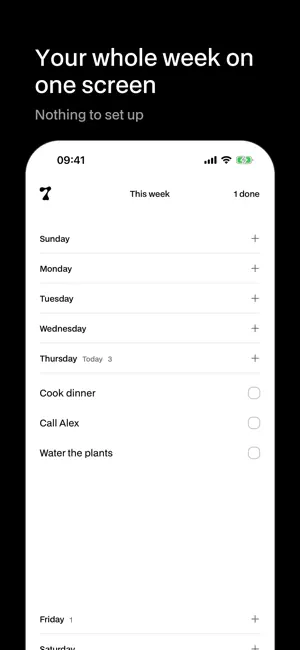
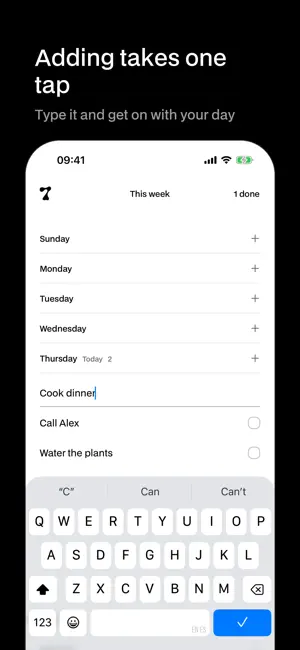
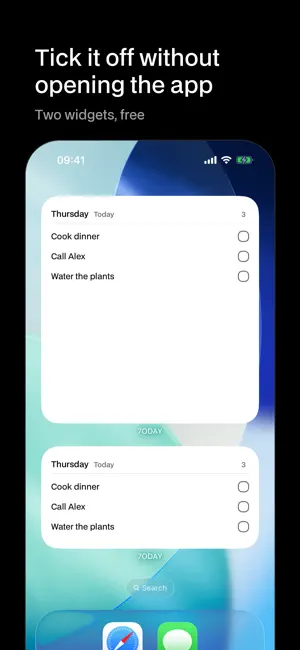
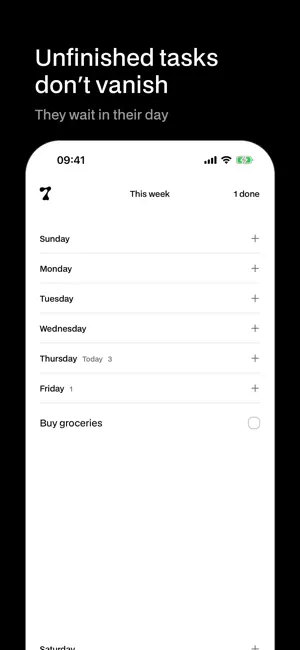
Seven days. Add, tick, done. 7ODAY shows your whole week on one screen. Open a day, write what you have to do, and tick it off when it’s done. That’s the app. What you don’t finish stays where you left it. There is no inbox, no projects, no tags, no account. Your tasks live on your phone from the first second. • A week you can see at a glance, in your region’s order. • One day open at a time. The others keep you oriented. • Add with one tap. Confirm by tapping anywhere. • Finished tasks fly into the counter, where you can reopen them. • Two widgets, free: today’s list on your Home Screen, and you can tick things off without opening anything. • Dark mode from day one. Premium adds seven things, and only if you want them: • Unlimited tasks (the free plan keeps four going at a time). • iCloud sync across your devices. • One notification a day, with what’s left. On a day with nothing, it stays quiet. • Analytics: which days you finish things. No goals, no streaks. • A light or a dark app icon. • The large widget, with the whole day. • A clean start: clear what’s left when the week turns, only if you ask for it. Premium is a yearly subscription or a one-time purchase. The yearly plan renews automatically until you cancel it from your Apple account. Terms of Use: https://7oday.app/terms/. Privacy Policy: https://7oday.app/privacy/.
What’s new
Version 1.0.2 · Updated September 23, 2026
Fixed: when you completed a task that wasn’t the last one of the day, the animation took off from the task below it. It now leaves from the task you ticked.
App privacy
The developer, Jose Pedro Franco Moreno, reported these privacy practices to Apple.
Data Linked to You
The following data, which may be collected and linked to your identity, may be used for the following purposes:
- Identifiers: User ID
- Usage Data: Product Interaction
Used for: Analytics, App Functionality
Alternatives to 7ODAY: Weekly Planner Todo
Looking for apps like 7ODAY: Weekly Planner Todo? Here are 6 similar apps on the App Store. The highest rated is LuDo Tasks - weekly focus (5.0/5), and all 6 are free to download.
-
 Monkway: Daily Habit Tracker
-
 LuDo Tasks - weekly focus
5.0
LuDo Tasks - weekly focus
5.0
-
 Overdue: minimal to-do
-
 We Both: Household Manager
5.0
We Both: Household Manager
5.0
-
 FloatyDo
5.0
FloatyDo
5.0
-
 Naru: Focus & Pomodoro Timer
5.0
Naru: Focus & Pomodoro Timer
5.0
| App | Rating | Price | Last updated | Compare |
|---|---|---|---|---|
| 7ODAY: Weekly Planner Todo | – | Free | September 23, 2026 | |
| Monkway: Daily Habit Tracker | – | Free | Oct 10, 2026 | Compare |
| LuDo Tasks - weekly focus | 5.0 / 5 (1) | Free | Oct 13, 2026 | Compare |
| Overdue: minimal to-do | – | Free | Sep 14, 2026 | Compare |
| We Both: Household Manager | 5.0 / 5 (3) | Free | Oct 13, 2026 | Compare |
| FloatyDo | 5.0 / 5 (3) | Free | Oct 9, 2026 | Compare |
| Naru: Focus & Pomodoro Timer | 5.0 / 5 (2) | Free | Oct 12, 2026 | Compare |