

Presentation Maker: Powerpoint
MONAD SYSTEMS LTD Graphics & Design iPhoneiPadiPod touchMac
Presentation Maker: Powerpoint is a free Graphics & Design app for iPhone and iPad by MONAD SYSTEMS LTD. Rated 5.0/5 from 5 ratings. Requires iOS 16.0.
- Rating
- 5.0
- 5 ratings
- Price
- Free
- on the App Store
- Size
- 47 MB
- Age 4+
- Updated
- Oct 17
- 2026 · v1.0.8
Screenshots


About Presentation Maker: Powerpoint
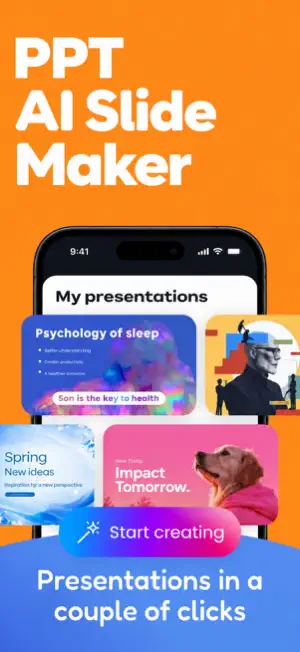
Create polished presentations faster with PPT AI: AI Presentation Maker. Turn a topic, idea, assignment, business brief, or set of notes into a slide deck in just a few steps. Whether you are preparing for school, work, a meeting, a pitch, or a personal project, the app helps you organize your message and build a presentation with less effort. Start by entering your topic and the key points you want to cover. PPT AI helps generate a structured presentation draft with slide titles, concise content, and a logical flow. Review the suggested outline, refine the wording, rearrange sections, and personalize the slides to match your purpose. KEY FEATURES: • AI-powered presentation creation Generate a complete presentation draft from a simple topic or prompt. • Smart slide structure Create an organized flow with an introduction, main points, supporting information, and conclusion. • Clear, concise content Turn long ideas into presentation-friendly text that is easier to read and explain. • Useful for different needs Prepare school projects, class reports, business proposals, sales pitches, meeting decks, training material, and more. • Easy editing Update titles, rewrite slide content, add your own points, and adjust the order before finalizing. • Time-saving workflow Move from idea to presentation draft without starting every slide from scratch. PPT AI is designed for students, teachers, professionals, entrepreneurs, marketers, and anyone who regularly needs to create presentations. It helps reduce the time spent planning slide content while keeping your ideas organized and easy to understand. Use PPT AI to brainstorm a deck, create a first draft, improve an existing outline, or prepare talking points for your next presentation. The simple workflow makes it easy to focus on your message while AI assists with structure and wording. Create smarter presentations, communicate ideas clearly, and get ready to present with confidence using PPT AI: AI Presentation Maker. Terms of Use: https://sites.google.com/monadsystems.net/terms-of-use/home Privacy Policy: https://sites.google.com/monadsystems.net/privacy-policy/home
Ratings & reviews
5.0
5 ratings
What’s new
Version 1.0.8 · Updated October 17, 2026
Enjoy a smoother presentation-making experience with the latest PPT Maker update! • Refreshed UI for a cleaner, more intuitive experience • Overall improvements to make creating presentations smoother • Bug fixes for better stability and reliability Update now and bring your next presentation to life!
App privacy
The developer, MONAD SYSTEMS LTD, reported these privacy practices to Apple.
Data Used to Track You
The following data may be used to track you across apps and websites owned by other companies:
- Location: Coarse Location
Data Not Linked to You
The following data, which may be collected but is not linked to your identity, may be used for the following purposes:
- Location: Coarse Location
Used for: Third-Party Advertising
Alternatives to Presentation Maker: Powerpoint
Looking for apps like Presentation Maker: Powerpoint? Here are 6 similar apps on the App Store. The highest rated is Infographic AI (5.0/5), and all 6 are free to download.
-
 SlideForge PPT Slides AI
-
 Slide Studio - Presentations
-
 Infographic AI
5.0
Infographic AI
5.0
-
 SeeRead: Visual Synthesizer
5.0
SeeRead: Visual Synthesizer
5.0
-
 Spiiine
-
 Slidesy: AI PPT Slides Maker
| App | Rating | Price | Last updated | Compare |
|---|---|---|---|---|
| Presentation Maker: Powerpoint | 5.0 / 5 (5 ratings) | Free | October 17, 2026 | |
| SlideForge PPT Slides AI | – | Free | Oct 19, 2026 | Compare |
| Slide Studio - Presentations | – | Free | Aug 12, 2026 | Compare |
| Infographic AI | 5.0 / 5 (1) | Free | Sep 16, 2026 | Compare |
| SeeRead: Visual Synthesizer | 5.0 / 5 (1) | Free | Jan 16, 2026 | Compare |
| Spiiine | – | Free | Dec 31, 2024 | Compare |
| Slidesy: AI PPT Slides Maker | – | Free | Jun 2, 2026 | Compare |