

SceneMeld
世佳 李 Photo & Video iPhoneiPadiPod touchMac
SceneMeld is a free Photo & Video app for iPhone and iPad by 世佳 李. Requires iOS 18.0. Updated October 10, 2026.
- Price
- Free
- on the App Store
- Size
- 17 MB
- Age 4+
- Updated
- Oct 10
- 2026 · v1.3
Screenshots


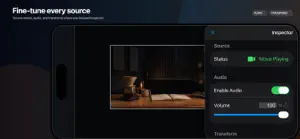

About SceneMeld
SceneMeld turns iPhone and iPad into a native live-production and recording studio. Combine sources, shape your scenes and control your output from one focused workspace. Local editing, recording and manual streaming destinations do not require a SceneMeld account. COMPOSE YOUR PRODUCTION Combine device cameras, local movies and images. Choose media from Photos or Files. Resize, crop, rotate and reorder layers, or use quick layouts. Create and switch scenes, and keep editing while recording or streaming. iPhone provides a landscape workspace with controls alongside the preview; iPad provides a spacious studio layout. Available camera options depend on your device. MAKE IT YOUR OWN Add image logos, text lower thirds and title cards. Display a wall clock, live duration or countdown. Build football, basketball and badminton scoreboards, and update scores and match clocks manually. Scoreboards do not provide automatic scoring or official match data. EXPRESS YOURSELF ON CAMERA Optional Pro face effects include blur, pixelation, emoji and original Nova and Aster avatars. Avatars follow head movement and facial expressions. Tracking is processed on device; it is not facial identification. Effects are not a guarantee of anonymity. CONTROL VIDEO AND AUDIO Choose looping or single playback for movie sources; single playback holds the final frame. Mix microphone and movie audio, with separate movie volume for the live output and local monitoring. Choose a lower-resolution, lower-frame-rate or paused local preview independently of the configured live output. RECORD AND STREAM Record local MP4 video and stream to custom RTMP, RTMPS and WHIP destinations. Optional YouTube and Twitch account workflows help prepare a destination and view Audience Activity. Platform accounts and streaming eligibility are required for those integrations; replying and moderation use the platform website. OPTIONAL SCENEMELD PRO Monthly and annual auto-renewing subscriptions unlock face effects and remove SceneMeld output branding. The free version retains SceneMeld branding; users can still create scenes, add supported overlays, record and stream. Purchase, restore and manage your subscription in Settings > Pro. An active entitlement can be used on supported Apple devices with the same purchase account. MEDIA STAYS UNDER YOUR CONTROL Media is processed locally and streamed directly to your chosen destination. The optional platform-authorization service handles authorization and platform API requests, not the live audio/video stream. Use media you own or have permission to broadcast. Privacy policy: https://live.sjsai.cn/privacy Terms of use: https://www.apple.com/legal/internet-services/itunes/dev/stdeula/
What’s new
Version 1.3 · Updated October 10, 2026
Create a more expressive live production in SceneMeld 1.3: • Add face-tracking camera effects, including original Nova and Aster avatars that follow head movement and facial expressions. Face effects are included with Pro. • Build football, basketball and badminton scoreboards, with manual score and match-clock controls. • Add image logos, lower thirds, title cards, wall clocks, live-duration timers and countdowns. • Choose loop or single playback for movie sources. Single playback holds the final frame and can be replayed. • Adjust movie audio for your audience separately from local monitoring. • Use Energy Saving, Ultra Energy Saving or paused local preview without changing the configured live output. New installations start with Energy Saving preview. • Improved streaming audio timing, session cleanup and output diagnostics.
App privacy
The developer, 世佳 李, reported these privacy practices to Apple.
Data Not Collected
The developer does not collect any data from this app.
Alternatives to SceneMeld
Looking for apps like SceneMeld? Here are 6 similar apps on the App Store. The highest rated is Camkite Camera for OBS (5.0/5), and all 6 are free to download.
-
 Broadcast Elements :LiveStream
-
 Camkite Camera for OBS
5.0
Camkite Camera for OBS
5.0
-
 Vlogger Studio: Live Stream
4.8
Vlogger Studio: Live Stream
4.8
-
 TwoCam: Dual Camera Video
-
 Front and Back Camera DualShot
5.0
Front and Back Camera DualShot
5.0
-
 ScreenShare for OBS
1.0
ScreenShare for OBS
1.0
| App | Rating | Price | Last updated | Compare |
|---|---|---|---|---|
| SceneMeld | – | Free | October 10, 2026 | |
| Broadcast Elements :LiveStream | – | Free | Oct 18, 2026 | Compare |
| Camkite Camera for OBS | 5.0 / 5 (1) | Free | Sep 27, 2026 | Compare |
| Vlogger Studio: Live Stream | 4.8 / 5 (6) | Free | Sep 10, 2026 | Compare |
| TwoCam: Dual Camera Video | – | Free | May 2, 2026 | Compare |
| Front and Back Camera DualShot | 5.0 / 5 (1) | Free | Sep 18, 2026 | Compare |
| ScreenShare for OBS | 1.0 / 5 (1) | Free | Sep 5, 2025 | Compare |
Compare SceneMeld with the top alternatives: ratings, updates, ASO score and keyword gaps →