

Bulletlist: Outliner
Nozemans Software PTE LTD Productivity iPhoneiPadiPod touch
Bulletlist: Outliner is a free Productivity app for iPhone and iPad by Nozemans Software PTE LTD. Requires iOS 15.0. Updated October 24, 2026.
- Price
- Free
- on the App Store
- Size
- 10 MB
- Age 4+
- Updated
- Oct 24
- 2026 · v1.4.9
Screenshots


About Bulletlist: Outliner
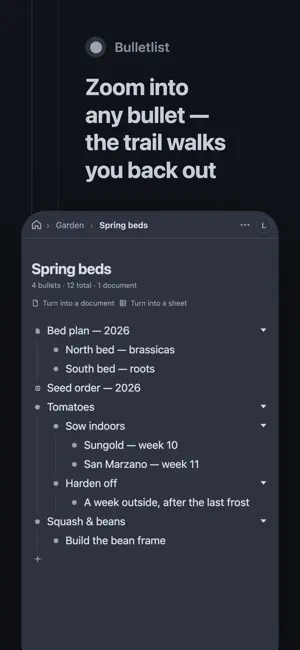
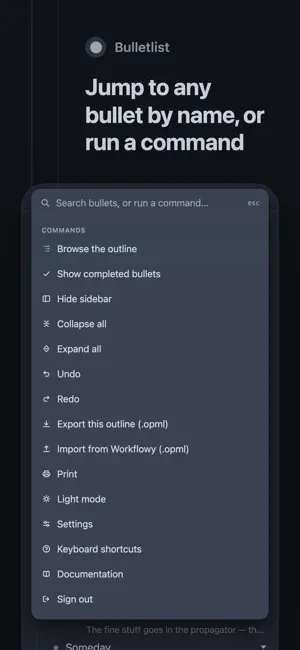
Bulletlist is an outliner. One list, nested as deep as your thinking goes, and nothing else in the way. Every line is a bullet. Press Return for the next one, Tab to move it under the one above, and keep going. Zoom into any bullet to make it the whole screen, then walk back out through the trail at the top — so a long outline is read a room at a time instead of all at once. Built for keyboards Bulletlist takes the shortcuts you already know from the outliners you have used before, without inventing new ones. Move a bullet with Shift-Command-Up. Complete it with Command-Return. Jump to any bullet by name with Command-K. Press Command-/ for the whole list, in the app, grouped by what it applies to. Built for thumbs too Swipe a row to indent it. Long-press to pick it up and drop it anywhere, at any level. The editing bar rides the top of the keyboard instead of hiding under it, and the back gesture goes back through the bullets you zoomed into. Yours, and readable without us Your outline lives in your own storage under your own account. Google Analytics measures how the app is used — screens opened, and counts of bullets added, completed and moved — and never receives a bullet, a note or a search. There is no advertising identifier, nothing sold, and no third party watching you type. Export the whole thing as an OPML file whenever you like, and it opens in any outliner. Works offline The app is on your device, not in a browser tab. Write on a plane and it syncs when you land. Edits made on two devices are merged rather than one overwriting the other. Nine colour schemes Light and dark are separate from which colours those two words mean. Paper is ours; the other eight are Solarized, Gruvbox, Everforest, Stone, Dracula, Catppuccin, Nord and GitHub, each with both of its halves, for people who already know which one they want. Sign in with your email address and a code. There is no password to invent and none to lose.
What’s new
Version 1.4.9 · Updated October 24, 2026
Save things from other apps straight into Bulletlist. In Safari, Chrome or any app, press Share and pick Bulletlist: a short form shows the page's title, its link and any text you selected. Change what you like, choose where it goes, and save. It is added at the top of your Inbox, a bullet at the top of your outline that is made for you the first time, or under one of your starred bullets if you pick one. On iPhone and iPad, what you save is added the next time you open Bulletlist.
App privacy
The developer, Nozemans Software PTE LTD, reported these privacy practices to Apple.
Data Linked to You
The following data, which may be collected and linked to your identity, may be used for the following purposes:
- Contact Info: Email Address
- User Content: Other User Content
Used for: App Functionality
Alternatives to Bulletlist: Outliner
Looking for apps like Bulletlist: Outliner? Here are 6 similar apps on the App Store. The highest rated is TreeNote: Nested Notes (5.0/5), and all 6 are free to download.


| App | Rating | Price | Last updated | Compare |
|---|---|---|---|---|
| Bulletlist: Outliner | – | Free | October 24, 2026 | |
| SlipThink | – | Free | Mar 4, 2026 | Compare |
| TreeNote: Nested Notes | 5.0 / 5 (1) | Free | Jul 20, 2026 | Compare |
| Maido Map | – | Free | Aug 31, 2026 | Compare |
| Outliner by codediary | – | Free | Oct 18, 2026 | Compare |
| DeepList | – | Free | Aug 6, 2026 | Compare |
| Bullet: Outliner | – | Free | Jul 6, 2026 | Compare |