

CranScan: Offline OCR Scanner
Dmitrii Samoilenko Productivity iPhoneiPadiPod touch
CranScan: Offline OCR Scanner is a free Productivity app for iPhone and iPad by Dmitrii Samoilenko. Requires iOS 15.0. Updated October 14, 2026.
- Price
- Free
- on the App Store
- Size
- 212 MB
- Age 4+
- Updated
- Oct 14
- 2026 · v1.0.44
Screenshots


About CranScan: Offline OCR Scanner
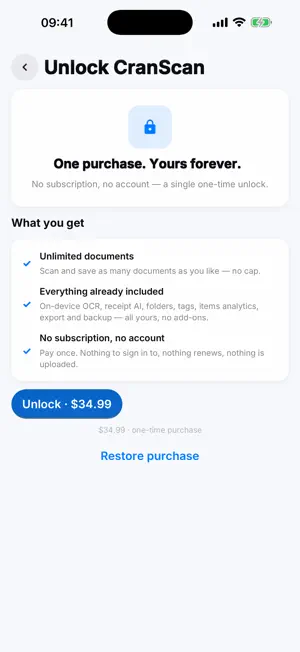
CranScan is a document scanner that respects you: no account, no cloud, no ads, no tracking. Scanning and text recognition run entirely on your device. Pay once, own it forever. SCAN • Point your camera at any document or receipt — CranScan finds it, crops it and fixes the perspective • Drag the corner handles for a perfect manual crop • Color, Grayscale and crisp Black & White filters • Combine multiple pages into one document • Or import photos you already have READ — 100% on-device OCR • Local text recognition in Cyrillic (Serbian, Russian, Ukrainian, Belarusian) and Latin scripts — nothing is uploaded • Works with crumpled receipts, slanted photos, sideways pages — CranScan straightens and rotates automatically • Recognition runs in the background; you get a notification when your document is ready • Add extra language packs on demand — you choose when to download them RECEIPTS, ITEMS & ANALYTICS • Receipt mode extracts the merchant, date and total automatically • Line items are pulled out too, and each receipt is sorted into a spending category • The Items screen totals your spending by month, by category and by merchant — all computed locally • Auto-tagging: set keyword rules ("lidl" → #groceries) and stay organized without lifting a finger • Export all receipts and items as a CSV spreadsheet OPTIONAL ON-DEVICE AI • On supported devices you can download an optional AI model that reads even messy receipts more accurately — and it still runs fully on your device, offline ORGANIZE & EXPORT • Folders, tags, and full-text search over everything you ever scanned • Category-colored library, quick filters, and a bin so nothing is deleted by accident • Export searchable PDFs (with an invisible text layer), JPEG, TXT and CSV • Your entire library is a plain folder on your device — back it up by copying it PRIVATE BY ARCHITECTURE • Everything happens on-device: your documents, photos and receipt data never leave your phone • The only time CranScan uses the network is when you tap "Download" to fetch an optional language or AI pack — no documents, images or usage data are ever sent • No account, no subscription, no "premium" nagging: pay once, own forever
What’s new
Version 1.0.44 · Updated October 14, 2026
CranScan is now in 12 languages: Arabic, Chinese (Simplified), English, French, German, Hindi, Indonesian, Japanese, Korean, Portuguese (Brazil), Russian and Spanish. It follows the language of your iPhone, and you can pick another one in Settings. Your documents and the recognition languages stay as they were. Text recognition and the optional AI receipt reader use updated libraries.
App privacy
The developer, Dmitrii Samoilenko, reported these privacy practices to Apple.
Data Not Collected
The developer does not collect any data from this app.
Alternatives to CranScan: Offline OCR Scanner
Looking for apps like CranScan: Offline OCR Scanner? Here are 6 similar apps on the App Store. The highest rated is Enter Space (5.0/5), and all 6 are free to download.
-
 Chores Tracker: Again
-
 OCR Scanner - Paper to Text
1.7
OCR Scanner - Paper to Text
1.7
-
 Enter Space
5.0
Enter Space
5.0
-
 Safe Scanner - Privacy OCR
5.0
Safe Scanner - Privacy OCR
5.0
-
 AppList.
4.8
AppList.
4.8
-
 PingID Authenticator
1.8
PingID Authenticator
1.8
| App | Rating | Price | Last updated | Compare |
|---|---|---|---|---|
| CranScan: Offline OCR Scanner | – | Free | October 14, 2026 | |
| Chores Tracker: Again | – | Free | Jun 28, 2026 | Compare |
| OCR Scanner - Paper to Text | 1.7 / 5 (3) | Free | Jun 5, 2026 | Compare |
| Enter Space | 5.0 / 5 (1) | Free | Oct 19, 2026 | Compare |
| Safe Scanner - Privacy OCR | 5.0 / 5 (52) | Free | Jun 20, 2026 | Compare |
| AppList. | 4.8 / 5 (29) | Free | Sep 24, 2026 | Compare |
| PingID Authenticator | 1.8 / 5 (5) | Free | Oct 15, 2026 | Compare |