

Plume: Private PDF Signature
Chimeon Cohen Productivity iPhoneiPadiPod touch
Plume: Private PDF Signature is a free Productivity app for iPhone and iPad by Chimeon Cohen. Requires iOS 15.0. Updated September 6, 2026.
- Price
- Free
- on the App Store
- Size
- 59 MB
- Age 4+
- Updated
- Sep 6
- 2026 · v1.0.5
Screenshots


About Plume: Private PDF Signature
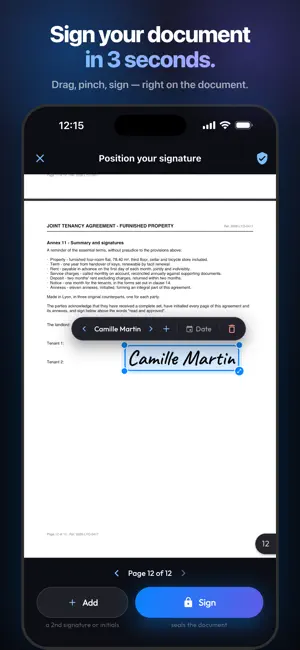
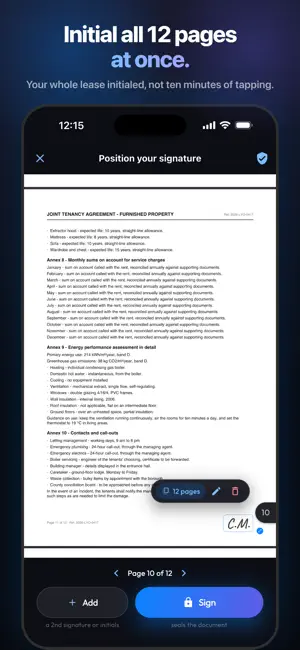
Sign your PDFs in 3 seconds — no account, no cloud, and your documents never leave your phone. Plume is the simplest, most private way to sign: open a document, drop your signature, export. That's it. No sign-up, no server, no data collection. WHY PLUME? BLAZING FAST • Your first document is free — no account needed, ever • Get a document in Mail, WhatsApp or Files: "Share" → Plume, and it opens ready to sign • Draw your signature once, reuse it on every document • It lands right on the page: drag, pinch, sign 100% PRIVATE, BY DESIGN • Zero account, zero sign-up, zero cloud • Your documents and signature NEVER leave your device • No third-party trackers, no ads, no personal data collected • Photo signature background removal runs on-device ALL YOUR FORMATS • PDF, Word, Excel, images and text — converted to PDF on-device • Automatic drafts: leave and pick up exactly where you were • Optional certificate page attached to your signed PDFs • Search, filter and share your signed documents YOUR SIGNATURE, THREE WAYS • Draw it with your finger — smooth, natural ink • Type your name, styled in cursive • Photograph it — the background is removed automatically PLUME+ (optional) Your first document is free. 7-day free trial on the annual subscription. To sign without limits: a monthly or annual subscription (best value), or a lifetime license. Cancel anytime in your App Store account settings. No in-app account required; one-tap restore. Plume is built for freelancers, parents, tenants and small teams — everyone who signs contracts, leases, quotes or permission slips and refuses to upload them to someone else's server. Download Plume and sign your first document within the minute. Privacy: https://plume-legal.surge.sh/privacy.html Terms: https://plume-legal.surge.sh/terms.html
What’s new
Version 1.0.5 · Updated September 6, 2026
• Your first document is still free, and the annual plan's 7-day free trial now shows on the very first subscription screen, when you are eligible. The button always says what it does: sign for free, start the trial, or subscribe, with the price. • Stability and small fixes.
App privacy
The developer, Chimeon Cohen, reported these privacy practices to Apple.
Data Linked to You
The following data, which may be collected and linked to your identity, may be used for the following purposes:
- Usage Data: Advertising Data, Product Interaction
- Purchases: Purchase History
- Identifiers: User ID
Used for: Developer’s Advertising or Marketing, Analytics, App Functionality
Alternatives to Plume: Private PDF Signature
Looking for apps like Plume: Private PDF Signature? Here are 6 similar apps on the App Store. The highest rated is Gstxim (5.0/5), and all 6 are free to download.
-
 Gstxim
5.0
Gstxim
5.0
-
 Mindflowy Notes
-
 Looksee Solo Visual To Do List
5.0
Looksee Solo Visual To Do List
5.0
-
 Chatbot Assistant: Orion AI
4.8
Chatbot Assistant: Orion AI
4.8
-
 intelligent cv - interfiew
5.0
intelligent cv - interfiew
5.0
-
 CHAMA App
| App | Rating | Price | Last updated | Compare |
|---|---|---|---|---|
| Plume: Private PDF Signature | – | Free | September 6, 2026 | |
| Gstxim | 5.0 / 5 (1) | Free | Aug 11, 2026 | Compare |
| Mindflowy Notes | – | Free | Nov 2, 2025 | Compare |
| Looksee Solo Visual To Do List | 5.0 / 5 (2) | Free | Mar 14, 2026 | Compare |
| Chatbot Assistant: Orion AI | 4.8 / 5 (6) | Free | Sep 23, 2026 | Compare |
| intelligent cv - interfiew | 5.0 / 5 (1) | Free | Sep 14, 2025 | Compare |
| CHAMA App | – | Free | Mar 11, 2026 | Compare |