

Everyday Tools Offline
绪伶 罗 Utilities iPhoneiPadiPod touch
Everyday Tools Offline is a free Utilities app for iPhone and iPad by 绪伶 罗. Requires iOS 15.0. Updated September 2, 2026.
- Price
- Free
- on the App Store
- Size
- 33 MB
- Age 12+
- Updated
- Sep 2
- 2026 · v0.1.5
Screenshots


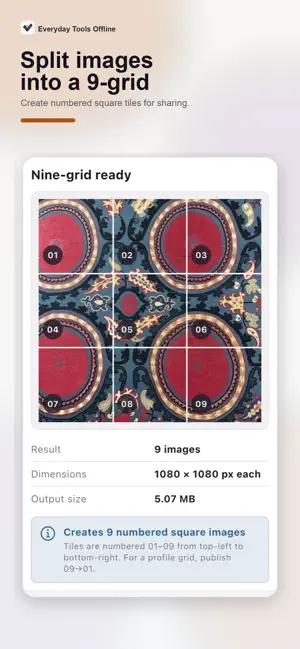
About Everyday Tools Offline
A private toolkit for photos and files. Compress or resize images, remove EXIF metadata, scan and create QR codes, convert video to GIF, and open supported documents without uploading selected files. No account is required. No subscription is required. No ads are shown on iPhone or iPad. Everyday Tools Offline is designed for quick everyday tasks, with selected photos, documents, and files processed directly on your device. IMAGE AND MEDIA TOOLS • Compress and resize images, adjust RGB curves, crop or combine images, remove EXIF metadata, and add visible watermarks. • Inspect supported blind-watermark patterns without altering source images. • Convert videos to GIF with trim, speed, motion, aspect, and size controls. • Check supported local metadata clues that may indicate an AI image source. Results are clues, not proof of origin. DOCUMENTS, QR, AND FILE TRANSFER • Open PDF, Markdown, and text documents. • Read CAMT.052/.053/.054, MT940/942, OFX/QFX/QBO, QIF, and recognized bank CSV exports locally. The reader is view-only and never connects to a bank. • Create QR codes or scan them with the camera or from local images. • Transfer files up to 20 MiB between two nearby devices through animated QR frames. The QR stream is visible to nearby cameras, so use it only in a trusted environment. WORKSHOP REFERENCES • View DXF files and use DPI canvas, delay-time, bearing, kerf-offset, tap-drill, sheet-metal bend, pocket-hole, and mat-board references. BUILT FOR REPEAT USE • Customize Home quick actions and reorder the tool grid. • Use English, Brazilian Portuguese, Latin American Spanish, French, German, Japanese, Korean, and Traditional Chinese. • No account is required, and no subscription is required. PRIVACY BY DESIGN Selected images, videos, documents, statement contents, QR values, and transferred files are processed locally and are not uploaded to our servers. Network access supports remote app configuration, optional analytics and crash diagnostics after the startup privacy gate permits data collection, and links you choose to open. Core tools do not upload your selected files. No ads are shown on iPhone or iPad. Workshop calculations and file interpretations are convenience references—not engineering, financial, legal, safety, or authenticity advice. Verify critical results independently.
What’s new
Version 0.1.5 · Updated September 2, 2026
A smoother offline toolkit experience: cleaner iPhone and iPad interactions, clearer privacy choices, and polished Japanese/Korean support.
App privacy
The developer, 绪伶 罗, reported these privacy practices to Apple.
Data Not Linked to You
The following data, which may be collected but is not linked to your identity, may be used for the following purposes:
- Usage Data: Product Interaction
- Diagnostics: Other Diagnostic Data, Crash Data
Used for: Analytics, App Functionality
Alternatives to Everyday Tools Offline
Looking for apps like Everyday Tools Offline? Here are 6 similar apps on the App Store. The highest rated is Intervals - new! (5.0/5), and all 6 are free to download.
-
 MDflow Web Clipper
-
 Intervals - new!
5.0
-
 장보기-스마트한 마트 계산기
-
 GenesisVPN
-
 Data Manager Classic
5.0
-
 Redacto - Redact & Blur Photos
| App | Rating | Price | Last updated | Compare |
|---|---|---|---|---|
| Everyday Tools Offline | – | Free | September 2, 2026 | |
| MDflow Web Clipper | – | Free | Aug 12, 2026 | Compare |
| Intervals - new! | 5.0 / 5 (1) | Free | Jul 11, 2026 | Compare |
| 장보기-스마트한 마트 계산기 | – | Free | Sep 25, 2026 | Compare |
| GenesisVPN | – | Free | Jun 13, 2026 | Compare |
| Data Manager Classic | 5.0 / 5 (1) | Free | Oct 17, 2026 | Compare |
| Redacto - Redact & Blur Photos | – | Free | Jul 10, 2026 | Compare |