

Slim: Photo & Video Compressor
Ran Tao Photo & Video iPhoneiPadiPod touch
Slim: Photo & Video Compressor is a free Photo & Video app for iPhone and iPad by Ran Tao. Rated 5.0/5 from 1 ratings. Requires iOS 18.0.
- Rating
- 5.0
- 1 ratings
- Price
- Free
- on the App Store
- Size
- 4 MB
- Age 4+
- Updated
- Oct 1
- 2026 · v1.2
Screenshots


About Slim: Photo & Video Compressor
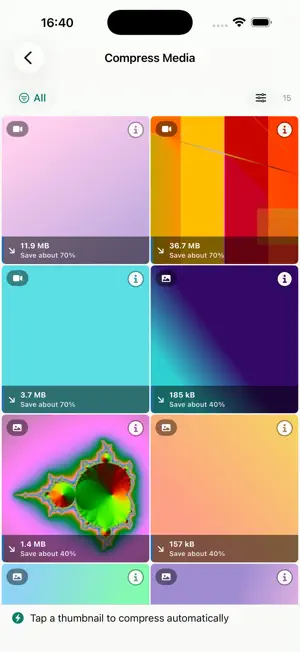
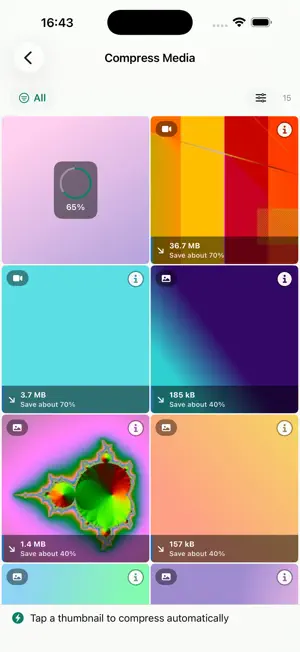
Slim frees up iPhone storage by compressing your photos and videos — entirely on device. Nothing is ever uploaded. Slim never deletes anything on its own. It saves a compressed copy first, then lets you review and compare before you decide to remove the originals. Deletion always goes through the iOS system confirmation, and removed originals stay in Recently Deleted for 30 days. HOW IT WORKS • Pick photos and videos from your library • Slim compresses them locally with efficient HEVC (video) and HEIC (photo) encoding • Compressed copies are saved back to your Photos library • Review originals side by side, then delete only what you choose FEATURES • Video compression with adjustable resolution and quality • Photo compression with adjustable quality • Storage ledger: see how much space you have saved • Optional separate album for compressed copies • Works with Limited Photos access • Supports HEIC, JPG, PNG, Live Photos, 1080p and 4K video • Smart Sort: organize photos by content with on-device analysis • Trim Ends: preview suggestions for unwanted footage at the start or end of videos • Saved analysis progress: pause and resume across app launches GOOD TO KNOW • Compression is lossy: files get much smaller while staying great for everyday viewing • If you use iCloud Photos, deleting an original removes it from iCloud and all your devices (it stays in Recently Deleted for 30 days) PRIVACY All processing happens on your iPhone. Slim has no account, no ads, no tracking, and collects no data. TERMS & PRIVACY • Terms of Use (EULA): https://www.apple.com/legal/internet-services/itunes/dev/stdeula/ • Privacy Policy: https://401040579.github.io/slim-media/privacy/
What’s new
Version 1.2 · Updated October 1, 2026
• Smoother navigation and scrolling in large photo libraries. • Smart Sort and Trim Ends now save analysis progress. Reopen the app to resume from saved results and check only new, edited or unfinished media. • New pause, resume and retry controls for analysis. • Refreshed layouts, improved large-text support and clearer original/copy review. • Pro video settings now support limiting output to 30 fps. • Improved compression cancellation and safeguards when saving copies.
App privacy
The developer, Ran Tao, reported these privacy practices to Apple.
Data Not Collected
The developer does not collect any data from this app.
Alternatives to Slim: Photo & Video Compressor
Looking for apps like Slim: Photo & Video Compressor? Here are 6 similar apps on the App Store. The highest rated is Image and Video Compressor (5.0/5), and all 6 are free to download.
-
 Minamise: Compress Media
-
 PhotoPikr: Swipe Photo Cleaner
-
 Image and Video Compressor
5.0
Image and Video Compressor
5.0
-
 Photo Compressor: MB to KB
-
 Opla - Photo organizer
5.0
Opla - Photo organizer
5.0
-
 Photo Delete Swipe Cleaner
5.0
Photo Delete Swipe Cleaner
5.0
| App | Rating | Price | Last updated | Compare |
|---|---|---|---|---|
| Slim: Photo & Video Compressor | 5.0 / 5 (1 rating) | Free | October 1, 2026 | |
| Minamise: Compress Media | – | Free | Aug 19, 2026 | Compare |
| PhotoPikr: Swipe Photo Cleaner | – | Free | Oct 1, 2026 | Compare |
| Image and Video Compressor | 5.0 / 5 (1) | Free | Oct 15, 2026 | Compare |
| Photo Compressor: MB to KB | – | Free | Sep 26, 2026 | Compare |
| Opla - Photo organizer | 5.0 / 5 (1) | Free | Sep 23, 2026 | Compare |
| Photo Delete Swipe Cleaner | 5.0 / 5 (3) | Free | Sep 10, 2026 | Compare |