

JobMarkup: Photo Markup
CAPPSLOCK SOFTWORKS LLC Productivity iPhoneiPadiPod touch
JobMarkup: Photo Markup is a free Productivity app for iPhone and iPad by CAPPSLOCK SOFTWORKS LLC. Rated 5.0/5 from 2 ratings. Requires iOS 17.0.
- Rating
- 5.0
- 2 ratings
- Price
- Free
- on the App Store
- Size
- 4 MB
- Age 4+
- Updated
- Sep 14
- 2026 · v1.1
Screenshots



About JobMarkup: Photo Markup
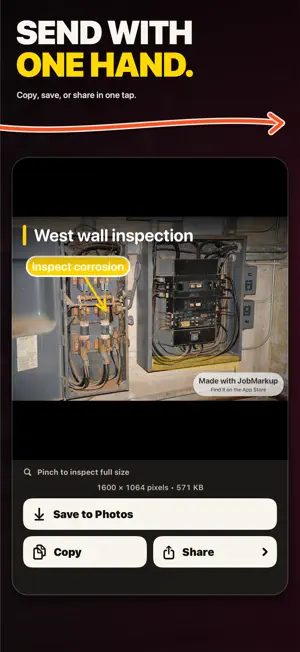
Make the next step clear before you leave the job. JobMarkup helps contractors, field crews, and inspectors turn a jobsite photo into a clear handoff. Name the issue, point to the exact spot, and send the finished image through the apps you already use. MARK WHAT MATTERS • Title: name the photo at the top. • Callout: connect a short note to the exact spot. • Highlight: trace an area with your finger. • Edit: move, change, or delete your marks. START WITH WHAT YOU HAVE Take a job photo, choose one from your library, or paste a screenshot. Pick a markup color and undo changes as you work. COPY, SAVE, OR SHARE Inspect the full image in Preview, then copy it to paste into apps that accept images, save it to Photos, or open the system share sheet. Your title, callouts, and highlights stay together in the exported image. READY FOR THE FIELD Mark up without a signal. Automatic on-device draft recovery helps you pick up where you left off. Choose a light or dark appearance. TRY EVERY TOOL FREE All editing and export tools are included. Free exports carry a JobMarkup watermark. An optional one-time Remove Watermark purchase gives you clean exports. You can upgrade from Preview, then copy, save, or share the image without the JobMarkup watermark. No subscription. No ads. No account. No tracking. Your photos are processed on your device, with no JobMarkup cloud workspace. For repair notes, inspection findings, and clear photo handoffs on iPhone and iPad.
What’s new
Version 1.1 · Updated September 14, 2026
Copy your finished markup straight from Preview. • Copy, save, or share the finished image. • Remove Watermark is now available from Preview. • Clearer purchase loading and retry messages. • Improved large-text layouts keep labels readable. • Fixed title editing above the keyboard in landscape. • Improved iPad draft reliability. Every editing and export tool stays free. Watermark removal is one optional, one-time purchase. No subscription.
App privacy
The developer, CAPPSLOCK SOFTWORKS LLC, reported these privacy practices to Apple.
Data Not Collected
The developer does not collect any data from this app.
Alternatives to JobMarkup: Photo Markup
Looking for apps like JobMarkup: Photo Markup? Here are 6 similar apps on the App Store. The highest rated is Nuvelli Connect (5.0/5), and all 6 are free to download.
-
 Joblens: Project Photos
-
 Lunar Calendar - Reminder
-
 Nuvelli Connect
5.0
Nuvelli Connect
5.0
-
 v.ioNote - notes and reminders
5.0
v.ioNote - notes and reminders
5.0
-
 NWYC PartnerPay
4.0
NWYC PartnerPay
4.0
-
 OpenFile - Preview any File
5.0
OpenFile - Preview any File
5.0
| App | Rating | Price | Last updated | Compare |
|---|---|---|---|---|
| JobMarkup: Photo Markup | 5.0 / 5 (2 ratings) | Free | September 14, 2026 | |
| Joblens: Project Photos | – | Free | Oct 10, 2026 | Compare |
| Lunar Calendar - Reminder | – | Free | Aug 9, 2026 | Compare |
| Nuvelli Connect | 5.0 / 5 (1) | Free | Apr 13, 2026 | Compare |
| v.ioNote - notes and reminders | 5.0 / 5 (1) | Free | Feb 9, 2025 | Compare |
| NWYC PartnerPay | 4.0 / 5 (4) | Free | May 26, 2026 | Compare |
| OpenFile - Preview any File | 5.0 / 5 (3) | Free | Jul 23, 2026 | Compare |