

DrafterPro 2D CAD & DWG Editor
MUHAMMET NAFI OZEN Graphics & Design iPadMac
DrafterPro 2D CAD & DWG Editor is a free Graphics & Design app for iPad and Mac by MUHAMMET NAFI OZEN. Rated 4.0/5 from 2 ratings. Requires iOS 15.0.
- Rating
- 4.0
- 2 ratings
- Price
- Free
- on the App Store
- Size
- 119 MB
- Age 4+
- Updated
- Oct 22
- 2026 · v1.6.1
Screenshots

About DrafterPro 2D CAD & DWG Editor
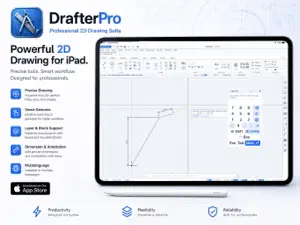
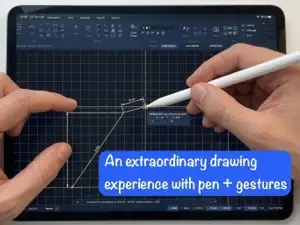
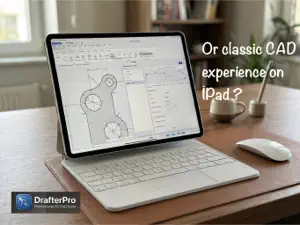
DrafterPro is a professional 2D CAD drafting app built for iPad. Draw with the precision of desktop CAD — exact coordinates, object snaps, and live dimensions — using Apple Pencil or your finger. (Fully compatible with Apple Pencil and iPad models that support hover!) Open the drawings you already have: DrafterPro reads and writes AutoCAD DWG and DXF files (through the 2018 format), so your work moves between DrafterPro and the CAD tools you already use. Import PDFs as underlays and trace over them. DRAW ANYTHING • Lines, polylines, rectangles, circles, arcs, ellipses, polygons and splines • Hatches, gradients, and filled regions • Multi-line text, single-line text, tables, and leaders • Blocks with attributes for reusable, data-rich symbols PRECISE BY DESIGN • Dynamic input: type an exact length and angle as you draw • Object snaps — endpoint, midpoint, center, intersection, perpendicular, tangent • Ortho and polar tracking, grid and snap spacing • Live helper dimensions that ride the rubber band while you draw • Grip editing: drag endpoints, and move a shared corner on every selected object at once MEASURE & ANNOTATE • Linear, aligned, angular, radial, diameter, arc and ordinate dimensions • Measure distance, angle, and area — pick a closed shape, flood-fill an enclosed region, or outline points; results appear right on the input pad • Fully editable dimension styles, layers, and line types BUILT FOR iPad • Apple Pencil pressure, hover preview, and Apple Pencil Pro squeeze actions • Palm rejection so your hand can rest on the glass • A large-target touch interface with an on-screen input pad • Split View multitasking — keep a reference open beside your drawing SHARE YOUR WORK • Save to DWG, DXF, SVG, or the native DrafterPro format • Export and plot to PDF FREE TRIAL & PREMIUM Start with a 14-day free trial — draw and edit with the full toolset. Saving, exporting, and plotting unlock with DrafterPro Premium. DrafterPro Premium is available as: • Monthly subscription — US$9.99 / month • Yearly subscription — US$99.99 / year • Perpetual — US$199 one-time purchase (launch price) Payment is charged to your Apple Account at confirmation of purchase. Subscriptions renew automatically unless auto-renew is turned off at least 24 hours before the end of the current period. Your account is charged for renewal within 24 hours before the end of the current period. Manage or cancel your subscription anytime in your App Store account settings; the one-time Perpetual purchase does not renew. Privacy Policy: https://drafterpro.com/privacy Terms of Use (EULA): https://www.apple.com/legal/internet-services/itunes/dev/stdeula/ Support: https://drafterpro.com/support
What’s new
Version 1.6.1 · Updated October 22, 2026
In version v1.6.1; TOGGLES PAD • STEP, GRID, SNAP, ORTHO, POLAR, OSNAP and the other status-bar toggles on a pad you can place anywhere — clear of the bottom edge. • Resize it down to a toolbar's thickness, or drop it into a toolbar band. • Docked pads at the right edge can open on hover (Options ▸ Touch & Tablet). QR CODES (new) • Utilities ▸ QR: pick a square and say what the code carries — text, a link, drawing fields (date, file name, author…) or attribute values, as "Label: Value" lines. • The DrafterPro logo sits in the middle — or your own picture, or none. • Change a code later with Edit QR in the context menu or in Properties. Every code you make is kept in the QR library, ready to place again. • Codes scan from the screen and from paper. In AutoCAD they open as plain hatches that still scan, and DrafterPro reads them back as QR codes. REGIONS • Arcs, circles and splines stay true curves: no broken chords when you zoom in. • A circle in a region edits as a circle; a spline keeps its own points, and dragging one reshapes it. • Union, Subtract and Intersect keep arcs and splines. Area and perimeter are exact, and regions now print. DWG DXF Files • Hatches, colours (including PANTONE book colours) and dimensions come in as drawn, and hatches follow spline and arc boundaries. • Blocks and their text are no longer hidden behind hatches. • Text and block attributes sit on their baseline. • Where signature strokes cross, the ink stays solid when opened in DWG DXF Files. DRAWING • Break and Trim keep a polyline's arcs. • Dimensions measure the arcs inside a polyline, radius and diameter included. • A hatch's area is shown in Properties. OFFSET • Offset keeps sharp corners sharp: the sides run on until they meet, as in AutoCAD. Offset Rounded — one arrow away on the ribbon — still rounds them. EXTEND • Pick the boundary first, then the objects to extend to it. Objects you selected beforehand extend at once; drag a window to extend several. • An end that misses the boundary extends to the boundary's line, or to its arc's circle. TRIM AUTO • A polyline that crosses itself trims at its own crossings — its loops and overshoots go with one tap.
App privacy
The developer, MUHAMMET NAFI OZEN, reported these privacy practices to Apple.
Data Linked to You
The following data, which may be collected and linked to your identity, may be used for the following purposes:
- Purchases: Purchase History
- User Content: Other User Content
- Identifiers: User ID, Device ID
Used for: App Functionality
Alternatives to DrafterPro 2D CAD & DWG Editor
Looking for apps like DrafterPro 2D CAD & DWG Editor? Here are 6 similar apps on the App Store. The highest rated is Part3D: 3D CAD & Modeling (4.5/5), and 5 of the 6 are free to download.
-
 BuildCAD - Design & DWG Viewer
-
 Part3D: 3D CAD & Modeling
4.5
Part3D: 3D CAD & Modeling
4.5
-
 CAD Smart Modeling – 3D CAD
3.5
CAD Smart Modeling – 3D CAD
3.5
-
 CAD Drawing Designer 3D
3.7
CAD Drawing Designer 3D
3.7
-
 Feather: Draw in 3D
4.1
Feather: Draw in 3D
4.1
-
 uMake: AI 3D Modeling & CAD
4.2
uMake: AI 3D Modeling & CAD
4.2
| App | Rating | Price | Last updated | Compare |
|---|---|---|---|---|
| DrafterPro 2D CAD & DWG Editor | 4.0 / 5 (2 ratings) | Free | October 22, 2026 | |
| BuildCAD - Design & DWG Viewer | – | Free | Aug 8, 2026 | Compare |
| Part3D: 3D CAD & Modeling | 4.5 / 5 (19) | Free | Oct 21, 2026 | Compare |
| CAD Smart Modeling – 3D CAD | 3.5 / 5 (10) | Free | Jan 27, 2026 | Compare |
| CAD Drawing Designer 3D | 3.7 / 5 (44) | Free | Jan 30, 2026 | Compare |
| Feather: Draw in 3D | 4.1 / 5 (115) | 14.99 USD | Feb 3, 2026 | Compare |
| uMake: AI 3D Modeling & CAD | 4.2 / 5 (3,993) | Free | Oct 28, 2026 | Compare |