

TapCam: Wireless PC Webcam
Gaudin Ltd Photo & Video iPhoneiPadiPod touch
TapCam: Wireless PC Webcam is a free Photo & Video app for iPhone and iPad by Gaudin Ltd. Requires iOS 18.0. Updated October 21, 2026.
- Price
- Free
- on the App Store
- Size
- 5 MB
- Age 4+
- Updated
- Oct 21
- 2026 · v1.3
Screenshots



About TapCam: Wireless PC Webcam
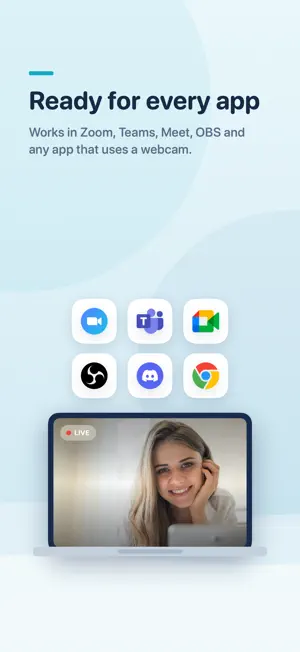
TapCam turns your iPhone into a sharp, low latency wireless webcam for your Windows PC. Your phone camera almost always beats a built in laptop webcam, and TapCam sends that video straight to your computer over your local Wi-Fi, or through a USB cable for the most stable link. Once connected, TapCam appears as a normal camera on your PC, so you can pick it in Zoom, Microsoft Teams, Google Meet, OBS, and any app that uses a webcam. HOW IT WORKS 1. Install the free TapCam app on your Windows PC. 2. Open TapCam on the PC. It shows a QR code. 3. Scan the QR code with this app. That is it, you are live. FEATURES - Sharp H.264 video over local Wi-Fi, tuned for low latency. - Connect wirelessly over Wi-Fi, or plug in a USB cable for a rock solid link with no Wi-Fi needed. - Front and back cameras, pinch to zoom, tap to focus, torch. - Live background blur and color replacement, plus a large set of stylish looks and fun effects, previewed right on your phone. - Manual white balance and ISO where the camera supports it. - Also a baby monitor or home camera: point the phone at the crib, a room, or a pet, and watch live on your PC. - Automatic reconnect, and one tap to reconnect to your last PC. - Clean, simple interface. No account, no sign up. REQUIREMENTS - The free TapCam companion app on a Windows PC. - The phone and the PC on the same local Wi-Fi network, or connected with a USB cable. TapCam streams only to your own PC on your local network. Your video never goes through our servers.
What’s new
Version 1.3 · Updated October 21, 2026
What's new in 1.3: • Settings has a new “Rate TapCam” row. • Small improvements.
App privacy
The developer, Gaudin Ltd, reported these privacy practices to Apple.
Data Not Linked to You
The following data, which may be collected but is not linked to your identity, may be used for the following purposes:
- Location: Coarse Location
- Identifiers: Device ID
- Usage Data: Product Interaction
- Diagnostics: Crash Data, Other Diagnostic Data
Used for: Analytics, App Functionality
Alternatives to TapCam: Wireless PC Webcam
Looking for apps like TapCam: Wireless PC Webcam? Here are 6 similar apps on the App Store. The highest rated is LensLink Camera (5.0/5), and all 6 are free to download.
-
 Camly — Phone Webcam
-
 TAPCam
-
 PhoneCam Pro: Webcam for PC
-
 LensLink Camera
5.0
LensLink Camera
5.0
-
 OLiveCam
-
 Spancam: iPhone Webcam
| App | Rating | Price | Last updated | Compare |
|---|---|---|---|---|
| TapCam: Wireless PC Webcam | – | Free | October 21, 2026 | |
| Camly — Phone Webcam | – | Free | Jul 10, 2026 | Compare |
| TAPCam | – | Free | Sep 17, 2026 | Compare |
| PhoneCam Pro: Webcam for PC | – | Free | Oct 10, 2026 | Compare |
| LensLink Camera | 5.0 / 5 (2) | Free | Oct 4, 2026 | Compare |
| OLiveCam | – | Free | Mar 15, 2026 | Compare |
| Spancam: iPhone Webcam | – | Free | Aug 20, 2026 | Compare |