

LivePlus: Live Photo Camera
安 董 Photo & Video iPhoneiPadiPod touch
LivePlus: Live Photo Camera is a free Photo & Video app for iPhone and iPad by 安 董. Requires iOS 17.0. Updated October 24, 2026.
- Price
- Free
- on the App Store
- Size
- 11 MB
- Age 4+
- Updated
- Oct 24
- 2026 · v1.0.6
Screenshots

About LivePlus: Live Photo Camera
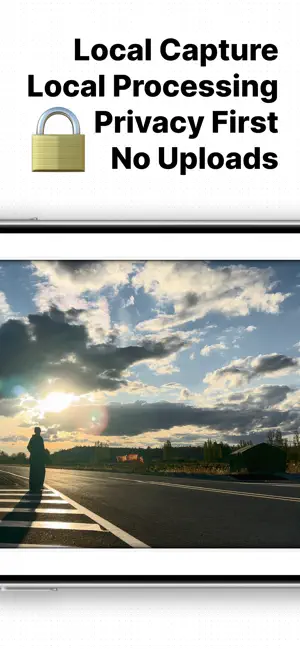
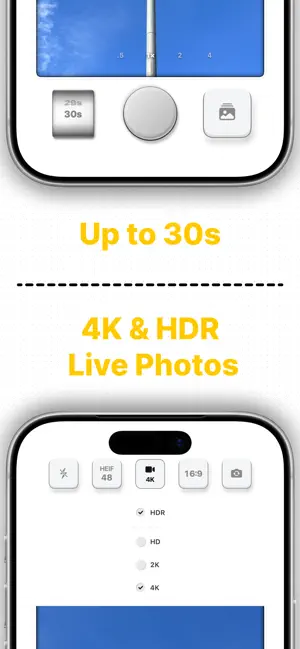
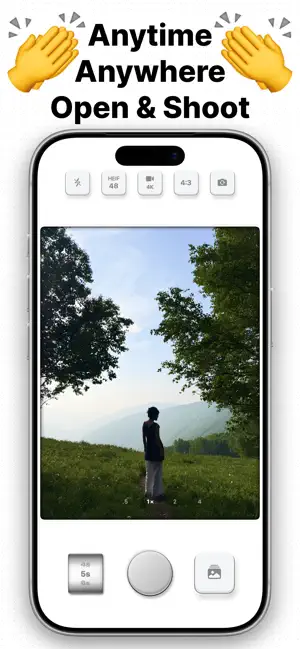
Capture Live Photos from 1 to 30 seconds. Press and hold for motion and sound. Release for a detailed still. Try up to 5 seconds free. Unlock longer capture and HDR once, with no subscription. Keep the whole laugh, your pet running toward you, or a little more of the place you travelled to. Clear motion. A detailed still. Set motion quality and still-photo resolution separately: motion up to 4K, HDR on compatible devices, frame rates up to 120FPS, and a 12MP, 24MP or up to 48MP key photo. Press and hold to replay movement and sound. Release to see the still. A CAMERA FOR LONGER LIVE PHOTOS Start in the camera, set your duration, and shoot. There is no need to manually record a separate video and import it into a converter. LivePlus saves the result as a Live Photo. FRAME IT YOUR WAY Choose 4:3, 3:2, 16:9 or 1:1. Switch supported lenses and focal lengths, tap to focus, adjust exposure and set selfie mirroring. REFINE IT AFTER CAPTURE Trim the start and end, choose a new key photo, adjust the original sound or mute it. Save edits as a new copy while keeping the original in Photos. When you choose a video frame as a new key photo, its detail depends on the motion resolution. KEEP IT IN YOUR PHOTOS LIBRARY Capture, creation and editing happen on your device. LivePlus saves to the Photos app and does not upload your photos or videos to developer servers. No account. No ads. TRY FREE. UNLOCK ONCE. Capture Live Photos up to 5 seconds for free. A one-time Lifetime Unlock adds longer durations, up to 30 seconds, and Live Photo video HDR. No subscription. Restore your purchase with the same Apple Account. CAPABILITY NOTES Maximum resolution, HDR, frame rate and still-photo megapixels depend on your iPhone, lens, aspect ratio and settings. Maximum specifications are not all available together. 24MP capture uses the full 4:3 aspect ratio. Higher settings and longer captures need more processing time and storage. Recording starts when you press the shutter. Playback and sharing in other apps depend on their support. Open the camera. Keep more of the moment.
What’s new
Version 1.0.6 · Updated October 24, 2026
Fixed an issue where tapping the camera flip button could fail to switch to the front camera. Front and rear camera switching now works correctly.
App privacy
The developer, 安 董, reported these privacy practices to Apple.
Data Not Linked to You
The following data, which may be collected but is not linked to your identity, may be used for the following purposes:
- Purchases: Purchase History
Used for: Analytics, App Functionality
Alternatives to LivePlus: Live Photo Camera
Looking for apps like LivePlus: Live Photo Camera? Here are 6 similar apps on the App Store. The highest rated is ezTimelapse - Video Converter (5.0/5), and 5 of the 6 are free to download.
-
 Mivibe - Presets & Editor
-
 ezTimelapse - Video Converter
5.0
ezTimelapse - Video Converter
5.0
-
 实况编辑
实况编辑
-
 Spool - Live Photo Stitcher
-
 Orione - Photo Editor
-
 Film Camera - Vintage Photo
| App | Rating | Price | Last updated | Compare |
|---|---|---|---|---|
| LivePlus: Live Photo Camera | – | Free | October 24, 2026 | |
| Mivibe - Presets & Editor | – | Free | Sep 12, 2026 | Compare |
| ezTimelapse - Video Converter | 5.0 / 5 (2) | 0.99 USD | Jan 26, 2026 | Compare |
| 实况编辑 | – | Free | Sep 9, 2026 | Compare |
| Spool - Live Photo Stitcher | – | Free | Oct 18, 2026 | Compare |
| Orione - Photo Editor | – | Free | Jun 17, 2026 | Compare |
| Film Camera - Vintage Photo | – | Free | Oct 26, 2026 | Compare |