

ezTimelapse - Video Converter
Benjamin Staab Photo & Video iPhoneiPadiPod touch
ezTimelapse - Video Converter is a paid Photo & Video app for iPhone and iPad by Benjamin Staab. Rated 5.0/5 from 2 ratings. Requires iOS 26.0.
- Rating
- 5.0
- 2 ratings
- Price
- 0.99 USD
- on the App Store
- Size
- 1 MB
- Age 4+
- Updated
- Jan 26
- 2026 · v1.0
Screenshots

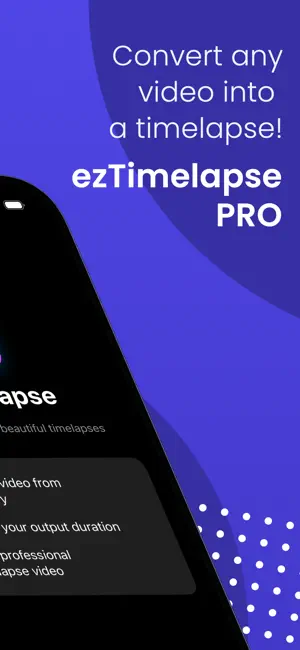

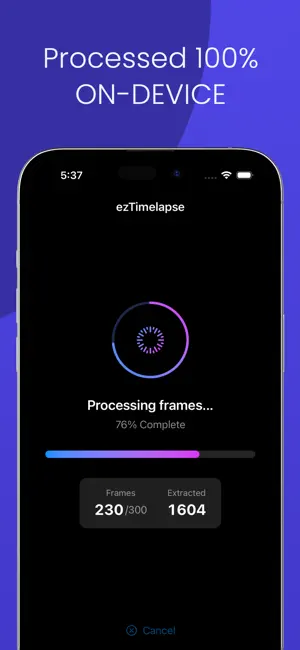
About ezTimelapse - Video Converter
TURN ANY VIDEO INTO A BEAUTIFUL TIMELAPSE Ever captured a gorgeous sunset, a busy street scene, or clouds rolling by - only to realize you forgot to use timelapse mode? Now you don't have to worry. ezTimelapse transforms your regular videos into stunning, professional-quality timelapses with just a few taps. No special equipment. No complicated settings. No quality loss. WHAT MAKES EZTIMELAPSE DIFFERENT Unlike other apps that simply speed up your video (creating choppy, unnatural motion), ezTimelapse uses intelligent frame extraction - the same technique Apple uses for native timelapse recording. This means: • Smooth, cinematic motion that looks professionally shot • 100% of your original video quality preserved • Full HDR support for vibrant colors and contrast • Perfect results every time INCREDIBLY SIMPLE TO USE 1. Select any video from your library 2. Choose your output duration (or let the app decide) 3. Tap "Create Timelapse" 4. Share your creation or save to Photos That's it. No manual frame rates. No confusing export settings. No learning curve. SMART, AUTOMATIC SETTINGS ezTimelapse analyzes your video and automatically determines the optimal settings for the best results: • Recommended Mode: Uses an Apple-style algorithm to create the perfect timelapse length based on your video duration • Manual Options: Choose 10, 20, 30, or 60 second outputs if you prefer The app intelligently samples frames to ensure smooth motion regardless of your choice. WORKS WITH ANY VIDEO • Vacation footage? Perfect for landscapes and cityscapes • Cooking videos? Watch meals come together in seconds • Sunset recordings? Create mesmerizing sky transitions • Construction projects? Document progress beautifully • Cloud footage? Make time fly with stunning results • Party or event videos? Capture hours in moments PRESERVES FULL QUALITY • Supports 4K Ultra HD video • HDR quality maintained throughout processing • HEVC/H.265 encoding for efficient, high-quality output • No watermarks ever DESIGNED FOR EVERYONE Whether you're a professional content creator or just someone who loves sharing moments with friends and family, ezTimelapse is built for you. The interface is clean, intuitive, and gets out of your way so you can focus on what matters - your memories. ICLOUD READY Videos stored in iCloud? No problem. ezTimelapse seamlessly downloads and processes videos from your iCloud Photo Library with real-time progress tracking. SAVES AUTOMATICALLY Your finished timelapse is automatically saved to your Photos library - ready to share on social media, send to friends, or treasure forever. PRIVACY FOCUSED • No account required • No data collection • No internet connection needed for processing • Your videos never leave your device ONE-TIME PURCHASE Pay once, use forever. No subscriptions. No hidden fees. No in-app purchases. Just a simple, powerful tool that does exactly what it promises. --- Download ezTimelapse today and discover the magic hiding in your video library.
App privacy
The developer, Benjamin Staab, reported these privacy practices to Apple.
Data Not Collected
The developer does not collect any data from this app.
Alternatives to ezTimelapse - Video Converter
Looking for apps like ezTimelapse - Video Converter? Here are 6 similar apps on the App Store. The highest rated is Sidekick: Dual Camera Recorder (4.7/5), and 5 of the 6 are free to download.
-
 QuickTimeLapse
-
 Sidekick: Dual Camera Recorder
4.7
Sidekick: Dual Camera Recorder
4.7
-
 TimeLapse & Reverse VideoMaker
1.0
TimeLapse & Reverse VideoMaker
1.0
-
 PickPic: Choose Best Photos
3.9
PickPic: Choose Best Photos
3.9
-
 AI Video Eraser
4.7
AI Video Eraser
4.7
-
 Discy - Circle Cut Picture
4.7
Discy - Circle Cut Picture
4.7
| App | Rating | Price | Last updated | Compare |
|---|---|---|---|---|
| ezTimelapse - Video Converter | 5.0 / 5 (2 ratings) | 0.99 USD | January 26, 2026 | |
| QuickTimeLapse | – | Free | Jul 12, 2026 | Compare |
| Sidekick: Dual Camera Recorder | 4.7 / 5 (12) | Free | Oct 21, 2026 | Compare |
| TimeLapse & Reverse VideoMaker | 1.0 / 5 (1) | Free | Nov 10, 2025 | Compare |
| PickPic: Choose Best Photos | 3.9 / 5 (18) | Free | Nov 14, 2025 | Compare |
| AI Video Eraser | 4.7 / 5 (19) | 5.99 USD | Oct 5, 2026 | Compare |
| Discy - Circle Cut Picture | 4.7 / 5 (3) | Free | Feb 6, 2024 | Compare |