

Docsmith: Edit PDF Text
Serhii Tykhonenko Productivity iPhoneiPadiPod touch
Docsmith: Edit PDF Text is a free Productivity app for iPhone and iPad by Serhii Tykhonenko. Requires iOS 17.0. Updated September 11, 2026.
- Price
- Free
- on the App Store
- Size
- 15 MB
- Age 4+
- Updated
- Sep 11
- 2026 · v1.3
Screenshots
About Docsmith: Edit PDF Text
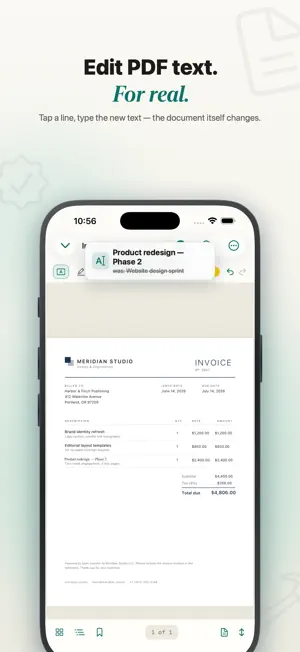
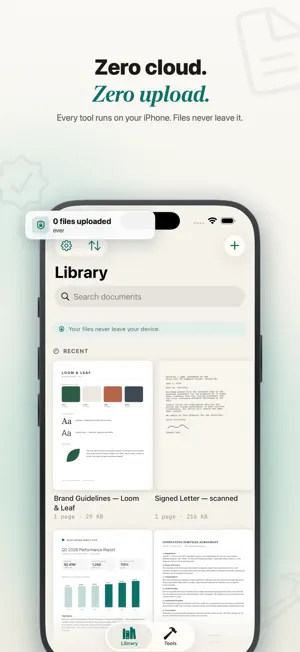
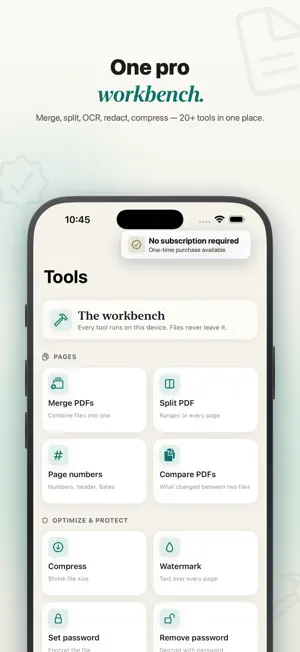
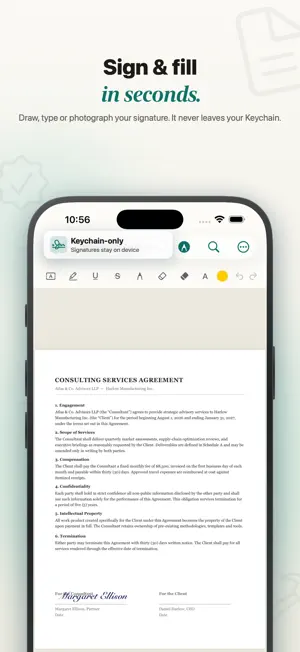
Edit the text inside a PDF — right on your iPhone, with nothing sent to a server. Docsmith is a complete PDF workbench that runs 100% on your device. No account. No cloud. No ads. Your files never leave your iPhone. Reading and marking up are always free; editing, scanning and the core tools are free every day, and Pro removes all limits. EDIT PDF TEXT — FOR REAL • Tap a line, or a whole paragraph, and simply retype it • Docsmith matches the original font, size and colour • The text stays real and searchable — it is not a sticker placed on top • Works in 40 languages, including right-to-left Arabic and Hebrew SCAN & MAKE SEARCHABLE • Scan paper with the camera into a clean, sharp PDF • On-device OCR turns any scan into searchable, selectable text • Nothing is uploaded — the recognition happens entirely on your iPhone SIGN & FILL • Draw, type or photograph your signature • Your signature is stored only in your Keychain, never on a server • Fill in forms and flatten them when you are done 20+ TOOLS IN ONE PLACE • Merge several PDFs, or split one apart • Compress to shrink file size • Convert PDF to images, or pull out the text and images • Add page numbers or Bates numbering • Redact sensitive areas, then flatten to bake them in • Add a watermark • Set or remove a password • Compare two PDFs side by side • Run the same tool across many files at once ANNOTATE & REVIEW • Highlight, underline and strike through • Draw with ink, add free text, sticky notes, shapes, images and stamps PRIVATE BY DESIGN • 100% on-device — no servers, no account, no tracking, no ads • Docsmith collects nothing; your documents stay yours • Lock the app behind Face ID • Seal a finished PDF, then let anyone verify it has not been changed FREE & PRO Free every day: • Read and annotate as much as you like • Edit PDF text, sign documents and scan pages within a generous daily allowance • One free run of each core tool (merge, split, compress, convert and more) per day Docsmith Pro unlocks: • Unlimited text editing — rewrite any line or paragraph, as often as you want • Unlimited runs of every tool, with all daily limits removed • OCR to make scans searchable • Batch the same tool across many files • Redaction, passwords, watermarks, Bates numbering and flattened copies • The full annotation kit: shapes and stamps • Unlimited signing and scanning WORKS WITH THE SYSTEM • Shortcuts and Siri: merge or compress from an automation • Home-screen widgets for one-tap scan and import • Open PDFs straight from Files, Mail or any share sheet No account. No cloud. No ads. Just a fast, private PDF workbench. — Docsmith Pro is offered as a weekly, monthly or yearly subscription; the yearly plan begins with a 7-day free trial. Payment is charged to your Apple Account. Subscriptions renew automatically unless cancelled at least 24 hours before the current period ends; manage or cancel any time in Settings. Terms of Use: https://sites.google.com/view/docsmith/terms Privacy Policy: https://sites.google.com/view/docsmith/privacy
What’s new
Version 1.3 · Updated September 11, 2026
• New weekly plan, next to monthly and yearly. • The yearly plan now starts with a 7-day free trial instead of 3. • Editing text in a PDF is more reliable: characters missing from a document's own font no longer show up as empty boxes, and a replacement stays inside its table cell. • Redesigned for iOS 26 — floating glass bars in the reader, library and tools.
App privacy
The developer, Serhii Tykhonenko, reported these privacy practices to Apple.
Data Not Collected
The developer does not collect any data from this app.
Alternatives to Docsmith: Edit PDF Text
Looking for apps like Docsmith: Edit PDF Text? Here are 6 similar apps on the App Store. The highest rated is DartPDF: Edit PDF Documents (5.0/5), and all 6 are free to download.
-
 Pdf Studio : Edit & Convert
-
 DartPDF: Edit PDF Documents
5.0
DartPDF: Edit PDF Documents
5.0
-
 PDF Editor - Read, Scan & Sign
-
 Planbition Go!
-
 Pageva: Convert PDF to Word
-
 Lockrr: Screen Time Blocker
| App | Rating | Price | Last updated | Compare |
|---|---|---|---|---|
| Docsmith: Edit PDF Text | – | Free | September 11, 2026 | |
| Pdf Studio : Edit & Convert | – | Free | Mar 10, 2026 | Compare |
| DartPDF: Edit PDF Documents | 5.0 / 5 (1) | Free | Oct 5, 2026 | Compare |
| PDF Editor - Read, Scan & Sign | – | Free | Aug 12, 2026 | Compare |
| Planbition Go! | – | Free | Sep 30, 2026 | Compare |
| Pageva: Convert PDF to Word | – | Free | Sep 16, 2026 | Compare |
| Lockrr: Screen Time Blocker | – | Free | Jul 2, 2026 | Compare |