

PDFTape: PDF Scanner & Sign
Phallinda Kong Productivity iPhoneiPadiPod touch
PDFTape: PDF Scanner & Sign is a free Productivity app for iPhone and iPad by Phallinda Kong. Requires iOS 16.4. Updated August 26, 2026.
- Price
- Free
- on the App Store
- Size
- 50 MB
- Age 4+
- Updated
- Aug 26
- 2026 · v1.1.0
Screenshots


About PDFTape: PDF Scanner & Sign
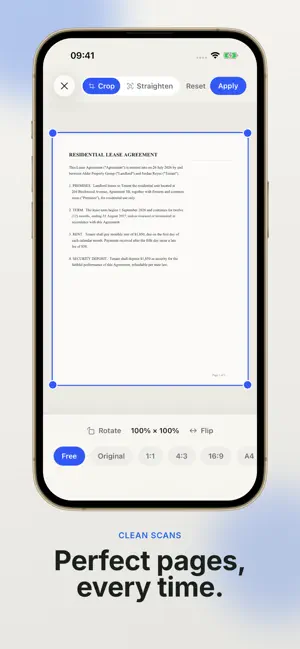
Scan, edit, sign, and organize PDFs — without uploading your documents. PDFTape is a private, on-device PDF scanner and editor built for everyday paperwork. Capture paper documents, import photos or existing PDFs, organize pages, add signatures, and export finished files — all offline, no account required. SCAN & IMPORT • Scan paper documents in seconds • Import photos and existing PDFs • Add pages to any document, any time EDIT EVERY PAGE • Crop, rotate, and straighten scans • Reorder pages with drag and drop • Black & white and grayscale filters SIGN ANYWHERE • Draw, type, or photograph your signature • Save signatures for reuse — encrypted on your device • Date and text stamps for approvals SHARE ON YOUR TERMS • Export as PDF or images • Compress large files before sending • Protect exports with an AES-256 password • Split into single pages, or merge documents into one PRIVATE BY DESIGN • 100% on-device — documents never leave your phone • No account. No cloud. No tracking. • Works completely offline PDFTape Pro (optional, one-time purchase): • Password-protect exported PDFs with AES-256 encryption • Small & Balanced compression for smaller files • Save signatures and reuse them on any document No subscription and no account. Buy once, keep it. Whether it's a lease, an invoice, a receipt, or homework — PDFTape turns paper into polished, signed PDFs in seconds.
What’s new
Version 1.1.0 · Updated August 26, 2026
Introducing PDFTape Pro — a one-time unlock. No subscription, no account. • Password-protect exported PDFs with AES-256 • Small & Balanced compression for smaller files • Save signatures and reuse them on any document Everything else stays free: scanning, importing, cropping, rotating, reordering, merging, splitting, signing, form filling and export. PDFTape still works entirely offline, and your documents never leave your device.
App privacy
The developer, Phallinda Kong, reported these privacy practices to Apple.
Data Not Collected
The developer does not collect any data from this app.
Alternatives to PDFTape: PDF Scanner & Sign
Looking for apps like PDFTape: PDF Scanner & Sign? Here are 6 similar apps on the App Store. The highest rated is Paper Scan: Scan to PDF (1.0/5), and all 6 are free to download.
-
 QuietSign Private PDF Signer
-
 Paper Scan: Scan to PDF
1.0
Paper Scan: Scan to PDF
1.0
-
 Origami PDF: Scan & Sign
-
 PDF Reader & Tools: PDFKit
-
 LitePDF: PDF Scanner & OCR
-
 PocketScan - Snap to PDF
| App | Rating | Price | Last updated | Compare |
|---|---|---|---|---|
| PDFTape: PDF Scanner & Sign | – | Free | August 26, 2026 | |
| QuietSign Private PDF Signer | – | Free | Aug 25, 2026 | Compare |
| Paper Scan: Scan to PDF | 1.0 / 5 (1) | Free | Oct 12, 2026 | Compare |
| Origami PDF: Scan & Sign | – | Free | Jun 9, 2026 | Compare |
| PDF Reader & Tools: PDFKit | – | Free | Oct 20, 2026 | Compare |
| LitePDF: PDF Scanner & OCR | – | Free | Aug 26, 2026 | Compare |
| PocketScan - Snap to PDF | – | Free | Oct 14, 2026 | Compare |