

Croply: Crop Video
Jhomar Maravillas Photo & Video iPhoneiPadiPod touch
Croply: Crop Video is a free Photo & Video app for iPhone and iPad by Jhomar Maravillas. Requires iOS 16.0. Updated October 11, 2026.
- Price
- Free
- on the App Store
- Size
- 1 MB
- Age 4+
- Updated
- Oct 11
- 2026 · v1.0.6
Screenshots


About Croply: Crop Video
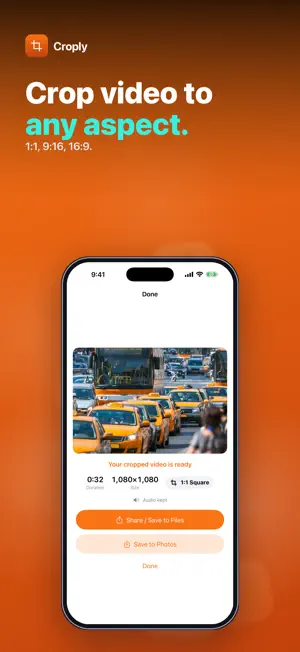
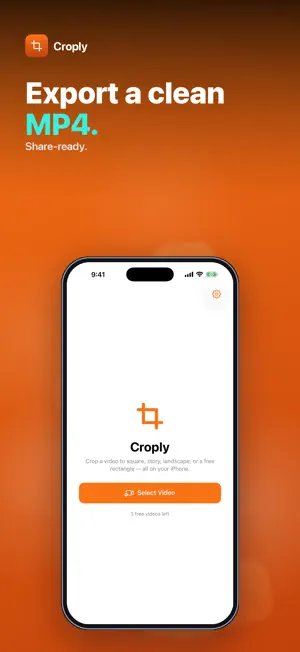
Need a video square for a post, vertical for a story, or widescreen for a slideshow? Croply crops the picture of any video in your library to 1:1, 9:16 or 16:9 — or to a free crop window you size yourself — and saves a clean MP4. Pick a video, choose the aspect, drag the crop box over the part you want to keep and tap Crop Video. The whole clip is kept from start to end; only the frame changes. • THREE PRESETS + FREE — 1:1 square, 9:16 portrait and 16:9 landscape, each starting as the largest centered crop that fits your video. Free mode gives you a crop window with a size slider. • DRAG TO FRAME — slide the crop box over the video preview. Everything outside it is dimmed, and the output size in pixels is shown before you export. • AUDIO KEPT — the sound is carried over to the cropped video. • CLEAN MP4 EXPORT — re-encoded at the highest-quality setting, at the original resolution of the area you keep. No upscaling, no watermark. • SAVE OR SHARE — save the result to Photos, share it, or save it to Files. • BATCH AFTER UNLOCK — pick up to 50 videos at once. With a preset, the first uses the crop box you placed and the rest get a centered crop at the same aspect. In Free mode, every video gets your crop window at the same relative position and size. Honest scope: Croply crops the frame only — it doesn't trim the length, rotate, add borders or change speed. Cropping always re-encodes the video, so long clips take a moment and need some free storage. Everything runs on your iPhone. Nothing is uploaded and no account is needed. Try it free — 1 video. A one-time $4.99 purchase unlocks unlimited videos and batch cropping. No subscription, no ads. Questions: [email protected]
What’s new
Version 1.0.6 · Updated October 11, 2026
New: need just one more video? You can now buy a single crop for the video you’re working on, or unlock everything as before.
App privacy
The developer, Jhomar Maravillas, reported these privacy practices to Apple.
Data Not Collected
The developer does not collect any data from this app.
Alternatives to Croply: Crop Video
Looking for apps like Croply: Crop Video? Here are 6 similar apps on the App Store. The highest rated is Video Compress: Crop & Resize (5.0/5), and all 6 are free to download.
-
 Flip Frame - Crop & Reframe
-
 Smart Video Cropper
-
 Video Rotation:Fix Rotation
-
 Video Compress: Crop & Resize
5.0
Video Compress: Crop & Resize
5.0
-
 Croply - Dual Cam Recorder
5.0
Croply - Dual Cam Recorder
5.0
-
 ReMaster: AI Video Upscaler
| App | Rating | Price | Last updated | Compare |
|---|---|---|---|---|
| Croply: Crop Video | – | Free | October 11, 2026 | |
| Flip Frame - Crop & Reframe | – | Free | Jul 8, 2026 | Compare |
| Smart Video Cropper | – | Free | Sep 14, 2026 | Compare |
| Video Rotation:Fix Rotation | – | Free | Nov 20, 2024 | Compare |
| Video Compress: Crop & Resize | 5.0 / 5 (1) | Free | Aug 4, 2026 | Compare |
| Croply - Dual Cam Recorder | 5.0 / 5 (5) | Free | Sep 24, 2026 | Compare |
| ReMaster: AI Video Upscaler | – | Free | Sep 16, 2026 | Compare |
Compare Croply: Crop Video with the top alternatives: ratings, updates, ASO score and keyword gaps →