

Flip Frame - Crop & Reframe
Yunus Kaynarpinar Photo & Video iPhoneiPadiPod touch
Flip Frame - Crop & Reframe is a free Photo & Video app for iPhone and iPad by Yunus Kaynarpinar. Requires iOS 17.0. Updated July 8, 2026.
- Price
- Free
- on the App Store
- Size
- 29 MB
- Age 4+
- Updated
- Jul 8
- 2026 · v1.0
Screenshots
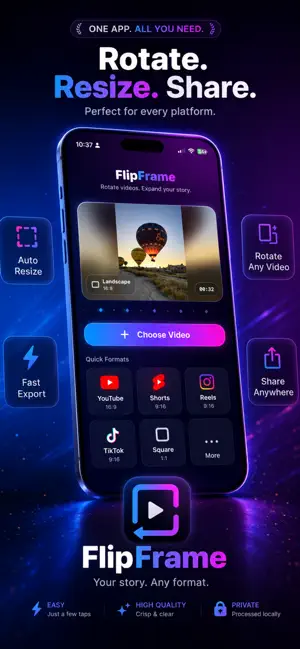


About Flip Frame - Crop & Reframe
Flip Frame is a simple and focused video companion designed to convert, rotate, and re-frame your videos for any platform in seconds. Easily switch between landscape (16:9), portrait (9:16), and square (1:1) aspect ratios to prepare your content for Instagram Reels, TikTok, YouTube Shorts, or standard widescreen video players. With advanced video rotation, customized export quality control, and instant processing, Flip Frame keeps your video workflow fast and organized. Key Features: • Seamless Re-framing: Convert landscape videos to portrait, portrait to landscape, or crop them into a perfect square. • Advanced Rotator: Rotate videos quickly and adjust frames to match your target layout. • Export Quality Control: Choose between Standard, High, or Maximum clarity (up to 1080x1920 resolution, 60 FPS frame rate, and 45 Mbps bitrate). • Real-time Processing: Fast rendering that happens directly on your device. • 100% Secure & Local: Your videos never leave your device. All media processing is done offline with no tracking or server uploads. • Ad-free & Account-free: No registration, no login, and no annoying third-party ads. [ Watermark & Premium Unlock ] By default, exported videos include a small "FlipFrame" watermark. You can remove this watermark and unlock unlimited exports by purchasing Flip Frame Premium. Flip Frame Premium is a ONE-TIME purchase (not a subscription). You pay once and keep all features forever, with no recurring monthly or yearly fees. • Payment will be charged to your Apple ID account at confirmation of purchase. • Prices are localized depending on your App Store country/region. • You can restore your purchase anytime on any iOS device linked to your Apple ID. [ Privacy Policy & Terms ] We respect your privacy. All media files are processed locally on your device and are never uploaded to any servers. • Privacy Policy: https://yunuskp.github.io/FlipFrame/ • Terms of Use (Apple EULA): https://www.apple.com/legal/internet-services/itunes/dev/stdeula/
App privacy
The developer, Yunus Kaynarpinar, reported these privacy practices to Apple.
Data Not Linked to You
The following data, which may be collected but is not linked to your identity, may be used for the following purposes:
- Purchases: Purchase History
Used for: App Functionality
Alternatives to Flip Frame - Crop & Reframe
Looking for apps like Flip Frame - Crop & Reframe? Here are 6 similar apps on the App Store. The highest rated is Reframe AI: Create photos (5.0/5), and all 6 are free to download.
-
 DuoRoll
-
 Smart Video Cropper
-
 Croply: Crop Video
-
 Reframe AI: Create photos
5.0
Reframe AI: Create photos
5.0
-
 Video Rotation:Fix Rotation
-
 Compress Video - Size Reducer
| App | Rating | Price | Last updated | Compare |
|---|---|---|---|---|
| Flip Frame - Crop & Reframe | – | Free | July 8, 2026 | |
| DuoRoll | – | Free | Jul 6, 2026 | Compare |
| Smart Video Cropper | – | Free | Sep 14, 2026 | Compare |
| Croply: Crop Video | – | Free | Oct 11, 2026 | Compare |
| Reframe AI: Create photos | 5.0 / 5 (1) | Free | Aug 25, 2025 | Compare |
| Video Rotation:Fix Rotation | – | Free | Nov 20, 2024 | Compare |
| Compress Video - Size Reducer | – | Free | Aug 6, 2025 | Compare |