

Time Wallet: Focus
Theo Ruffin Productivity iPhoneiPadiPod touch
Time Wallet: Focus is a free Productivity app for iPhone and iPad by Theo Ruffin. Requires iOS 16.0. Updated October 19, 2026.
- Price
- Free
- on the App Store
- Size
- 10 MB
- Age 4+
- Updated
- Oct 19
- 2026 · v1.3.1
Screenshots

About Time Wallet: Focus
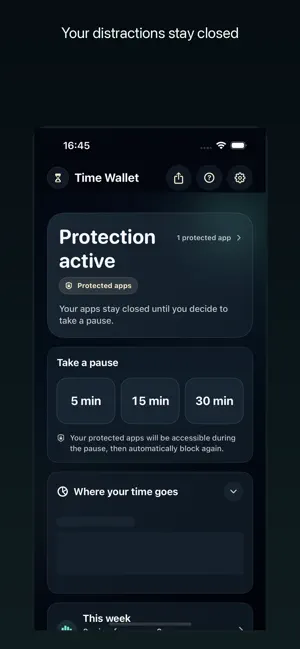
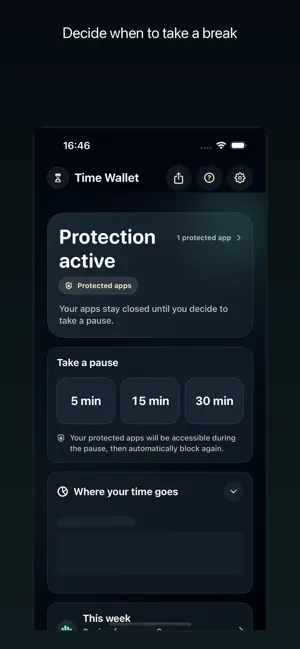
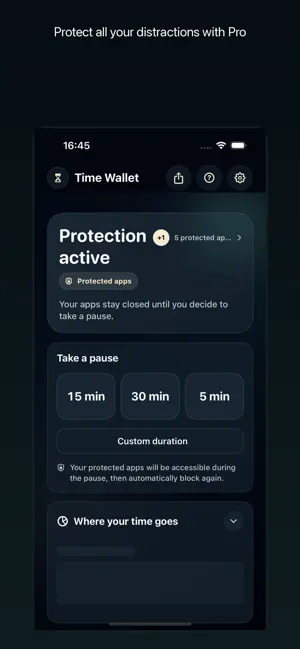
Time Wallet keeps your distractions closed until you decide to take a break. Choose the app that pulls you in too easily. Time Wallet protects it by default using Apple Screen Time tools. When you want access, start a 5, 15 or 30 minute break. During the break, your protected selection is available. When the time ends, Time Wallet locks it again automatically. FREE • Protect one individual app • Take unlimited 5, 15 or 30 minute breaks • End a break early when you are done • Automatic re-protection after every break • Essential weekly statistics • No account required TIME WALLET PRO • Protect multiple apps • Protect categories and websites when supported by Screen Time • Choose custom break durations • Add an optional daily limit • Add optional cooldown between breaks • Use Strict Mode for stronger rules • See advanced history and statistics Time Wallet is designed for conscious access, not more time inside the app. A day with no break can still be a useful day if your protection stayed in place. The app does not read the content of protected apps, messages, photos or websites. App selection is handled through Apple's Screen Time frameworks. Purchases and subscriptions are handled by Apple. PRO SUBSCRIPTION Time Wallet Pro is available as a monthly or annual subscription. Eligible customers may receive a 7-day free trial with the annual subscription; availability, price and terms are shown before confirmation. With this trial, your Apple Account is charged when the trial ends unless you cancel at least 24 hours before it ends. Without a free trial, payment is charged when you confirm the purchase. Subscriptions renew automatically unless cancelled at least 24 hours before the current period ends. Renewal is charged within the 24 hours before that period ends. Manage or cancel your subscription in your Apple Account settings. The Founder offer, when available, is a one-time purchase without automatic renewal. Terms of Use (EULA) https://www.apple.com/legal/internet-services/itunes/dev/stdeula/ Privacy Policy https://timewallet.theo-ruffin.com/confidentialite/
What’s new
Version 1.3.1 · Updated October 19, 2026
Pro trial terms are clearer. We also corrected the message shown when offers are unavailable and improved the reliability of first-launch and setup-resume measurement.
App privacy
The developer, Theo Ruffin, reported these privacy practices to Apple.
Data Not Linked to You
The following data, which may be collected but is not linked to your identity, may be used for the following purposes:
- Purchases: Purchase History
- Identifiers: Device ID
- Usage Data: Product Interaction
Used for: Analytics
Alternatives to Time Wallet: Focus
Looking for apps like Time Wallet: Focus? Here are 6 similar apps on the App Store. The highest rated is Sprout: Earn Your Screen Time (5.0/5), and all 6 are free to download.
-
 Affluence: Time Wallet
-
 Screen Time Control: App Limit
-
 HopOut: App Blocker & Focus
-
 BreathGate: Pause Scrolling
-
 Sprout: Earn Your Screen Time
5.0
Sprout: Earn Your Screen Time
5.0
-
 Couples Screen Time: Burn
4.7
Couples Screen Time: Burn
4.7
| App | Rating | Price | Last updated | Compare |
|---|---|---|---|---|
| Time Wallet: Focus | – | Free | October 19, 2026 | |
| Affluence: Time Wallet | – | Free | Jun 14, 2026 | Compare |
| Screen Time Control: App Limit | – | Free | Sep 7, 2026 | Compare |
| HopOut: App Blocker & Focus | – | Free | Aug 25, 2026 | Compare |
| BreathGate: Pause Scrolling | – | Free | Jul 29, 2026 | Compare |
| Sprout: Earn Your Screen Time | 5.0 / 5 (6) | Free | Oct 21, 2026 | Compare |
| Couples Screen Time: Burn | 4.7 / 5 (7) | Free | Oct 13, 2026 | Compare |
Compare Time Wallet: Focus with the top alternatives: ratings, updates, ASO score and keyword gaps →