

Magnio
Erhan Olgunelma Music iPhoneiPadiPod touch
Magnio is a free Music app for iPhone and iPad by Erhan Olgunelma. Requires iOS 15.0. Updated October 10, 2026.
- Price
- Free
- on the App Store
- Size
- 23 MB
- Age 4+
- Updated
- Oct 10
- 2026 · v1.1.0
Screenshots

About Magnio
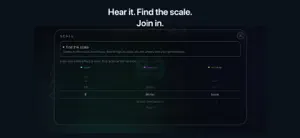
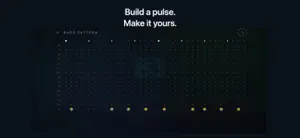
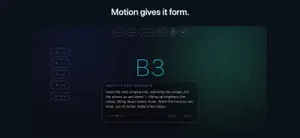
Where magnetism meets melody. Magnio turns the iPhone already in your hand into a living instrument. Held sideways like a game controller, it answers to your hands: touch the screen to wake the sound, then tilt, swipe, and push to give the music its shape. PLAY WITH MOVEMENT • Tilt the phone up and down to move through notes. • Flick your playing thumb sideways to bend a note into its neighbour. • Push the phone away from its centre to open the sound. CATCH THE VIBE Tap Vibe and Magnio listens to the room. Within seconds it finds the key of whatever is playing — a record, a jam, a friend at the piano — and tunes itself to it. Your very first note already belongs. No theory, no menus, no guessing what key you are in. BUILD A PULSE Choose a scale and octave. Add bass, arp, kick, and offbeat hat. Shape two-bar patterns, tap the tempo, and let sidechain make the sound breathe. RECORD AND SHARE One round button records what Magnio itself is playing — never the microphone, never the room. Recordings are named by date, and you can rename, play, share, or delete them from the list. MAKE IT YOURS Choose right- or left-handed playing; the whole instrument turns with you, so you simply flip the phone. Calibrate each gesture, tune the response, and arrange your performance surface — place the controls where your thumb wants them. GO FURTHER WHEN YOU WANT Play Magnio's own voice, send MIDI to another app on your iPhone, connect to a Mac over USB, or use BLE MIDI with a compatible Mac or iPad app. PRIVATE BY DESIGN No account. No ads. No analytics. No tracking. Vibe listens on device; audio is never saved or uploaded. Your settings stay on your device. Magnio is free. Every sound, gesture, and MIDI route is available. There are no subscriptions and no in-app purchases. The instrument was already with you. Now play it.
What’s new
Version 1.1.0 · Updated October 10, 2026
Make Magnio sound like you. • Create, name and save your own instruments. Blend sine, square, triangle and sawtooth waves, and adjust the frequency components of each wave. • Play your sound as you shape it: hold the fingerprint and move through notes in the instrument editor. • Fine-tune Natural and Wah with dedicated modulation settings for range, response curve, dead zone, reset on touch and note lock. • Add a quiet pitch-following echo after releasing a note, with adjustable delay and presence. • Enjoy clearer instrument and modulation menus, plus confirmation before deleting an instrument. • The default octave span is now 60°. Your saved calibration is preserved.
App privacy
The developer, Erhan Olgunelma, reported these privacy practices to Apple.
Data Not Collected
The developer does not collect any data from this app.
Alternatives to Magnio
Looking for apps like Magnio? Here are 6 similar apps on the App Store. The highest rated is VAPolyLoop (5.0/5), and 3 of the 6 are free to download.
-
 artcode DAW
-
 Saws From Sunset
-
 Sonixifi
-
 HandPiano: Made for Touch
-
 Airmony - Gesture Instrument
-
 VAPolyLoop
5.0
VAPolyLoop
5.0
| App | Rating | Price | Last updated | Compare |
|---|---|---|---|---|
| Magnio | – | Free | October 10, 2026 | |
| artcode DAW | – | 9.99 USD | Oct 4, 2026 | Compare |
| Saws From Sunset | – | 0.99 USD | Jun 30, 2026 | Compare |
| Sonixifi | – | Free | Sep 11, 2026 | Compare |
| HandPiano: Made for Touch | – | Free | Aug 16, 2026 | Compare |
| Airmony - Gesture Instrument | – | Free | Oct 4, 2026 | Compare |
| VAPolyLoop | 5.0 / 5 (3) | 14.99 USD | May 26, 2026 | Compare |
Compare Magnio with the top alternatives: ratings, updates, ASO score and keyword gaps →