

Censor Photo: Redact & Blur
Can Bi Photo & Video iPhoneiPadiPod touch
Censor Photo: Redact & Blur is a free Photo & Video app for iPhone and iPad by Can Bi. Requires iOS 18.0. Updated October 26, 2026.
- Price
- Free
- on the App Store
- Size
- 26 MB
- Age 4+
- Updated
- Oct 26
- 2026 · v2.0.0
Screenshots



About Censor Photo: Redact & Blur
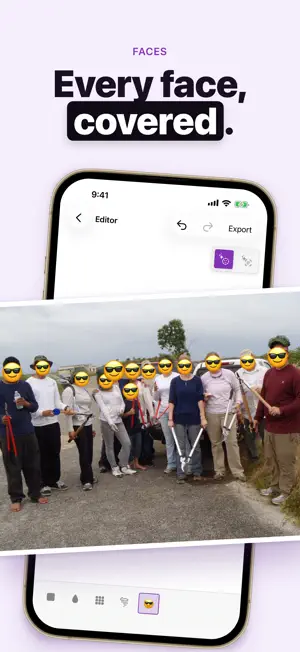
Blackout, blur, or pixelate faces and private details before you share — entirely on your device. Censor Photo is a focused redaction tool for photos and screenshots. Import an image, cover what should stay private, then export a flattened result that cannot be undone. ▸ ON-DEVICE REDACTION Your photos never leave your iPhone. No account required. No trackers. Editing stays on-device. ▸ BLACKOUT, BLUR & PIXELATE Solid blackout for maximum privacy. Soft blur for faces and screens. Pixelate (mosaic) when you want a lighter touch — all available while you edit. ▸ FACE DETECTION Detect faces on-device so you can review what needs covering before you export. ▸ SHARE SHEET, SIRI & SHORTCUTS Redact straight from the share sheet, or start from Siri and Shortcuts. Your photos stay on your iPhone. ▸ TRY FREE Get 3 free exports per week — watermarked and capped at 1600px on the long edge — so you can finish a real redact-and-share job without paying first. ▸ PRO UNLOCKS CLEAN OUTPUT Unlimited full-resolution exports with no watermark, plus EXIF and GPS wipe on every save. Choose monthly, annual, or lifetime Pro. ▸ MORE IN PRO Multi-page PDF and document scan. Batch up to 10 photos in one pass. Emoji sticker covers and the Swirl tool. Any brush size, any effect intensity, and a longer undo history. One-tap text detection. Back up your projects and restore them on a new iPhone. ▸ OPTIONAL TIP JAR Like the app? Tip the team with a pizza. Tips unlock nothing — pure support. Built for privacy-conscious sharing of screenshots, chats, IDs, and everyday photos. No account. No tracking. Have feedback? Reach us at [email protected] Privacy Policy: https://canbi.notion.site/Privacy-Policy-39d6cac95bdb807c926ff58eb9c453d4 Terms of Use (EULA): https://canbi.notion.site/Terms-of-Service-39d6cac95bdb80979e91f13ccdef4df6
What’s new
Version 2.0.0 · Updated October 26, 2026
New • A new look, top to bottom. Home, the editor, export and Settings are redrawn with bold type and smooth motion, in light and dark. • A new welcome: see how a face is found, covered and shared, and allow photo access right there. • After you export, a clear “Covered.” screen confirms it’s done and that your photo never left your phone. • Your tip jar now shows your own numbers: photos, faces hidden and areas covered. Fixed • The emoji picker opens with its categories, and the editor’s controls fit at large text sizes. Have feedback? Write to [email protected]
App privacy
The developer, Can Bi, reported these privacy practices to Apple.
Data Not Collected
The developer does not collect any data from this app.
Alternatives to Censor Photo: Redact & Blur
Looking for apps like Censor Photo: Redact & Blur? Here are 6 similar apps on the App Store. The highest rated is Veil: Censor & Blur Photos (5.0/5), and all 6 are free to download.
-
 Mosaic & Blur - Censor Faces
-
 Mosaic & Blur - Hide Faces
-
 Veil: Censor & Blur Photos
5.0
Veil: Censor & Blur Photos
5.0
-
 MeMemes - Meme & GIF Organizer
5.0
MeMemes - Meme & GIF Organizer
5.0
-
 CensorPixel
-
 BlurSet
| App | Rating | Price | Last updated | Compare |
|---|---|---|---|---|
| Censor Photo: Redact & Blur | – | Free | October 26, 2026 | |
| Mosaic & Blur - Censor Faces | – | Free | Oct 12, 2026 | Compare |
| Mosaic & Blur - Hide Faces | – | Free | Oct 21, 2026 | Compare |
| Veil: Censor & Blur Photos | 5.0 / 5 (4) | Free | Aug 5, 2026 | Compare |
| MeMemes - Meme & GIF Organizer | 5.0 / 5 (5) | Free | Oct 22, 2026 | Compare |
| CensorPixel | – | Free | Jan 11, 2024 | Compare |
| BlurSet | – | Free | Sep 9, 2025 | Compare |