

Remote Mac Desktop Control
Amon Chowdhury Utilities iPhoneiPadiPod touch
Remote Mac Desktop Control is a free Utilities app for iPhone and iPad by Amon Chowdhury. Rated 5.0/5 from 1 ratings. Requires iOS 17.6.
- Rating
- 5.0
- 1 ratings
- Price
- Free
- on the App Store
- Size
- 4 MB
- Age 4+
- Updated
- Aug 17
- 2026 · v1.0.2
Screenshots
About Remote Mac Desktop Control
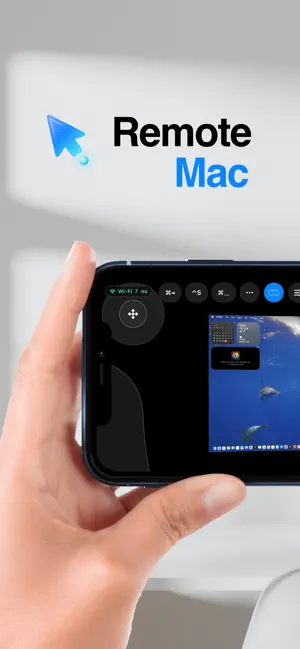
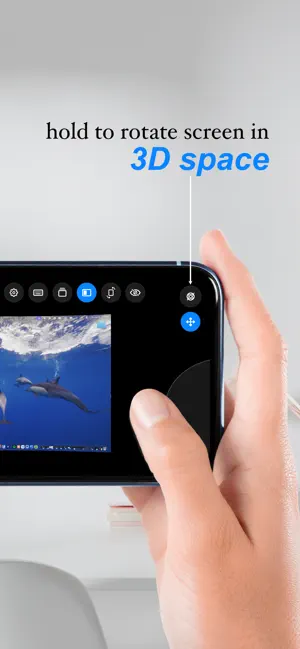
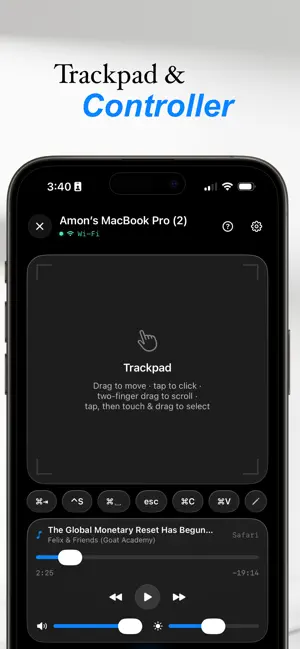
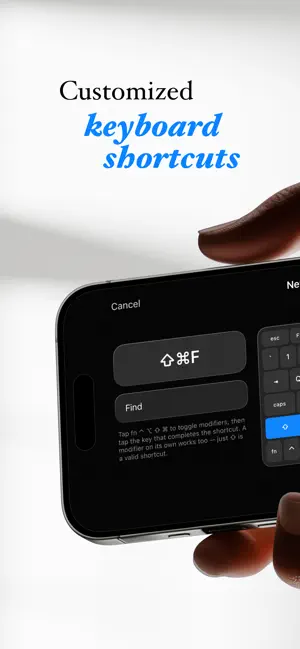
Remote Mac turns your iPhone or iPad into a wireless trackpad, full keyboard and live screen viewer for your Mac. Pair once with a QR code and take control from anywhere in the room, or anywhere at all. CONTROL YOUR MAC • Smooth, precise trackpad with tap, scroll and drag gestures • Full keyboard with modifier keys and shortcuts • Volume, playback and now playing controls for music and video • Keep your Mac awake for downloads, presentations and long tasks SEE YOUR SCREEN • Live screen mirroring with low latency video • Stream your Mac audio straight to your phone • Immersive VR viewing mode with head tracking WORKS WHERE YOU ARE • Instant connection over your local network, discovered automatically • Optional secure relay so you can reach your Mac when you are away from home • Reconnects quickly when you move between rooms PRIVATE BY DESIGN • Pairing uses a QR code with certificate pinning, and every command is cryptographically signed • No account and no sign up required • The Mac helper app is free, notarized by Apple and fully open source, so you can verify exactly what runs on your Mac GETTING STARTED 1. Install the free Remote Mac Relay helper on your Mac 2. Scan the QR code it shows with your iPhone or iPad 3. Start controlling your Mac Perfect as a presentation clicker, a couch remote for movies on your Mac, a trackpad for a Mac mini without peripherals, or a second way in when your mouse battery dies. Privacy Policy: https://www.remotemacos.com/privacy Terms of Use: https://www.remotemacos.com/terms Questions or feedback? Visit remotemacos.com
What’s new
Version 1.0.2 · Updated August 17, 2026
• New guided setup: install the free Mac companion in three quick steps, with one tap to send yourself the download link • Your Mac is detected automatically as soon as the relay is running • Bug fixes and stability improvements
App privacy
The developer, Amon Chowdhury, reported these privacy practices to Apple.
Data Not Collected
The developer does not collect any data from this app.
Alternatives to Remote Mac Desktop Control
Looking for apps like Remote Mac Desktop Control? Here are 6 similar apps on the App Store.
-
 Desktop Mirroring
-
 Mirror: Control Your Mac
-
 Speaker Test: Stereo Check
-
 Farroom: Remote Desktop
-
 RemoteX: Remote Desktop
-
 ID Verification (IDsure)
| App | Rating | Price | Last updated | Compare |
|---|---|---|---|---|
| Remote Mac Desktop Control | 5.0 / 5 (1 rating) | Free | August 17, 2026 | |
| Desktop Mirroring | – | Free | Sep 27, 2026 | Compare |
| Mirror: Control Your Mac | – | Free | Aug 18, 2026 | Compare |
| Speaker Test: Stereo Check | – | Free | Oct 15, 2026 | Compare |
| Farroom: Remote Desktop | – | Free | Oct 9, 2026 | Compare |
| RemoteX: Remote Desktop | – | Free | Sep 22, 2026 | Compare |
| ID Verification (IDsure) | – | Free | Sep 9, 2026 | Compare |