

PDF Sign: eSign & Export
Muhammad Arslan Asghar Utilities iPhoneiPadiPod touch
PDF Sign: eSign & Export is a free Utilities app for iPhone and iPad by Muhammad Arslan Asghar. Requires iOS 15.5. Updated October 12, 2026.
- Price
- Free
- on the App Store
- Size
- 99 MB
- Age 4+
- Updated
- Oct 12
- 2026 · v1.6
Screenshots
About PDF Sign: eSign & Export
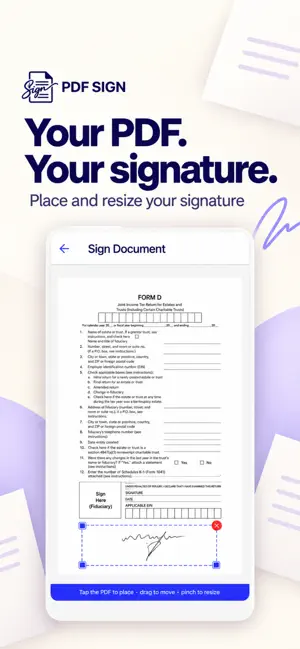
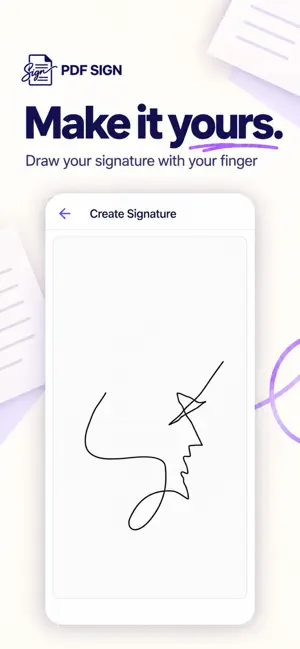
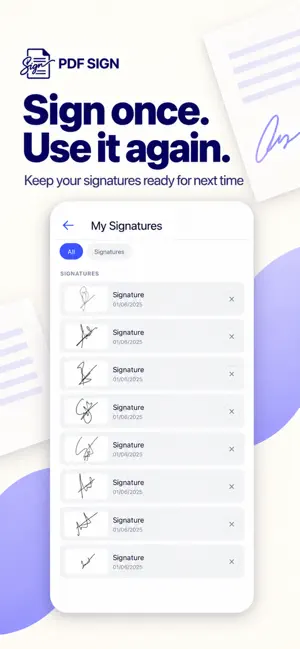
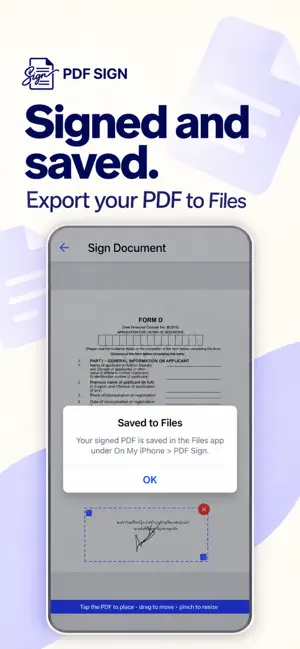
Sign PDFs in seconds — right on your iPhone, fully offline. PDF Sign is the fast, private way to sign and fill any PDF document. Draw your signature once, drop it on the page, fill out form fields, and share the finished file — no account, no subscription, no watermark. This is it. Your files never leave your device. Everything happens on your iPhone, so your contracts, agreements, and personal documents stay 100% private. WHY YOU'LL LOVE IT • Sign anything — draw a signature with your finger and place it anywhere on the PDF • Fill out forms — add text, dates, and checkmarks to any document • Works fully offline — no internet, no login, no cloud required • No watermarks — ever • Private by design — documents are processed only on your device • Save your signature — reuse it instantly on future documents • Share instantly — export the signed PDF to email, Files, Messages, and more • Clean, simple design — sign a document in under a minute PERFECT FOR • Contracts and agreements • Consent and permission forms • Tax and government paperwork • Rental and lease documents • NDAs, waivers, and applications • Anyone who needs to sign a document on the go HOW IT WORKS 1. Import a PDF from Files, email, or any app 2. Draw your signature (or reuse a saved one) 3. Tap to place it, then fill in any text fields 4. Save and share your signed PDF No printing. No scanning. No desktop needed. Download PDF Sign today and turn your iPhone into the simplest e-signature tool you own , offline, and completely private.
What’s new
Version 1.6 · Updated October 12, 2026
Updated our App Store name and subtitle to make PDF signing and signature creation easier to find. Improved ad display reliability and native ad layouts. Fixed cases where failed ads could interrupt the document workflow.
App privacy
The developer, Muhammad Arslan Asghar, reported these privacy practices to Apple.
Data Used to Track You
The following data may be used to track you across apps and websites owned by other companies:
- Identifiers: Device ID
- Usage Data: Product Interaction, Advertising Data
- Diagnostics: Crash Data, Performance Data
Data Linked to You
The following data, which may be collected and linked to your identity, may be used for the following purposes:
- Identifiers: Device ID
- Usage Data: Product Interaction, Advertising Data
- Diagnostics: Crash Data, Performance Data
Used for: Third-Party Advertising, Developer’s Advertising or Marketing
Alternatives to PDF Sign: eSign & Export
Looking for apps like PDF Sign: eSign & Export? Here are 6 similar apps on the App Store. The highest rated is Almaniac: A Calendar Converter (5.0/5), and all 6 are free to download.
-
 Document Signer: eSign PDF
-
 PinIt - Parking Spot Tracker
-
 Almaniac: A Calendar Converter
5.0
Almaniac: A Calendar Converter
5.0
-
 Signature Maker - eSign
-
 Communico Roam for Libraries
-
 Timestamp Camera: GPS Date
| App | Rating | Price | Last updated | Compare |
|---|---|---|---|---|
| PDF Sign: eSign & Export | – | Free | October 12, 2026 | |
| Document Signer: eSign PDF | – | Free | May 6, 2026 | Compare |
| PinIt - Parking Spot Tracker | – | Free | Sep 14, 2026 | Compare |
| Almaniac: A Calendar Converter | 5.0 / 5 (1) | Free | Oct 19, 2026 | Compare |
| Signature Maker - eSign | – | Free | Jul 13, 2026 | Compare |
| Communico Roam for Libraries | – | Free | Aug 21, 2026 | Compare |
| Timestamp Camera: GPS Date | – | Free | Jul 3, 2026 | Compare |