

Car Number Plate Blur
Phillip Paul Photo & Video iPhoneiPadiPod touch
Car Number Plate Blur is a free Photo & Video app for iPhone and iPad by Phillip Paul. Requires iOS 17.0. Updated October 11, 2026.
- Price
- Free
- on the App Store
- Size
- 26 MB
- Age 4+
- Updated
- Oct 11
- 2026 · v1.6.0
Screenshots


About Car Number Plate Blur
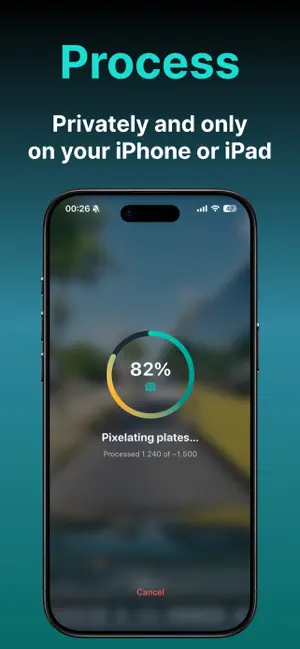
Got a dashcam clip of an accident, near miss, or wild commute moment you want to post? Pixelate the license plates first - then share it. Car Number Plate Blur is built for exactly that: import a video from Photos, anonymize plates on your iPhone, preview the result, and save or share to Instagram, WhatsApp Status, Facebook, X, and more. Works for dashcam and handheld clips - including motorcycle plates. Pro also blurs plates in photos - listings, snapshots, or similar. HOW IT WORKS 1. Record with your dashcam (or phone) and save the video to Photos 2. Import the clip into the app - trim if needed 3. Process - plates are detected and pixelated automatically 4. Preview, then save to Photos and/or share the anonymized version 5. Optional fine-tune: Pixelate less to undo false blurs, or Pixelate more on ranges that still look readable PHOTO MODE (PRO) 1. Import a photo from Photos 2. Process — plates are detected and pixelated on your iPhone 3. Tap a leftover plate and resize the box if needed 4. Preview, then save to Photos and/or share WHY PEOPLE USE IT • Post dashcam incidents and commute moments without exposing strangers’ plates • Cover plates in handheld / motorcycle close-ups, not only classic dashcam angles • Keep videos social-media ready while staying privacy-conscious • Fix over- or under-blurred spots without redoing the whole clip • One clear flow: import → process → preview → save/share • Blur plates in photos - listings, snapshots, and more - then tap leftover plates and resize PRIVACY BY DESIGN Detection and pixelation run entirely on your iPhone. Your video or photo is not uploaded for processing. FREE VS PRO • Free: up to 3 clips per day, up to 2 minutes each (output capped at 1080p) • Pro (one-time purchase): unlimited clips per day, up to 30 minutes, original/4K export when the source allows (no upscale), plus photo mode for stills - same on-device privacy Perfect when you want to share what happened on the road - without sharing every plate in frame.
What’s new
Version 1.6.0 · Updated October 11, 2026
Version 1.6.0 • More precise blur on handheld videos — it now follows the real plate, and signs or other text are left alone • Videos that were interrupted or failed can now be continued instead of starting over • New "Improve result" menu in the preview: blur marked ranges more strongly, soften over-blurred ones, or blur any area by hand — plus a full-screen result view • Fixed black frames after Pixelate and wrong dates on videos saved to Photos Everything is still processed on your iPhone — nothing is uploaded. Thanks for using Car Number Plate Blur.
App privacy
The developer, Phillip Paul, reported these privacy practices to Apple.
Data Not Linked to You
The following data, which may be collected but is not linked to your identity, may be used for the following purposes:
- Usage Data: Product Interaction
Used for: Analytics
Alternatives to Car Number Plate Blur
Looking for apps like Car Number Plate Blur? Here are 6 similar apps on the App Store. The highest rated is License Plate Blur AI (2.0/5), and all 6 are free to download.
-
 PlateBlur: Plate Privacy
-
 License Plate Blur AI
2.0
License Plate Blur AI
2.0
-
 Blur Faces in Video & Photo
-
 Blur Faces in Video: Redactly
-
 AutoBlur - Local Video Blur
-
 Plate Blur AI: Cars & Homes
| App | Rating | Price | Last updated | Compare |
|---|---|---|---|---|
| Car Number Plate Blur | – | Free | October 11, 2026 | |
| PlateBlur: Plate Privacy | – | Free | Apr 17, 2026 | Compare |
| License Plate Blur AI | 2.0 / 5 (4) | Free | Oct 16, 2026 | Compare |
| Blur Faces in Video & Photo | – | Free | Oct 12, 2026 | Compare |
| Blur Faces in Video: Redactly | – | Free | Oct 7, 2026 | Compare |
| AutoBlur - Local Video Blur | – | Free | Jul 7, 2026 | Compare |
| Plate Blur AI: Cars & Homes | – | Free | Aug 20, 2026 | Compare |