

EasyCut: Video Toolkit
小聪 钟 Photo & Video iPhoneiPadiPod touch
EasyCut: Video Toolkit is a free Photo & Video app for iPhone and iPad by 小聪 钟. Requires iOS 26.0. Updated August 15, 2026.
- Price
- Free
- on the App Store
- Size
- 2 MB
- Age 4+
- Updated
- Aug 15
- 2026 · v1.2
Screenshots


About EasyCut: Video Toolkit
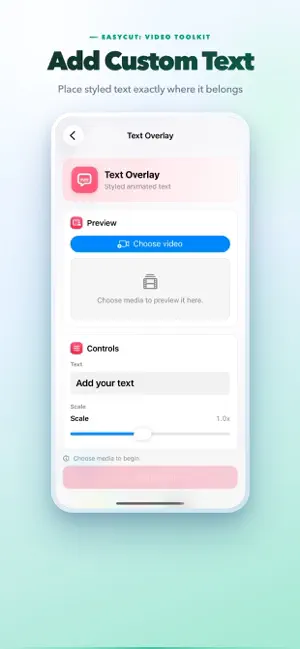
EasyCut is a fast video toolkit for everyday edits. Pick a video or photo, choose the tool you need, adjust a few simple controls, and export a clean result. Use EasyCut when you want to finish one video task without opening a complicated editor. What you can do: - Trim a video to the exact moment you need - Capture a frame and save it as an image - Crop video for square, vertical, landscape, and story formats - Merge videos and photos into one video - Add a text or image watermark - Add custom text overlays with font, size, color, position, and timing controls - Generate subtitles automatically with on-device speech recognition, edit every line, and burn them into the video - Remove audio from a video - Reverse video playback - Speed up or slow down a selected section - Turn photos into a video - Compress video for easier sharing - Upscale video resolution up to 2x (up to 4K) with hardware acceleration - Blur faces with a smooth blur, mosaic, or image cover EasyCut is designed for quick, practical edits: - Clean one-screen tools - Simple previews before export - No account required - No subscription required - No watermark added by the app - Save finished videos or images to Photos when you are ready Free to try every tool with full previews. A single one-time purchase unlocks saving and sharing your results — no subscription, ever. Everything runs locally on your device: video processing and speech recognition never send your media anywhere. Whether you are preparing a clip for sharing, adding subtitles, reducing file size, hiding private details, grabbing a still image, or adding a quick label to a video, EasyCut helps you get it done with less friction. Terms of Use (EULA): https://www.apple.com/legal/internet-services/itunes/dev/stdeula/ Privacy Policy: https://easycut.iamdev.me/privacy.html Terms of Service: https://easycut.iamdev.me/terms.html Support: [email protected]
What’s new
Version 1.2 · Updated August 15, 2026
Bug fixes & small performance improvements.
App privacy
The developer, 小聪 钟, reported these privacy practices to Apple.
Data Not Linked to You
The following data, which may be collected but is not linked to your identity, may be used for the following purposes:
- Identifiers: Device ID
Used for: Analytics
Alternatives to EasyCut: Video Toolkit
Looking for apps like EasyCut: Video Toolkit? Here are 6 similar apps on the App Store. The highest rated is BlinkCut (5.0/5), and all 6 are free to download.
-
 ReelWords Viral Video Captions
-
 Video Merger & Joiner
-
 Long Video To Shorts
-
 BlinkCut
5.0
BlinkCut
5.0
-
 AV Studio: Audio Video Editor
-
 Grabby - video to photo
| App | Rating | Price | Last updated | Compare |
|---|---|---|---|---|
| EasyCut: Video Toolkit | – | Free | August 15, 2026 | |
| ReelWords Viral Video Captions | – | Free | May 18, 2026 | Compare |
| Video Merger & Joiner | – | Free | Jul 22, 2026 | Compare |
| Long Video To Shorts | – | Free | Sep 27, 2026 | Compare |
| BlinkCut | 5.0 / 5 (1) | Free | Oct 20, 2026 | Compare |
| AV Studio: Audio Video Editor | – | Free | Sep 7, 2026 | Compare |
| Grabby - video to photo | – | Free | Mar 30, 2026 | Compare |