

CalMerge - Calendar to PDF
涛 刘 Utilities iPhoneiPadiPod touch
CalMerge - Calendar to PDF is a free Utilities app for iPhone and iPad by 涛 刘. Requires iOS 17.0. Updated July 22, 2026.
- Price
- Free
- on the App Store
- Size
- 32 MB
- Age 4+
- Updated
- Jul 22
- 2026 · v1.1
Screenshots
About CalMerge - Calendar to PDF
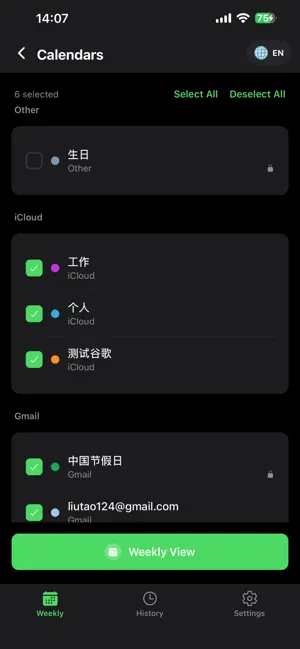
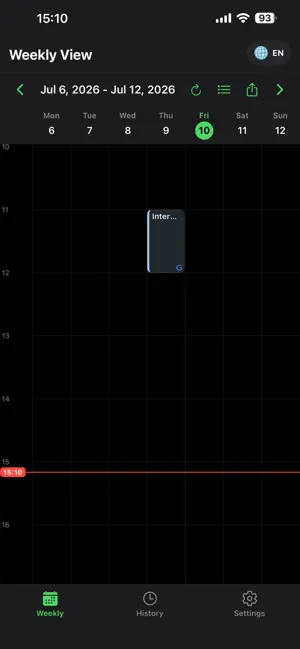
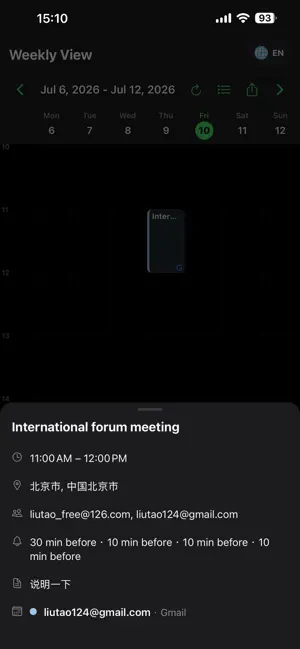
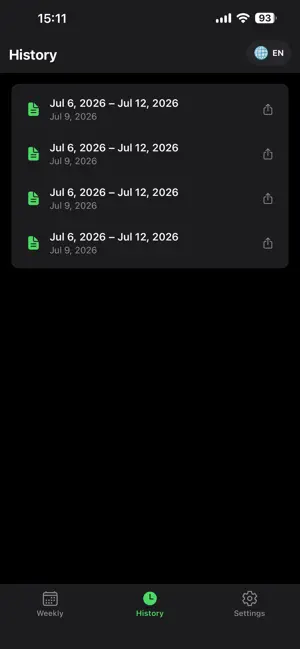
CalMerge brings all your calendars together in one unified weekly timeline. Read your iCloud, Google, Outlook, and local calendars side by side — no switching between apps. Weekly Timeline at a Glance View all events from your selected calendars in a single 7-day grid. Overlapping events are automatically laid out in columns. A real-time indicator shows exactly where you are in the day. Swipe left or right to navigate weeks. PDF Export with Templates Turn any date range into a polished PDF with three built-in templates: • Personal — a clean three-column layout (date, time, title) • Meeting Minutes — includes an action items section • Trial Schedule — features case info fields and signature areas Advanced Export Filters Narrow down what you export. Filter by keyword or location, choose exactly which columns to include, and pick from quick date ranges like this month, quarter, or year. Smart History Every export is saved automatically. Star important exports to pin them to the top. Batch delete when you need to clean up. Customizable Timeline Prefer a focused work-hours view? Switch the timeline range to 9:00–18:00 or 6:00–22:00. Your preference is saved automatically. Built for Privacy All data stays on your device. CalMerge reads your calendars — it never modifies them. Lock the app with Face ID or a PIN for extra security. Feedback Found a bug or have a suggestion? Send feedback directly from the app with optional screenshots and device info.
What’s new
Version 1.1 · Updated July 22, 2026
• PDF Templates — Choose from Personal, Meeting Minutes, or Trial Schedule layouts when exporting • Advanced Export Filters — Filter by keyword and location, customize visible columns, and use quick date ranges (this month / quarter / year) • Customizable Timeline — Set the weekly view to 7:00–24:00, 9:00–18:00, or 6:00–22:00 • Scroll-to-Now Button — A floating button to jump back to the current time instantly • History Improvements — Star your important exports to pin them to the top, and batch delete with confirmation • In-App Feedback — Report bugs or send suggestions directly from the app with optional screenshots • Performance improvements and bug fixes
App privacy
The developer, 涛 刘, reported these privacy practices to Apple.
Data Not Collected
The developer does not collect any data from this app.
Alternatives to CalMerge - Calendar to PDF
Looking for apps like CalMerge - Calendar to PDF? Here are 6 similar apps on the App Store. The highest rated is Barcode+QRcode Scanner (5.0/5), and 5 of the 6 are free to download.
-
 Race Timer: SpeedGate
-
 Warranti: Warranty Tracker
-
 EarTimer
-
 Barcode+QRcode Scanner
5.0
Barcode+QRcode Scanner
5.0
-
 RushCountdown
-
 Flip Clock Pro: Desk Clock
5.0
Flip Clock Pro: Desk Clock
5.0
| App | Rating | Price | Last updated | Compare |
|---|---|---|---|---|
| CalMerge - Calendar to PDF | – | Free | July 22, 2026 | |
| Race Timer: SpeedGate | – | Free | Sep 28, 2026 | Compare |
| Warranti: Warranty Tracker | – | 0.99 USD | Oct 9, 2026 | Compare |
| EarTimer | – | Free | Oct 18, 2026 | Compare |
| Barcode+QRcode Scanner | 5.0 / 5 (1) | Free | Jul 8, 2026 | Compare |
| RushCountdown | – | Free | Jul 23, 2026 | Compare |
| Flip Clock Pro: Desk Clock | 5.0 / 5 (1) | Free | Sep 23, 2026 | Compare |