

eSign: PDF Signer & Fill Sign
rom zeev Utilities iPhoneiPadiPod touch
eSign: PDF Signer & Fill Sign is a free Utilities app for iPhone and iPad by rom zeev. Requires iOS 17.0. Updated October 14, 2026.
- Price
- Free
- on the App Store
- Size
- 11 MB
- Age 4+
- Updated
- Oct 14
- 2026 · v1.2
Screenshots


About eSign: PDF Signer & Fill Sign
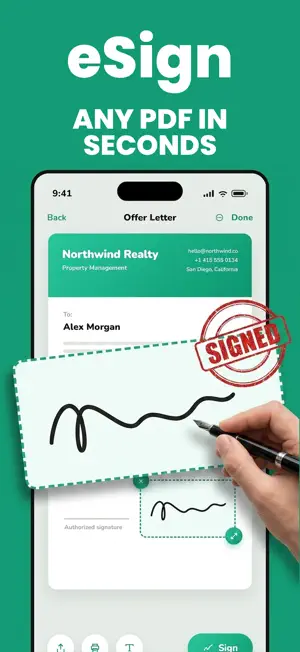
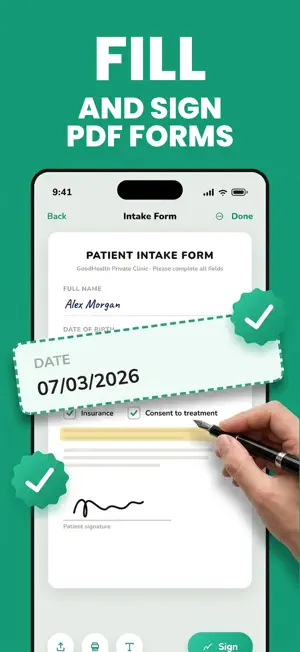
eSign is the fast, simple eSign app that turns your iPhone into a powerful PDF signer. Fill & sign PDF forms, create your digital signature, and send signed documents in under a minute — no printer, no scanner, no stress. Need a signing app for a contract, lease, invoice, consent form or NDA? Scan the paper, fill in the fields, place your signature and share — done before your coffee gets cold. SIGNATURE CREATOR — YOUR SIGN, YOUR STYLE • Draw your signature with your finger — smooth, natural strokes • Type your name and choose from elegant handwriting fonts • Or sign on paper and snap a photo — the signature creator removes the background automatically • Save unlimited signatures, initials and stamps — reuse them on every document you sign PDF FILL & SIGN — ANY FORM, ANY FILE • Fill PDF forms with text, today's date and checkmarks in one tap • Place your eSignature exactly where it belongs • Highlight important sections and white-out mistakes • Draw freehand with pen and highlighter tools SCAN PAPER TO CLEAN PDF • Automatic edge detection and perspective correction • Multi-page scanning with built-in text recognition (OCR) • Search documents by name or by the text inside them WORKS WITH EVERY FILE • Import PDFs, photos, Word, Excel and PowerPoint files • Export signed documents as PDF, PNG or JPEG — or keep the original format • Share by email or WhatsApp, save to Files, or print with AirPrint PRIVATE AND SECURE SIGNING • Your documents never leave your device • Lock sensitive files with Face ID or a custom PIN From a quick esign on the go to a full day of paperwork, this signing app gets every PDF filled, signed and sent — wherever you are. SUBSCRIPTION INFO e signature Pro is a weekly auto-renewable subscription with a 3-day free trial. Payment is charged to your Apple ID account at the end of the trial. The subscription renews automatically unless cancelled at least 24 hours before the end of the current period. Manage or cancel anytime in your App Store account settings. Terms of Use: https://www.apple.com/legal/internet-services/itunes/dev/stdeula/
What’s new
Version 1.2 · Updated October 14, 2026
Smoother signing and saving. Performance improvements and bug fixes.
App privacy
The developer, rom zeev, reported these privacy practices to Apple.
Data Linked to You
The following data, which may be collected and linked to your identity, may be used for the following purposes:
- Identifiers: User ID
- Usage Data: Other Usage Data
- Diagnostics: Other Diagnostic Data
Used for: Analytics
Data Not Linked to You
The following data, which may be collected but is not linked to your identity, may be used for the following purposes:
- Identifiers: Device ID
- Usage Data: Product Interaction
- Purchases: Purchase History
Used for: Analytics, App Functionality
Alternatives to eSign: PDF Signer & Fill Sign
Looking for apps like eSign: PDF Signer & Fill Sign? Here are 6 similar apps on the App Store. The highest rated is Gaitor GPS (4.5/5), and all 6 are free to download.
-
 eSign - Signature Maker +
-
 EasyPDF Sign
-
 Simple QR Maker - QR Generator
-
 Invoice maker: Kleinquittung
-
 Docshot: Scan, Fill & Sign PDF
-
 Gaitor GPS
4.5
Gaitor GPS
4.5
| App | Rating | Price | Last updated | Compare |
|---|---|---|---|---|
| eSign: PDF Signer & Fill Sign | – | Free | October 14, 2026 | |
| eSign - Signature Maker + | – | Free | Jul 17, 2026 | Compare |
| EasyPDF Sign | – | Free | Aug 6, 2026 | Compare |
| Simple QR Maker - QR Generator | – | Free | Oct 31, 2025 | Compare |
| Invoice maker: Kleinquittung | – | Free | Oct 17, 2026 | Compare |
| Docshot: Scan, Fill & Sign PDF | – | Free | Feb 24, 2026 | Compare |
| Gaitor GPS | 4.5 / 5 (2) | Free | Sep 25, 2026 | Compare |