

Docshot: Scan, Fill & Sign PDF
Darko Suljic Utilities iPhoneiPadiPod touch
Docshot: Scan, Fill & Sign PDF is a free Utilities app for iPhone and iPad by Darko Suljic. Requires iOS 16.0. Updated February 24, 2026.
- Price
- Free
- on the App Store
- Size
- 71 MB
- Age 4+
- Updated
- Feb 24
- 2026 · v1.3.0
Screenshots



About Docshot: Scan, Fill & Sign PDF
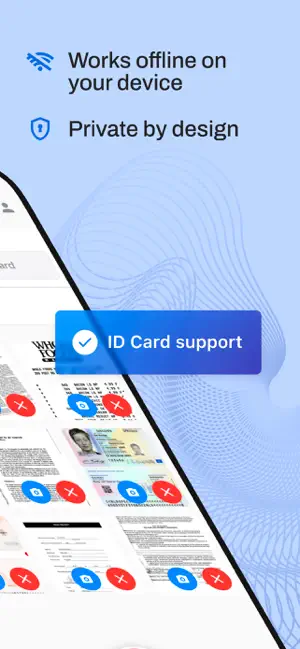
Docshot is the privacy-first document scanner that runs 100% on your device. Scan documents, extract text, and convert files without your data ever leaving your phone. Whether you are digitizing sensitive contracts or archiving receipts, Docshot guarantees that what happens on your iPhone, stays on your iPhone. No internet required, no accounts, no cloud uploads. CORE FEATURES (Free): Scan Instantly: Auto-detect edges and capture high-quality scans. Total Privacy: All processing is done offline. We never see your files. Smart Filters: Enhance legibility with Black & White, Grayscale, or Color modes. Organize: Create and manage multi-page PDFs instantly. PRO TOOLKIT (Advanced & Offline): Local Word Export: Convert scanned images directly into editable .DOCX files. Offline OCR: Extract text from any document instantly without an internet connection. Searchable PDFs: Make your scans searchable by keyword to find exactly what you need later. Smart Compression: Reduce PDF file size locally to save space. PRICING & LIMITS: Free Plan: Up to 3 pages per PDF Up to 20 PDFs per month Light watermark on pages Docshot Personal+: Unlock Word Export & OCR Create Searchable PDFs Unlimited Scanning No Watermark Upload or draw signatures and stamps to sign documents Professional scanning power, zero data leaks. Links: Privacy Policy: https://docshot.io/privacy Terms of Use (EULA): https://www.apple.com/legal/internet-services/itunes/dev/stdeula/
What’s new
Version 1.3.0 · Updated February 24, 2026
New: Fill PDF forms and import existing PDF documents.
App privacy
The developer, Darko Suljic, reported these privacy practices to Apple.
Data Linked to You
The following data, which may be collected and linked to your identity, may be used for the following purposes:
- Contact Info: Email Address
- Identifiers: User ID, Device ID
Used for: App Functionality
Alternatives to Docshot: Scan, Fill & Sign PDF
Looking for apps like Docshot: Scan, Fill & Sign PDF? Here are 6 similar apps on the App Store. The highest rated is Pegla (5.0/5), and all 6 are free to download.
-
 SpotSnap - save every spot
-
 ZeroTrace AI - Phone Cleaner
-
 Signora - Fill & Sign PDF
-
 Let's Sync
-
 eSign: PDF Signer & Fill Sign
-
 Pegla
5.0
| App | Rating | Price | Last updated | Compare |
|---|---|---|---|---|
| Docshot: Scan, Fill & Sign PDF | – | Free | February 24, 2026 | |
| SpotSnap - save every spot | – | Free | Aug 13, 2025 | Compare |
| ZeroTrace AI - Phone Cleaner | – | Free | Jul 20, 2026 | Compare |
| Signora - Fill & Sign PDF | – | Free | Nov 5, 2025 | Compare |
| Let's Sync | – | Free | Mar 27, 2024 | Compare |
| eSign: PDF Signer & Fill Sign | – | Free | Oct 14, 2026 | Compare |
| Pegla | 5.0 / 5 (1) | Free | Oct 27, 2026 | Compare |